

The following explains how to fix an issue where Riot Games does not open on Windows Server by uninstalling the latest Windows Server security updates.
- Open Settings on the Windows Server
- Navigate to Update & Security → Windows Update. (Figure 1)
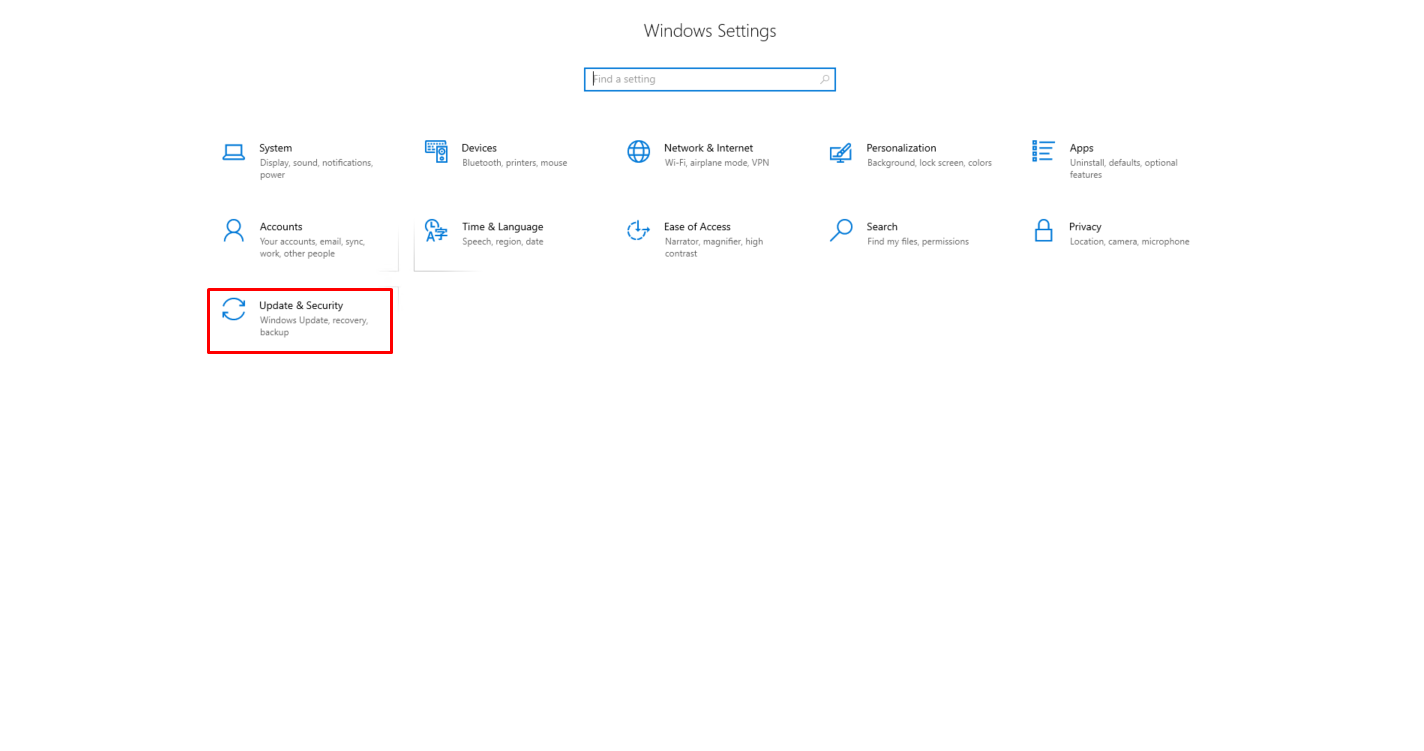
Figure 1
- Click View update history. (Figure 2)
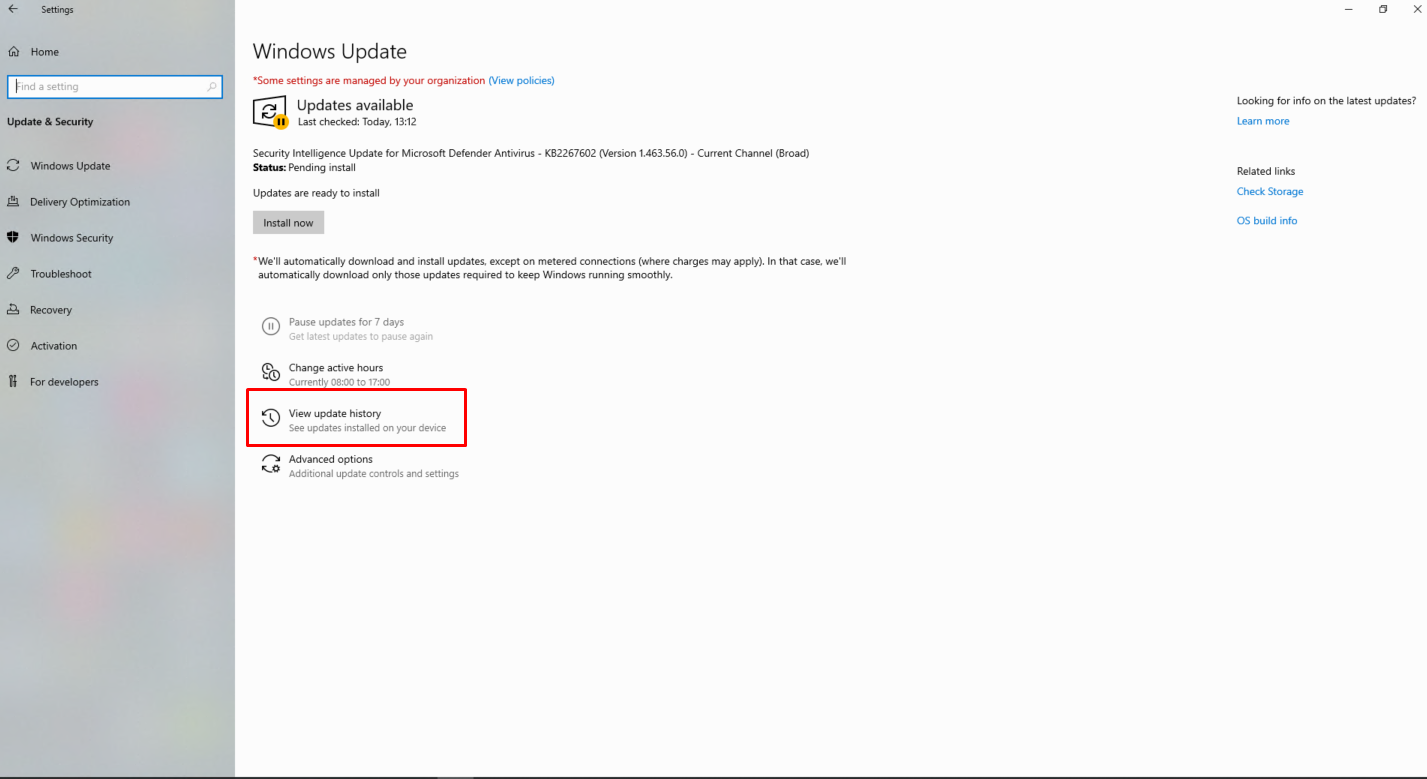
Figure 2
- Click Uninstall updates. (Figure 3)
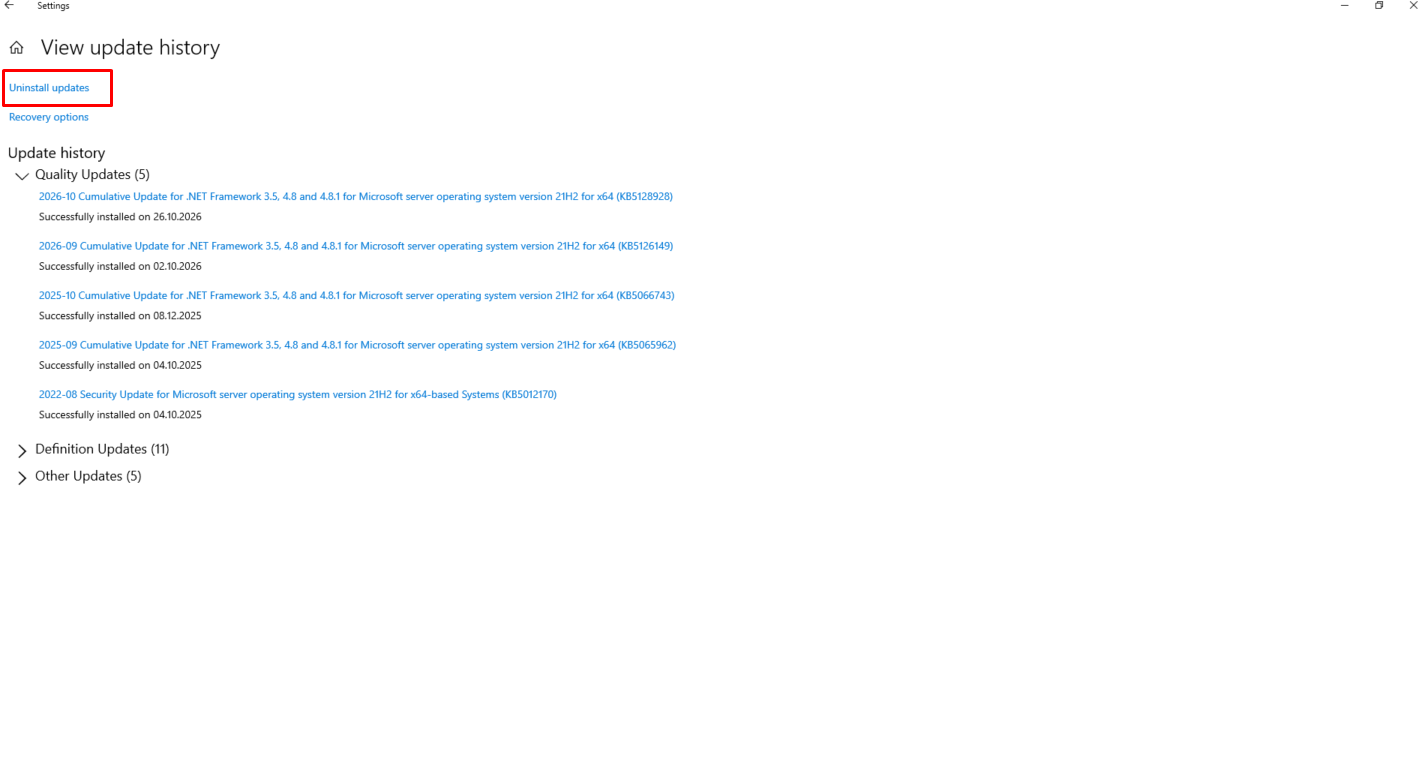
Figure 3
- Delete latest security update (KB5126646). (Figure 4)
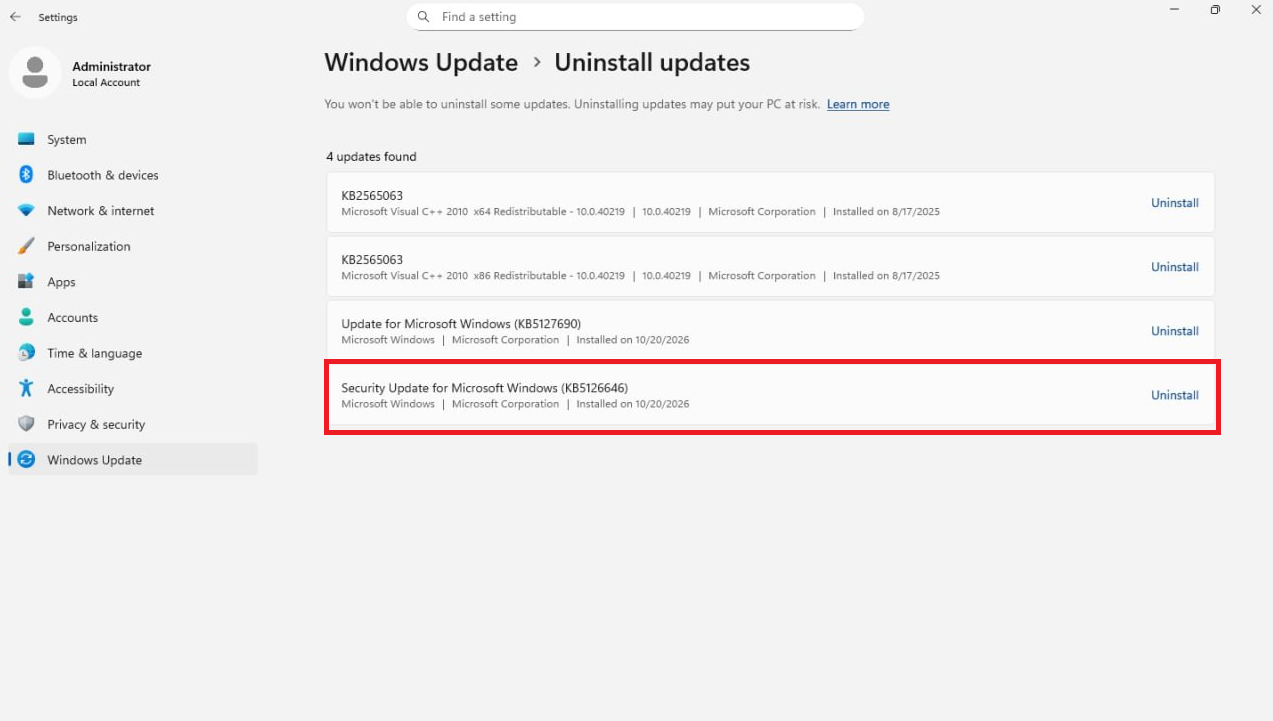
Figure 4
- Restart the Windows Server to apply the changes.