

The following explains how to verify Epic Games on the server, if they show Install instead of Play.
- Open Epic Games folder, find the game you want to verify and rename the folder. (Figure 1 & 2)
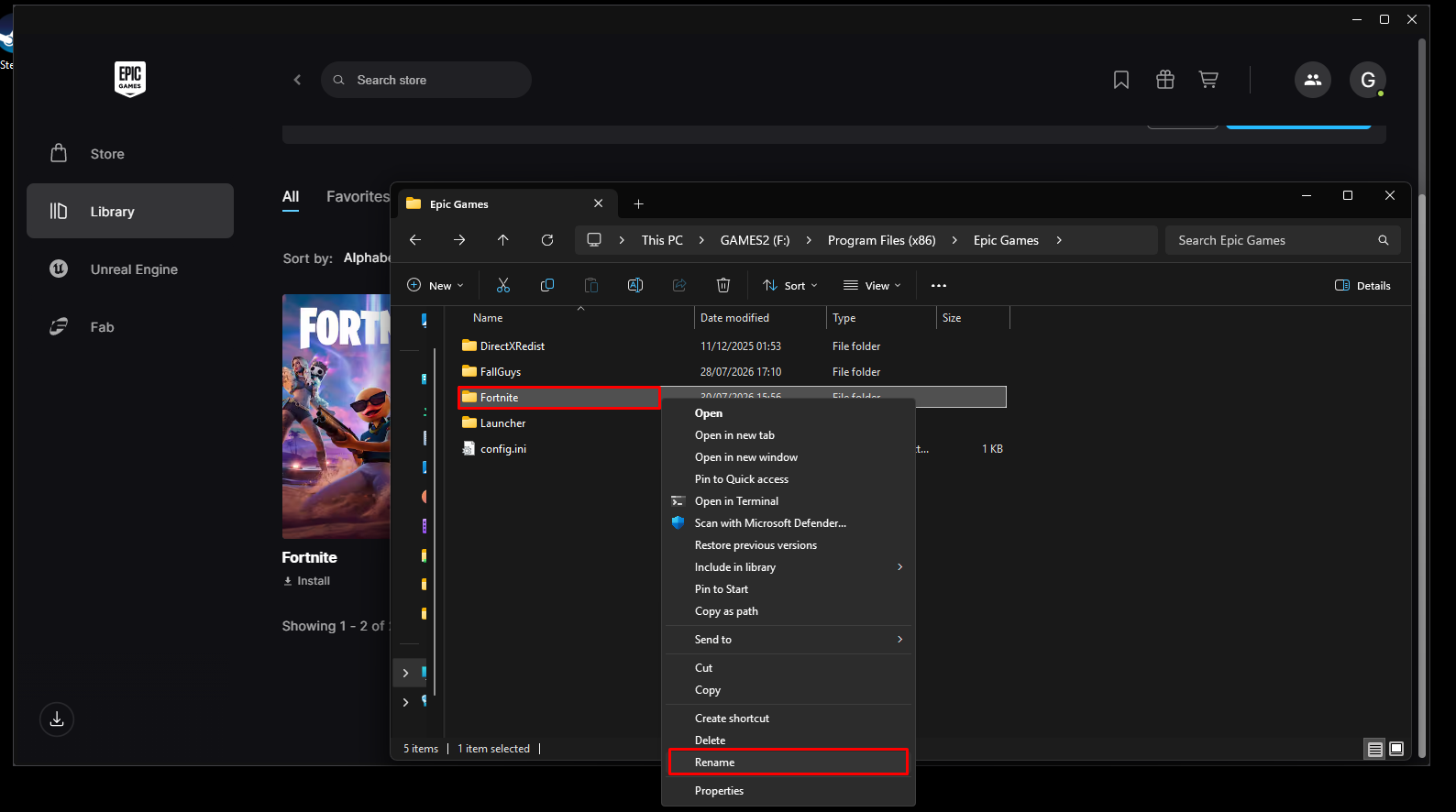
Figure 1
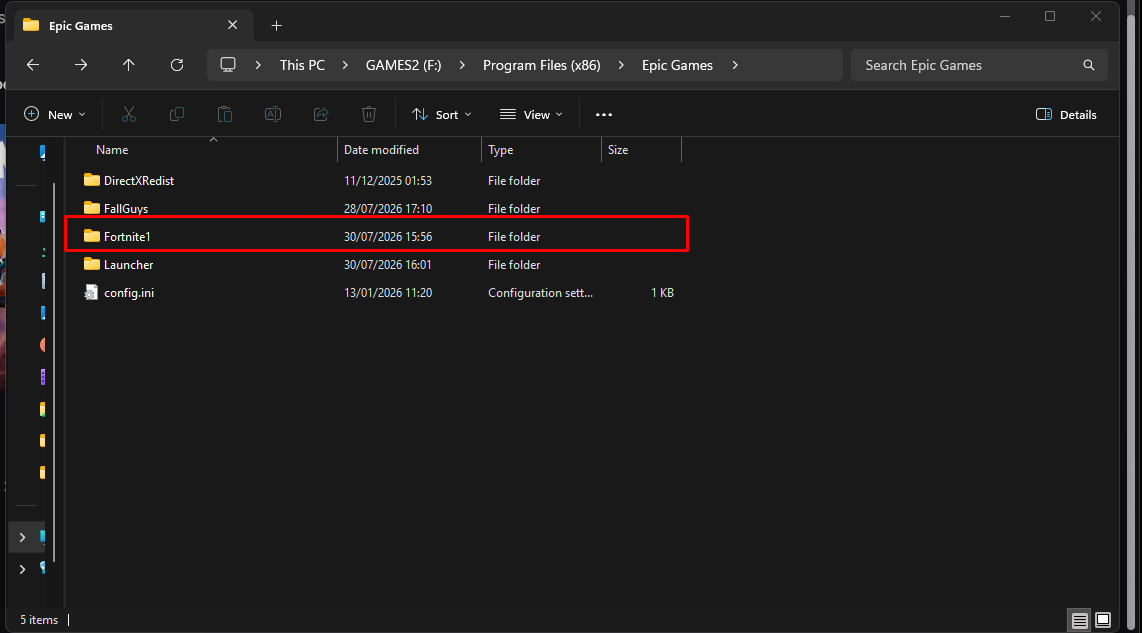
Figure 2
- Open Epic Games Launcher and click install on the game that you want to verify. (Figure 3)
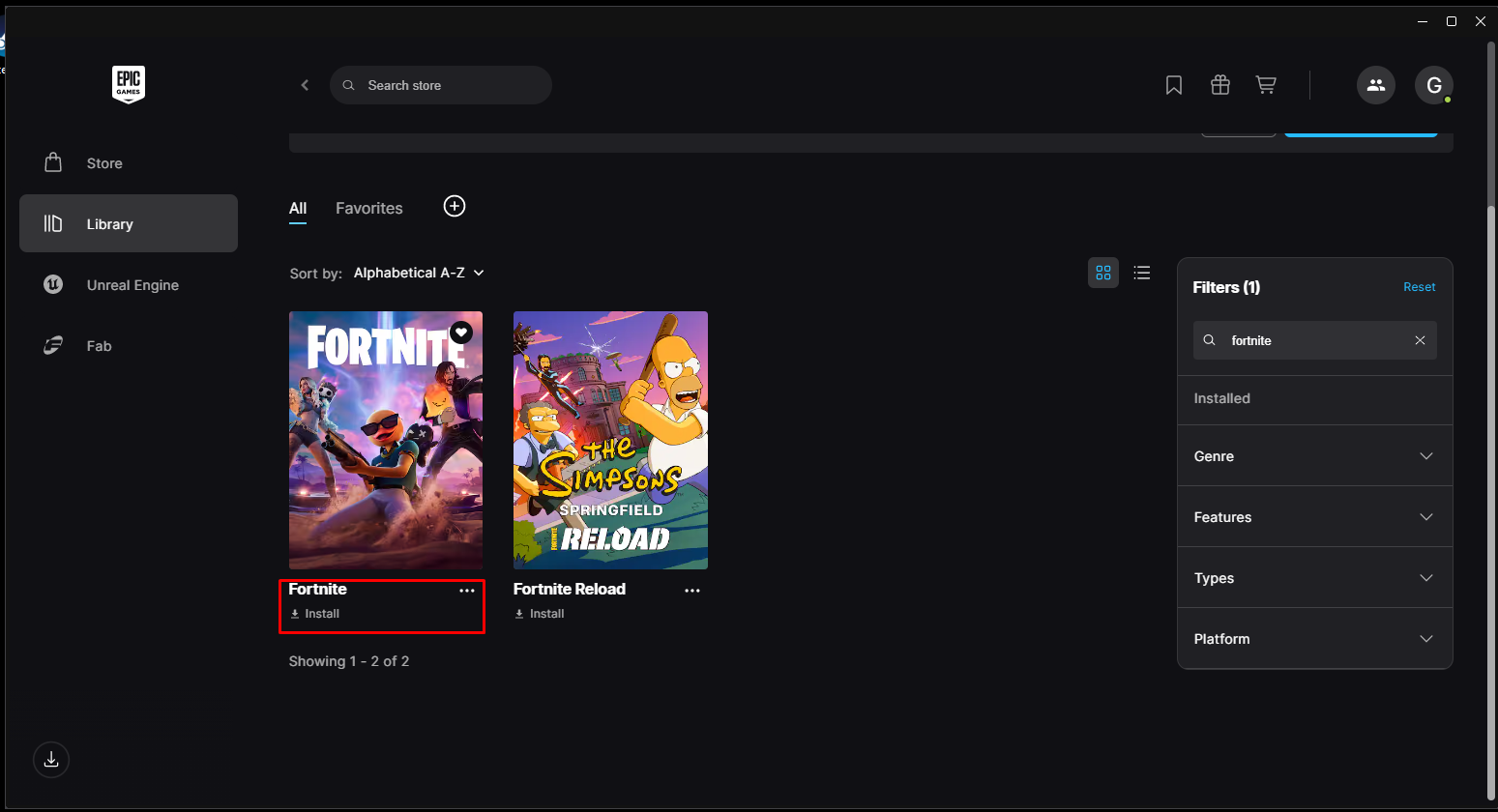
Figure 3
- Choose a path for the game, where it was before and click Install. (Figure 4)
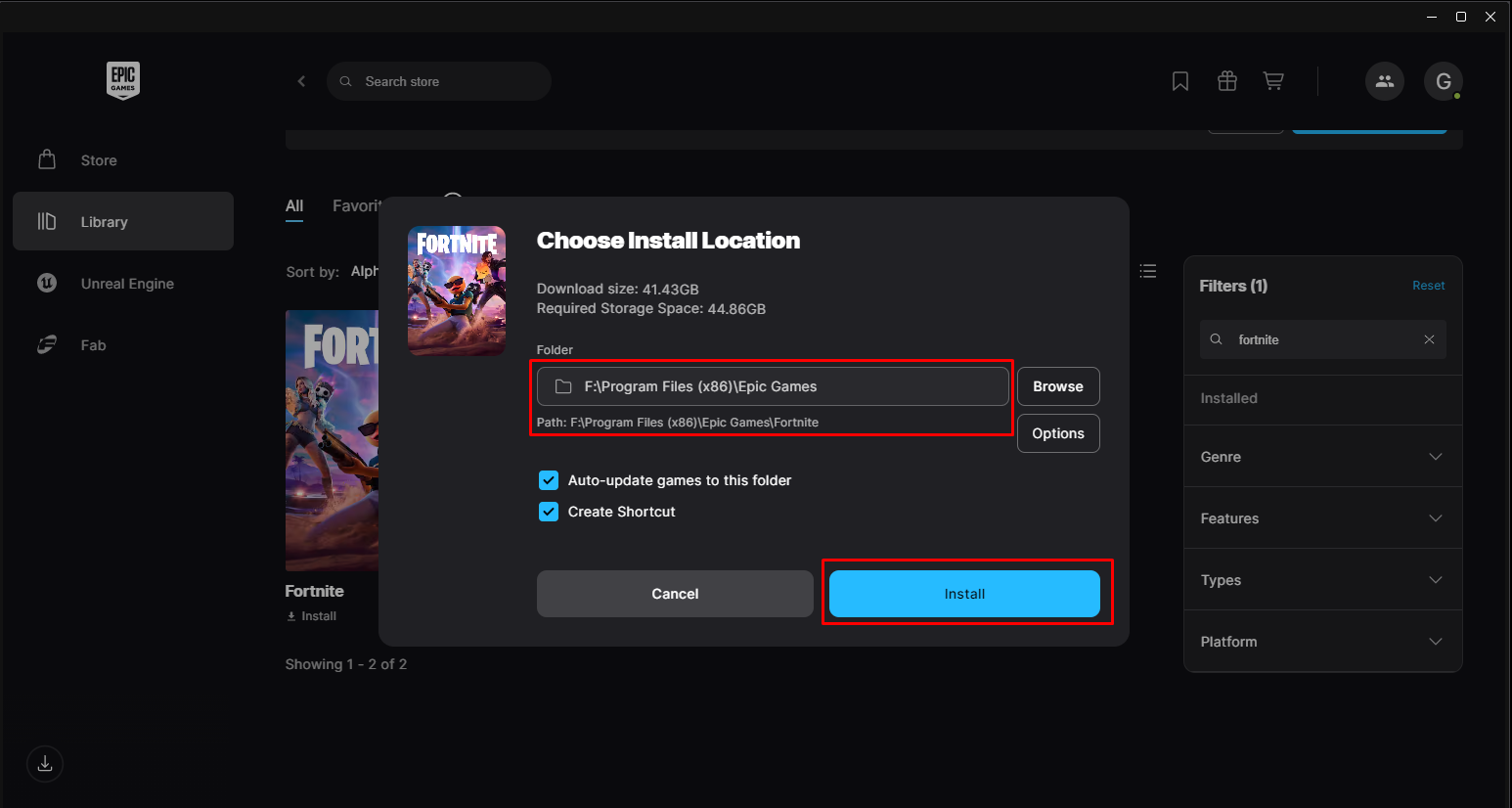
Figure 4
- Wait 15-20 seconds and then pause the download. (Figure 5)
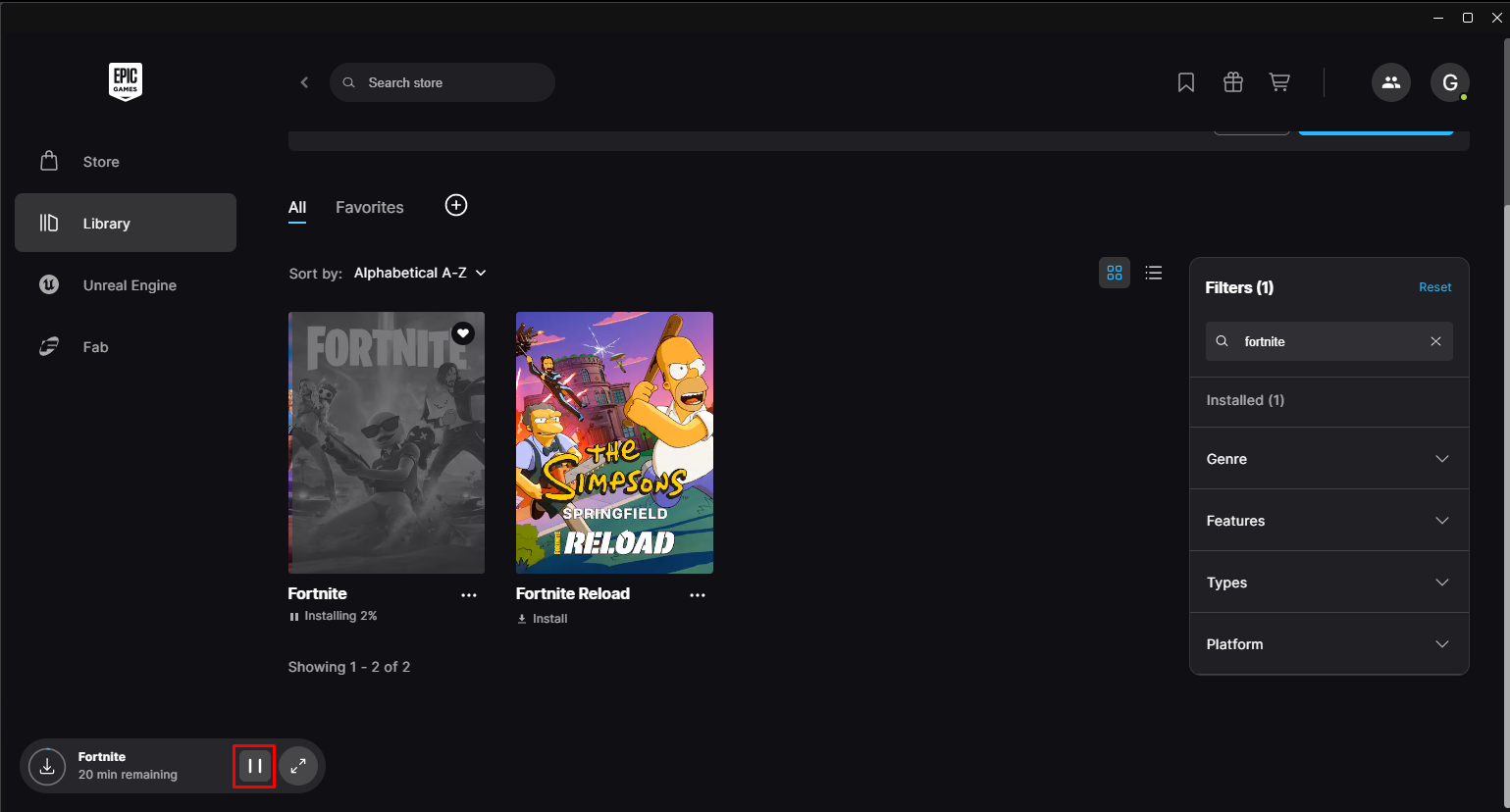
Figure 6
- Rename folder back to original name and click Yes, when it prompts to replace files. (Figure 7 & 8)
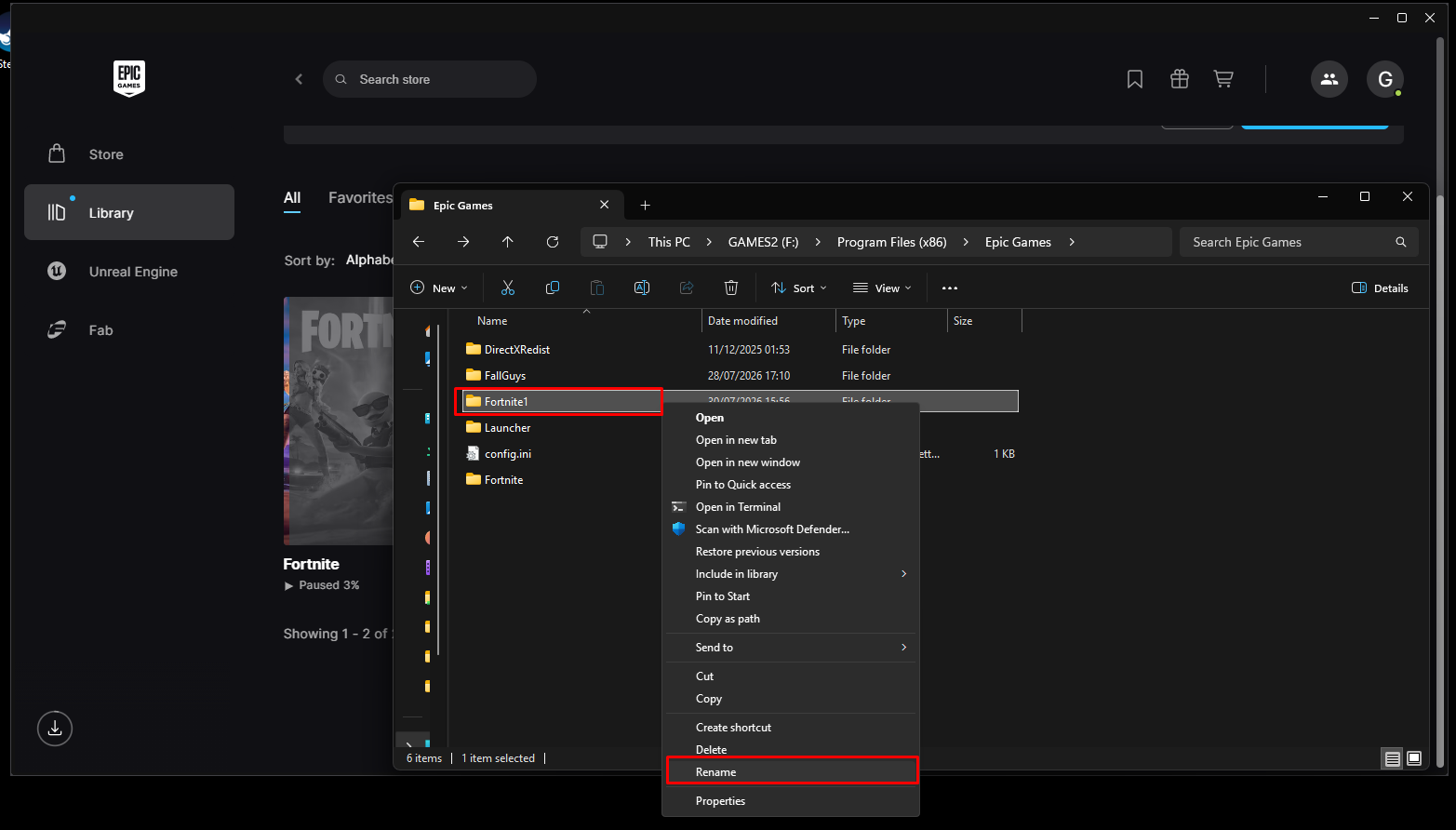
Figure 7
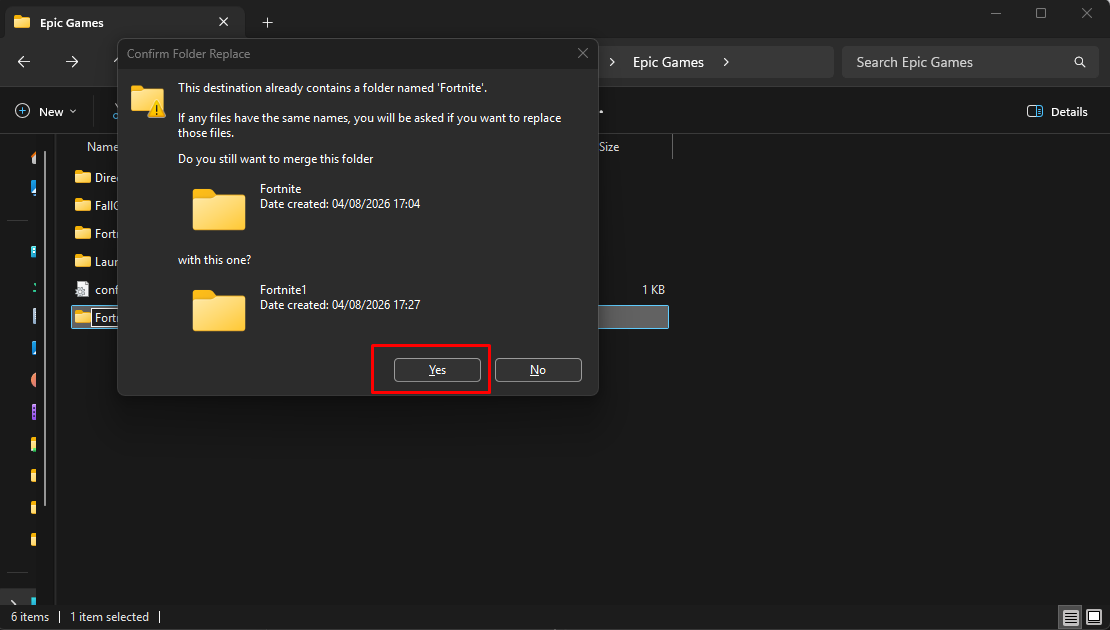
Figure 8
- Resume the download again, and Epic Games will start verifying. (Figure 9 & 10)
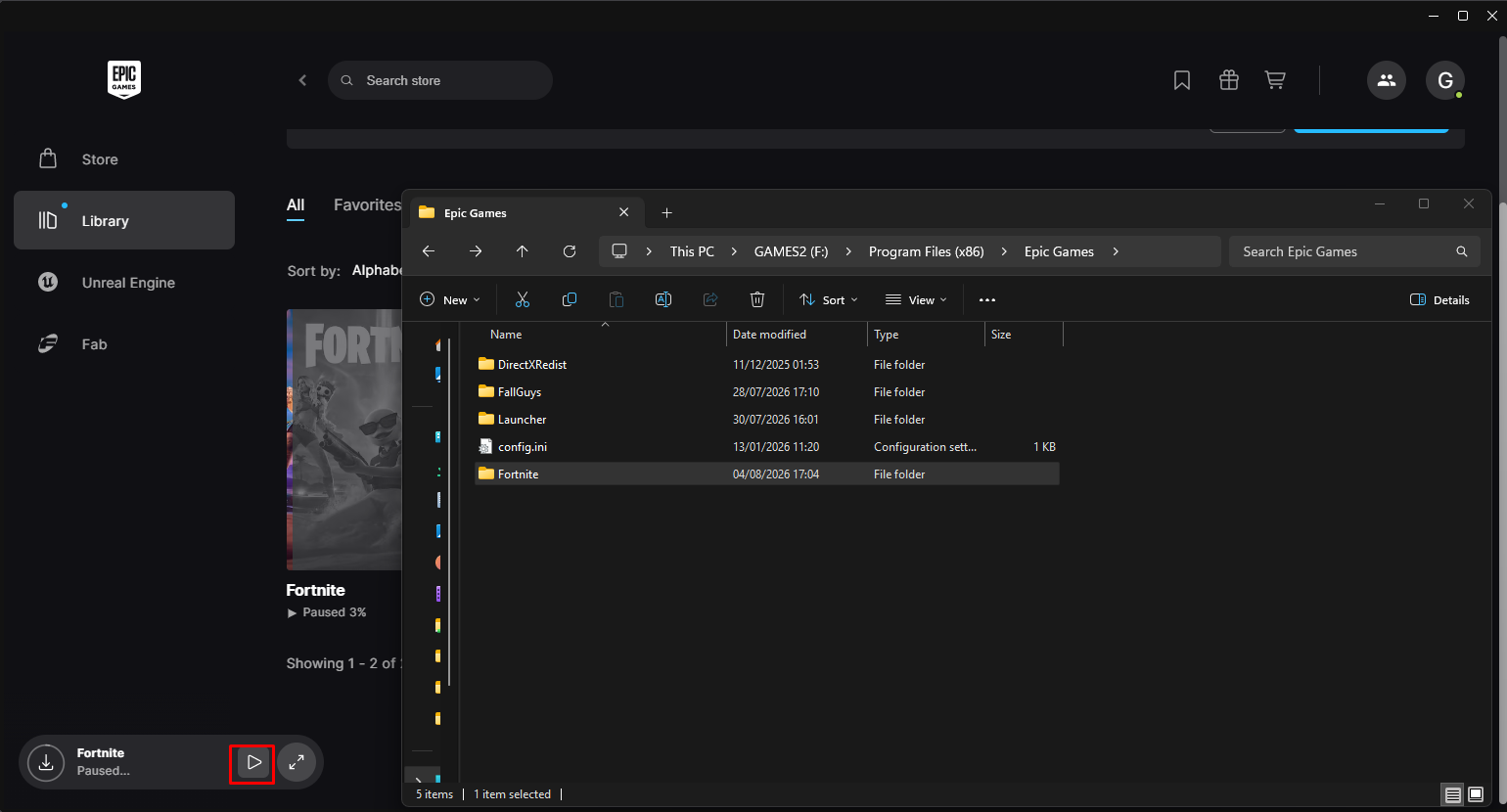
Figure 9
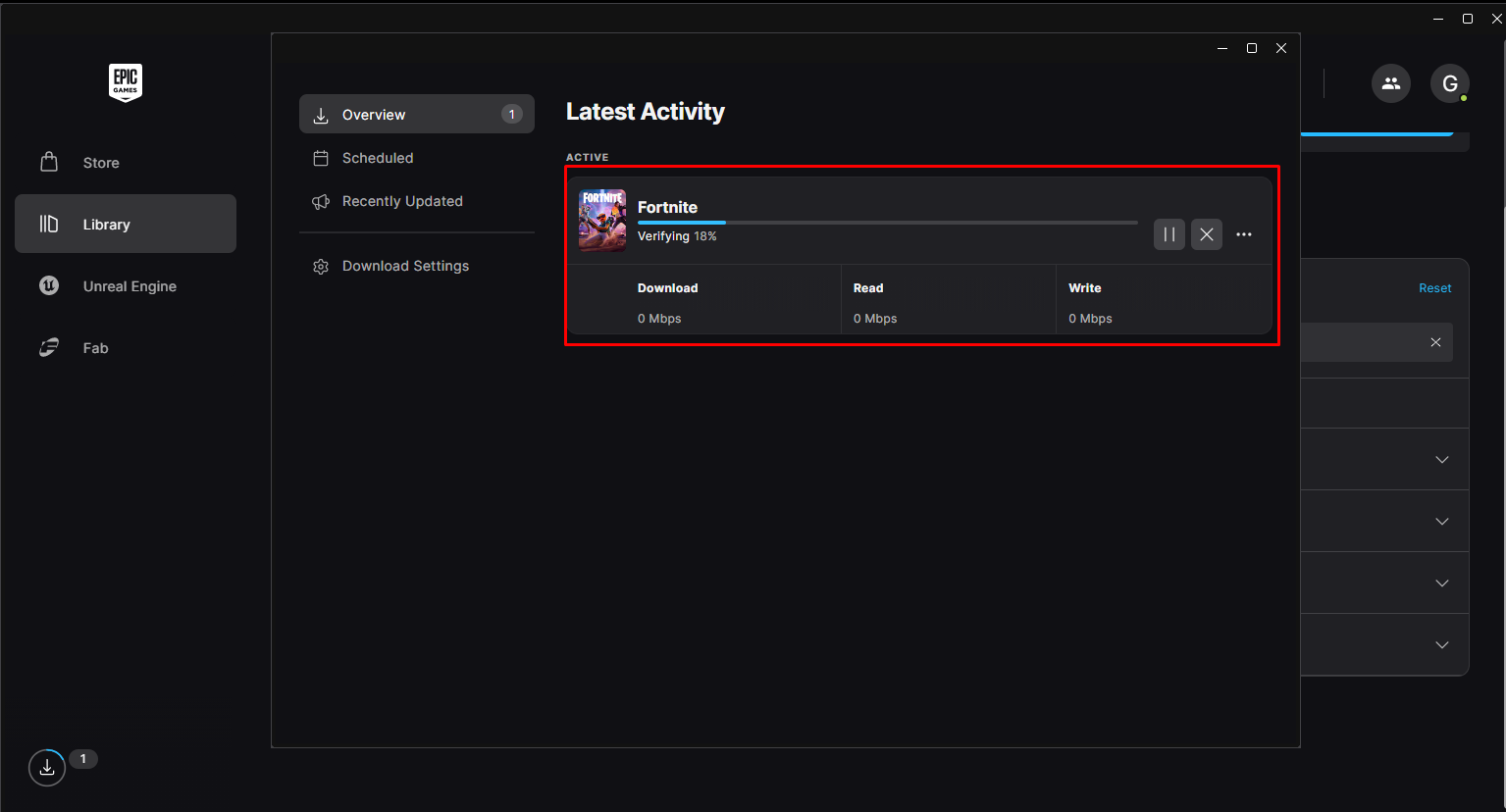
Figure 10