
2025-11-19
steam, workshop, auto, download
The following explains how to stop Steam from automatically downloading workshop data when logging into a Steam account.
- This function runs a script that automatically stops workshop downloads only after Steam login.
- However, if you launch a game like CS2, and you still have active workshop subscriptions, Steam will start downloading them again.
- The only way to fully prevent this is to manually remove the workshop items:
The player must check their Steam Workshop subscriptions and unsubscribe from any items they don’t want to download.
Unsubscribing from Mods
- Locate the game on the Steam library, and click Workshop. For this example, we will use DayZ. (Figure 1)
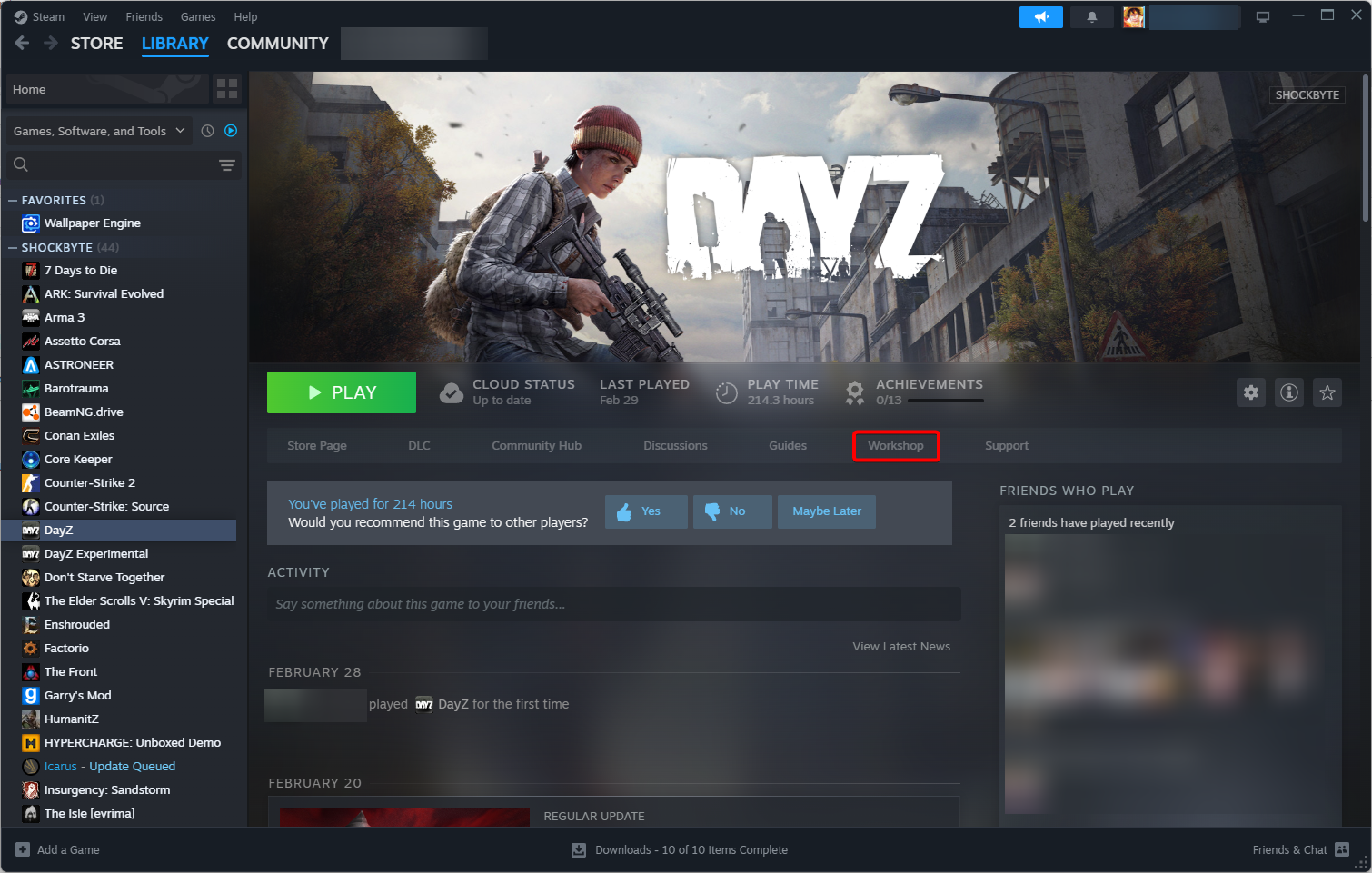
Figure 1
- Navigate to Your Files > Subscribed Items. (Figure 2)
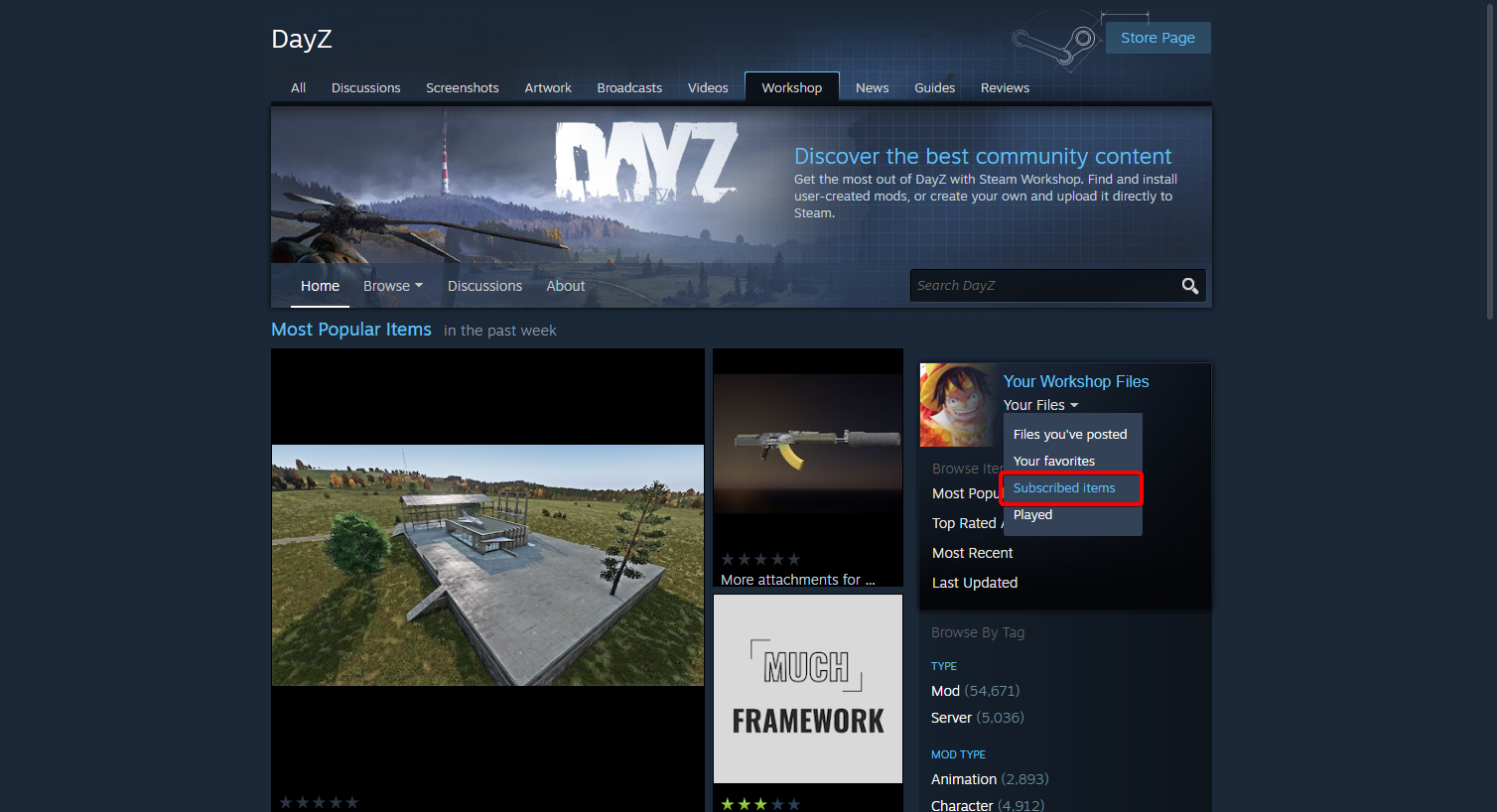
Figure 2
- Click Unsubscribe from All. (Figure 3)
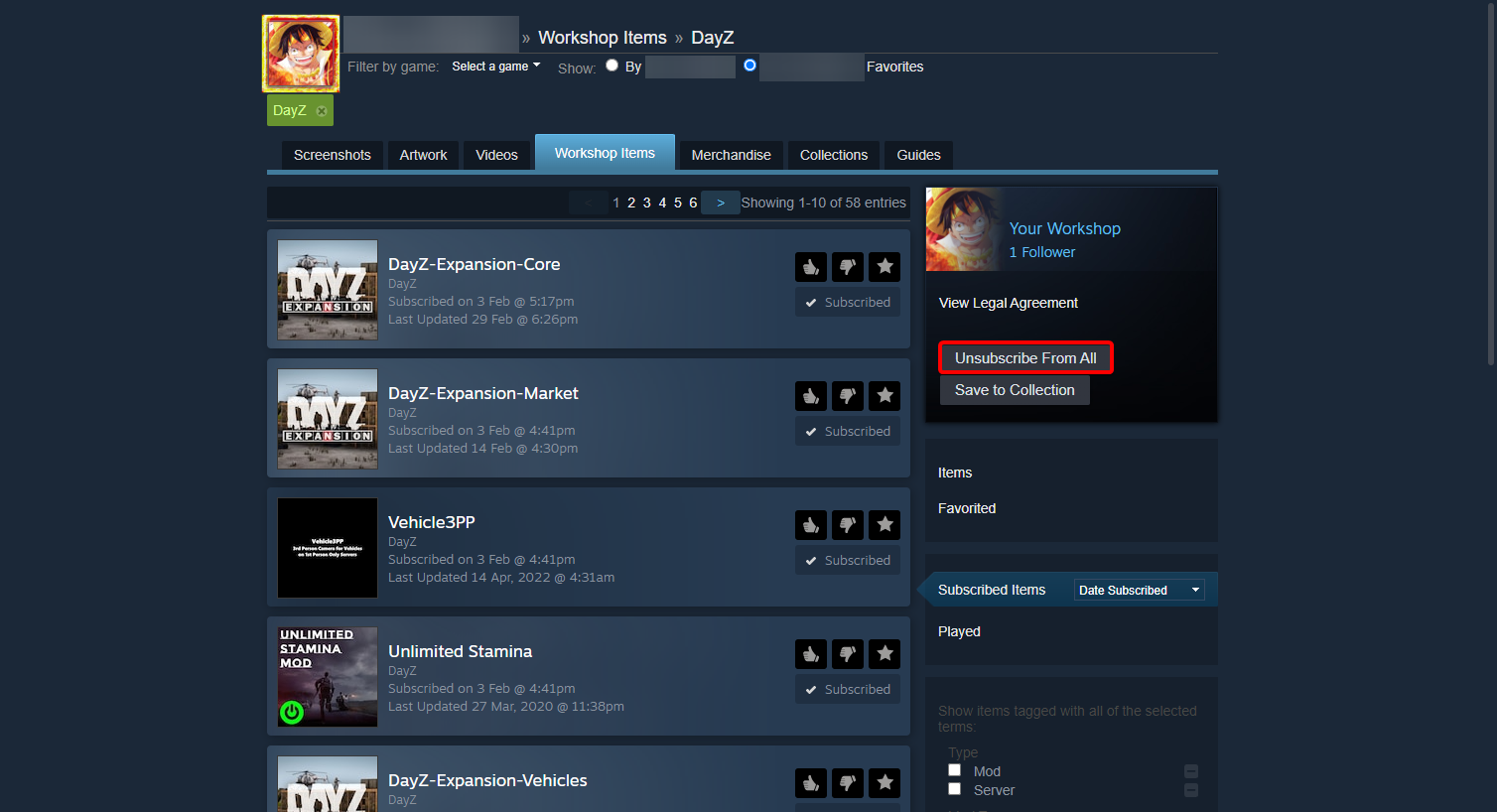
Figure 3
- You will then receive a prompt to confirm the request, click OK and you are done. (Figure 4)
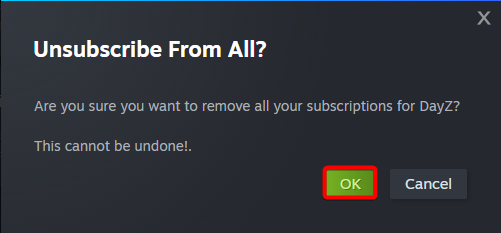
Figure 4