

This section explains how to update FACEIT on the image if the system encounters a Blue Screen of Death (BSOD) or enters an endless restart loop.
Faceit Update
- Enable super client only for image disk and turn on computer
- Locate faceit anti-cheat in “C:\Program Files\FACEIT AC” and uninstall it. (Figure 1)
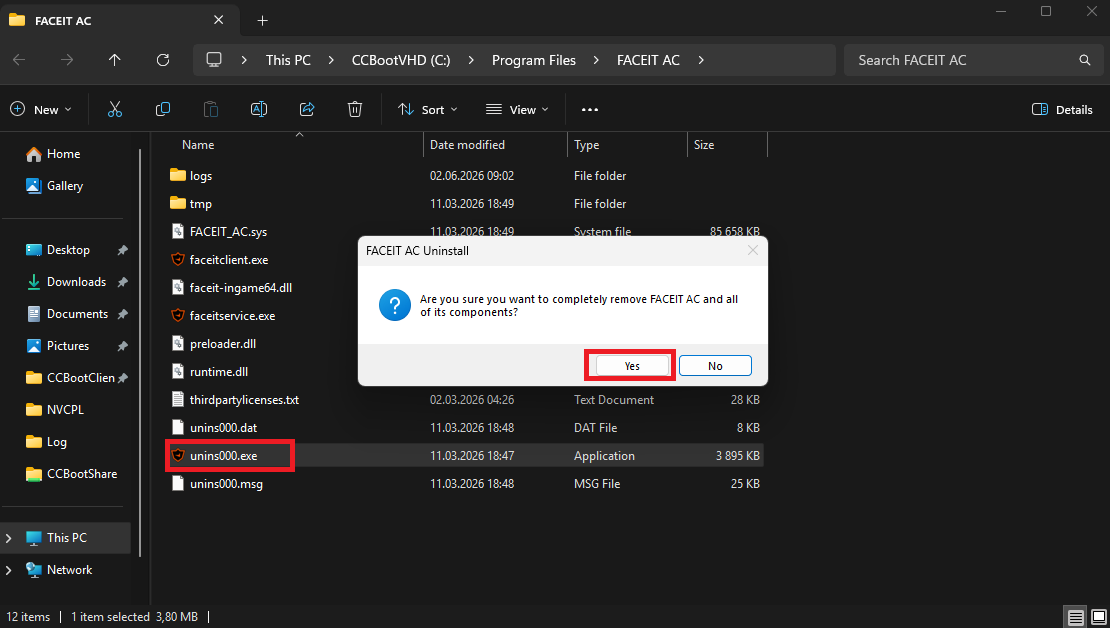
Figure 1
- Restart client PC
- Download new installer from https://www.faceit.com/en/anti-cheat
- Install Faceit anti-cheat. (Figure 2)
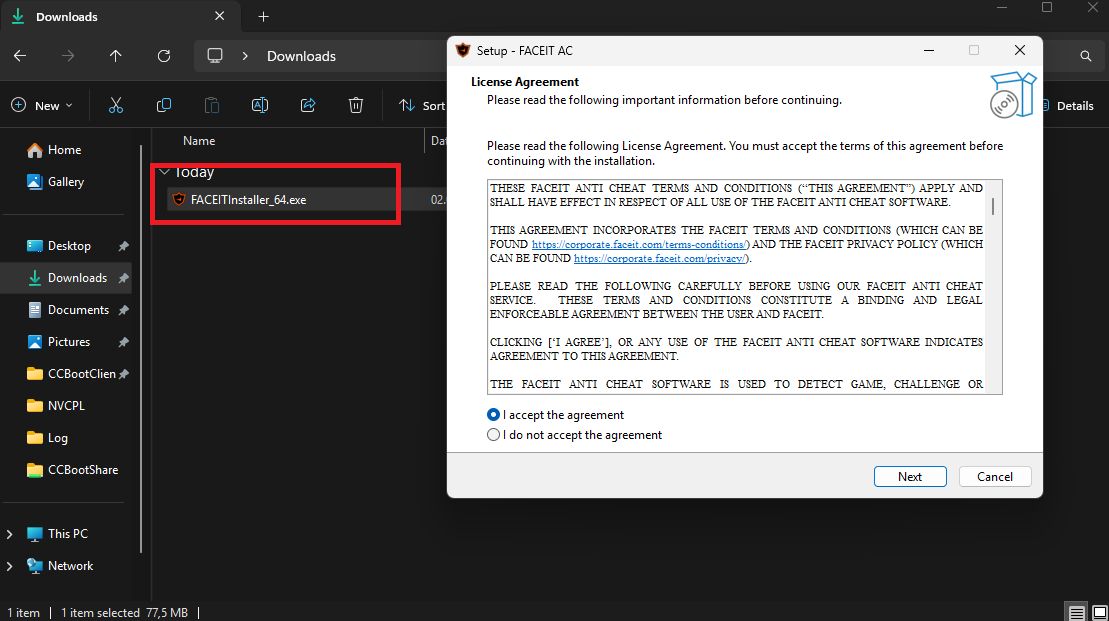
Figure 2
- Launch Faceit after install. (Figure 3)
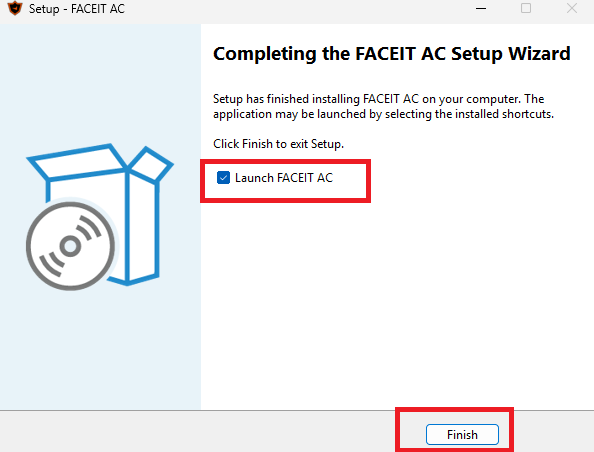
Figure 3
- When restart is requested, restart it from start menu, not the anti-cheat itself. (Figure 4)
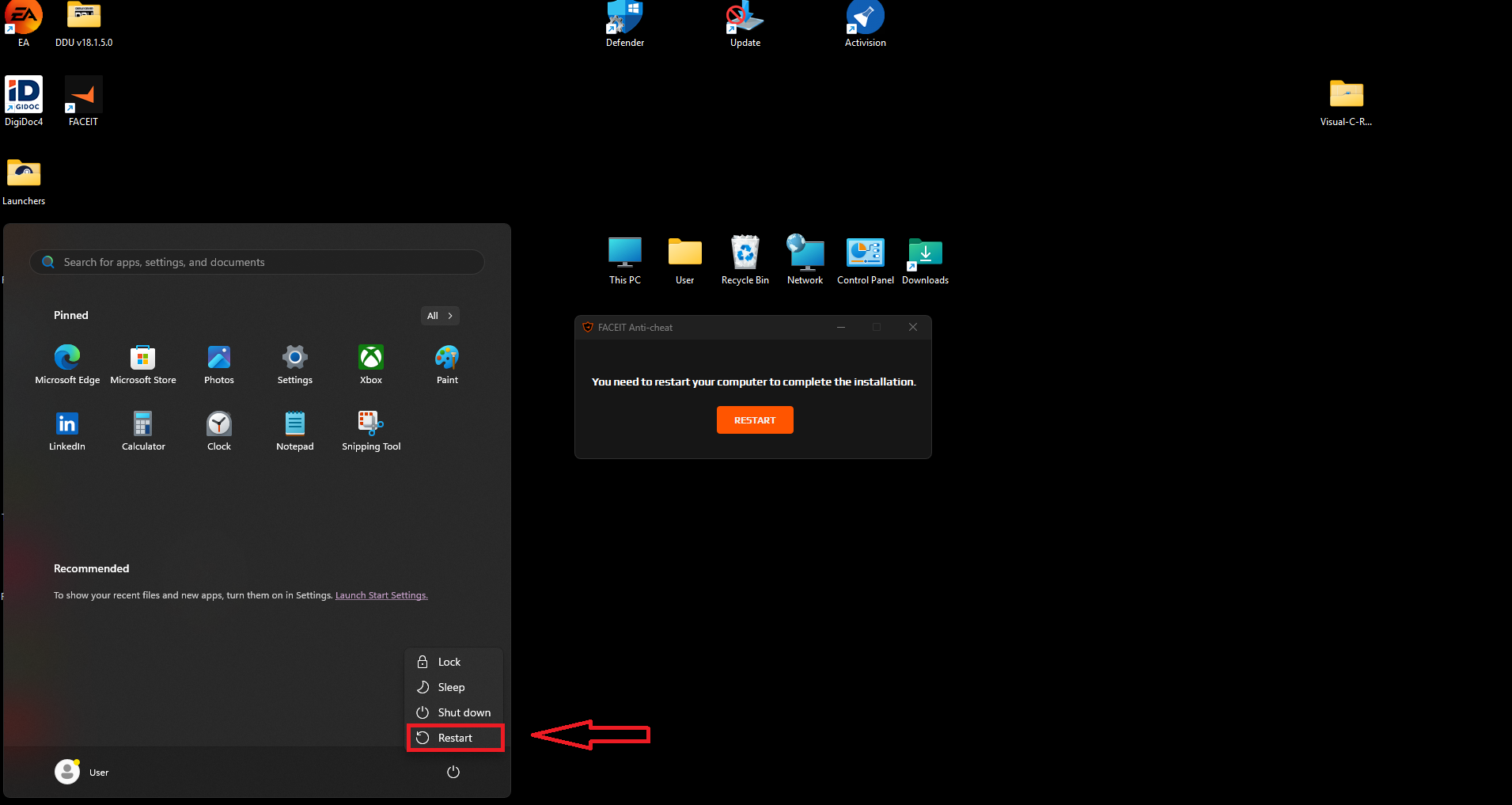
Figure 4
- After restart, shut down client PC and save super client.
Possible Problems
- If after restart you get “INACCESSIBLE_BOOT_DEVICE” BSOD, recover from previous point.
- Do the steps again, but don’t restart after faceit installation.
- Open CCbootClient.exe from C:\CCBootClient and click “Install Client”. (Figure 1)
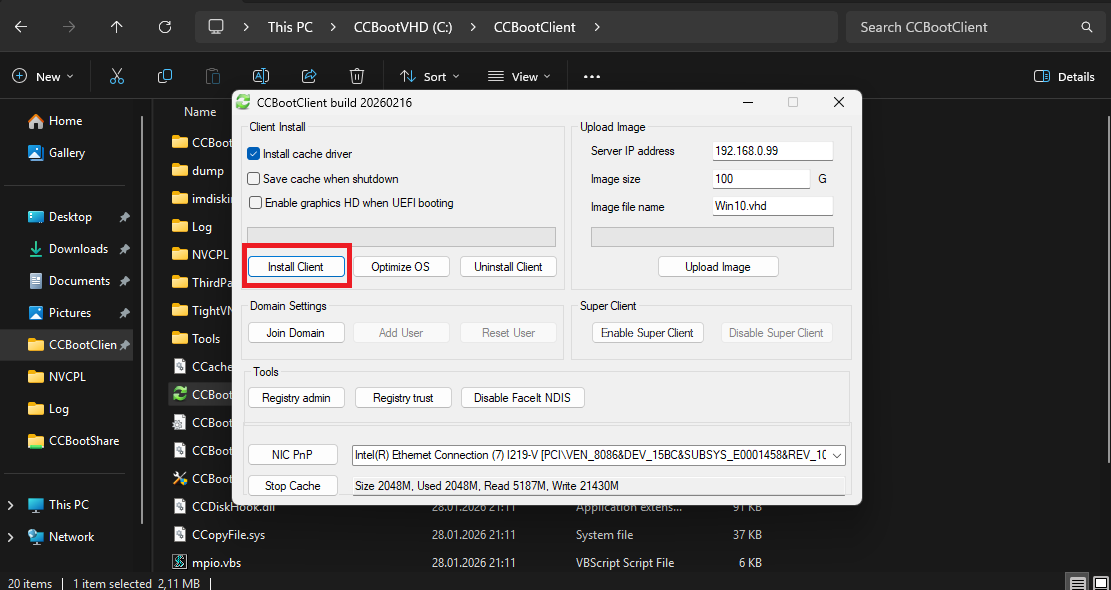
- The installer will prompt you to restart the system. Restart it to complete the installation.