
2025-12-23
steam, loading, slow
The following explain how to resolve the issue of Steam opening very slowly after login. This problem can be fixed by installing the Steam service.
- Enable Super Client on the target PC.
- Open CMD.exe as Administrator.
- First, locate the correct path to your Steam installation's bin folder (ex G:\Steam\bin).
- In the Command Prompt, run: cd /d "Your_Steam_Path\bin" Example: cd /d "G:\Steam\bin"
- Run the installation:
steamservice.exe /install - Press Enter and wait a few seconds until you see the "Install complete" confirmation. (Figure 1).
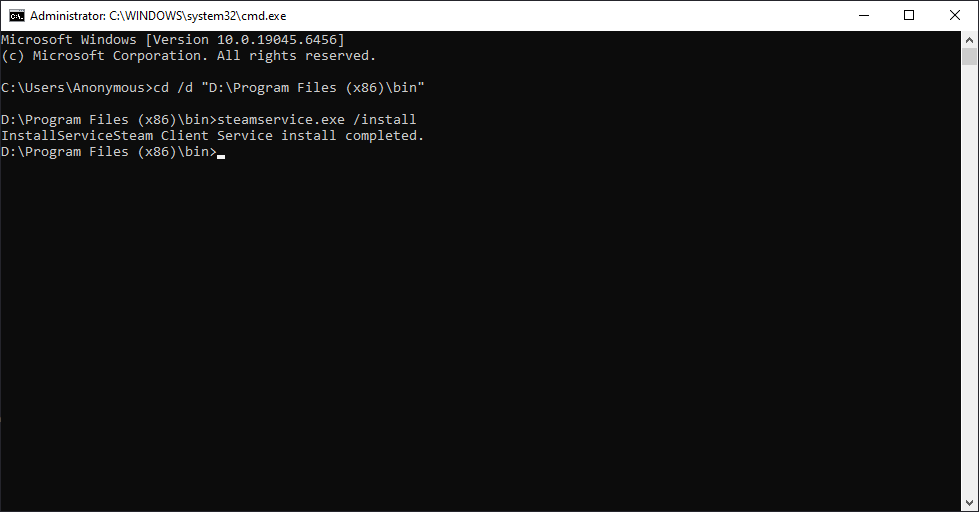
Figure 1
- After completing the installation, shut down the PC and disable Super Client to save the changes.
- Ensure that the server already has the Steam service files properly installed at C:\Program Files (x86)\Common Files\Steam.
- The gamefix.bat script creates an mklink (symbolic link) to that location. (Figure 2)
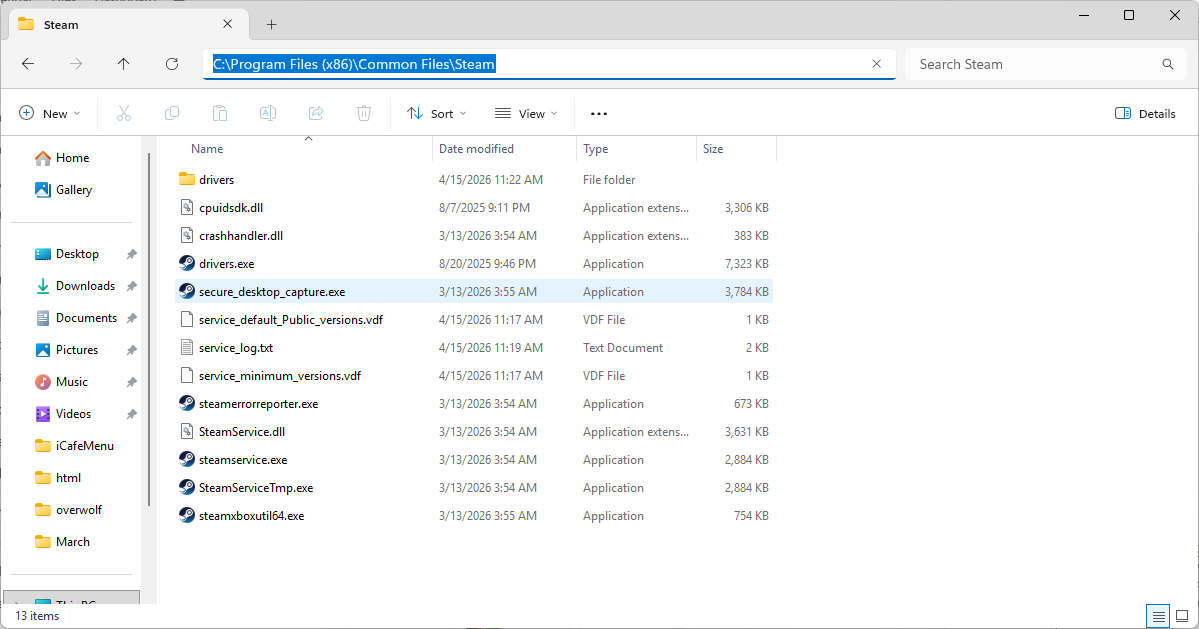
Figure 2
- Even if you modify this on the Super Client, gamefix.bat will overwrite the folder on the next boot.
- If the folder is empty on the server side, it will also appear empty on all clients, regardless of any local changes.