

Thin client software solution
Thin clients with full Windows performance — on ordinary PCs
The thin client software solution from www.ccboot.com allows iSCSI boot and diskless boot of Windows from a thin client server remotely on the LAN with PXE boot technology. It works for internet cafes’ thin PCs, and just as well for schools and offices — no thin-client hardware or terminal licenses required.
- local Windows performance
- 100%
- terminal server licenses
- 0
- clients per reference server
- 70
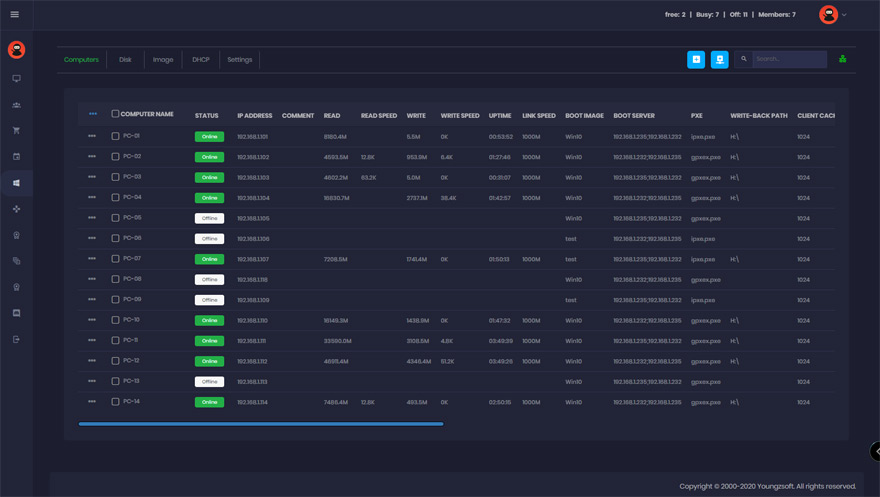
Why a CCBoot thin client beats a terminal
Each client runs its own copy of Windows locally in RAM and on the server’s iSCSI disk — nothing is remoted or shared at the session level.
Real Windows, real GPU
Applications, games and video run on the client’s own CPU and graphics card. No RDP, no Citrix, no shared session limits.
No local disk to buy or manage
The system disk is an iSCSI image on the server; the client only needs RAM, a NIC and a PXE-capable BIOS/UEFI.
One image, updated once
Install or patch on a super client, save, reboot the room. Every thin client has the change on its next start.
Clean on every reboot
Changes are written to a per-client write-back area and discarded, so every seat comes back exactly as deployed.
Domain, profiles, personal disks
Windows domain login works as normal; keep user data on a personal disk or network share.
Server-side RAM and SSD cache
Hot blocks are served from memory and SSD, so 70 clients booting together stay fast.
See a thin client boot
Short demonstrations of iSCSI / diskless boot from the CCBoot YouTube channel.
Get Your FREE Trial Today
Turn one of your existing PCs into a diskless thin client with the trial — it only takes a few minutes.
Start Your FREE Trial TodayReference thin client server
The compact server we built and photographed for a 70-seat thin client room. It is a sizing example from the time; for a current build see the server hardware example in the wiki.
- CPU
- Intel Core i3 3rd generation 3220
- M/B
- ASUS ITX
- RAM
- Samsung DDR3 8 GB PC3-10600 × 2
- HDD
- WD 1 TB Caviar Black WD1002FAEX × 1
- SSD
- Plextor M5 Pro Series 256 GB PX-256M5P × 2
- Case
- BRAVOTEC V6 Black, USB 3.0
- Power
- FSP FSP600-80APN
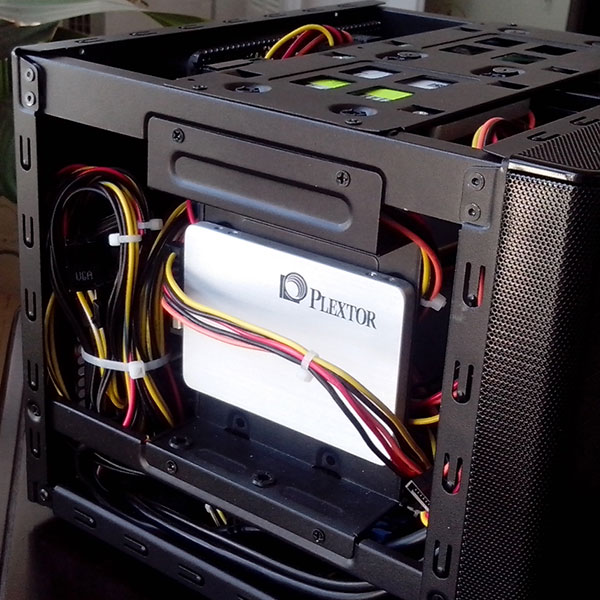
Inside the reference server
The components that matter for a thin client server: cooling, disks, board, SSD cache and a stable power supply.
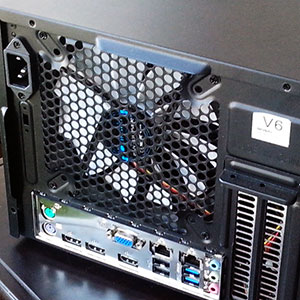
Fan
This is the fan of the thin client server, which has sufficient wind power and good cooling effect.
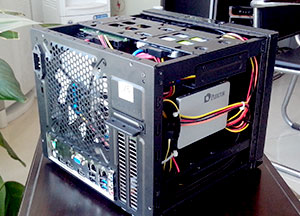
Back view
You can see that the server is small and exquisite.
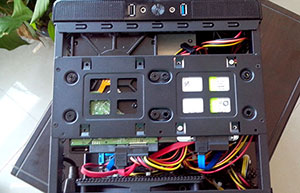
Disk array
The speed of loading games is much faster.
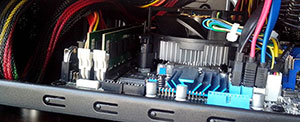
Motherboard
This is the ASUS motherboard, whose performance and stability are very good.
SSD
SSD makes the running speed of the server much faster.
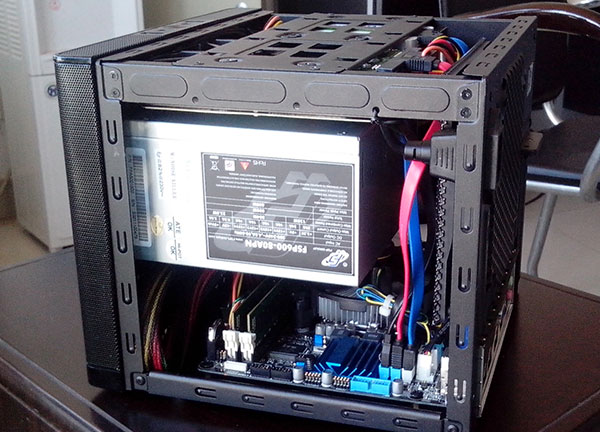
Power supply
This is the power supply of the server, which is very stable.
Documentation
Step-by-step guides from the CCBoot wiki.
- Server requirementsCurrent CPU, RAM, NVMe and NIC sizing.
- Server hardware exampleA worked server build for 100 clients.
- Client requirementsWhat a thin client PC needs to boot.
- Client hardware exampleSample client builds that boot well.
- Network requirementsSwitches and NICs for a boot LAN.
- SSD and M.2 suggestionsWhich drives to put in the server.
- Install CCBoot serverCurrent installer and first run.
- Create boot imageUpload Windows from a master PC.
Common questions
Is a CCBoot thin client the same as a terminal server client?
Do I need special thin client hardware?
Do I need Windows terminal (CAL) licenses?
How many thin clients can one server handle?
Can I mix thin clients with PCs that keep a local disk?
Are You Ready To Give CCBoot A Try?
It only takes a few minutes to give CCBoot a try… (You’ll be glad you did)