

Thin client solution for enterprise
Standardize every desk. Fix every PC with a reboot.
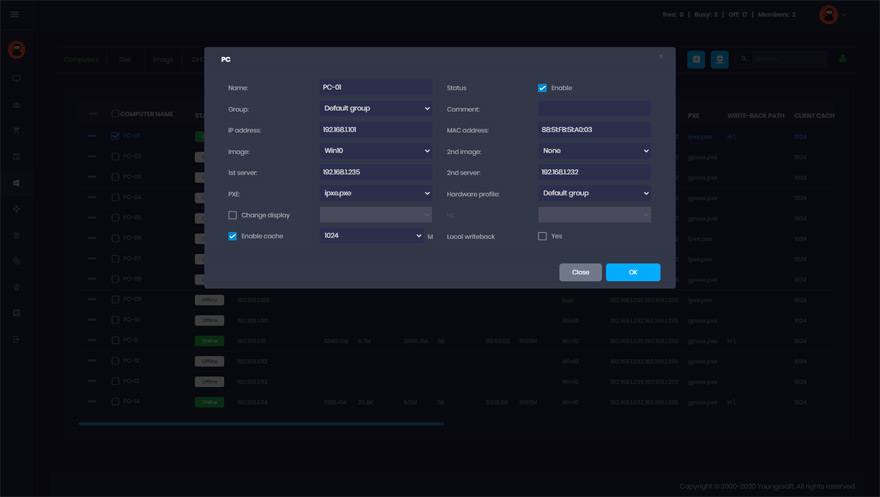
CCBoot’s thin client software lets office PCs boot Windows over the LAN from one server image using PXE technology. Beyond internet cafes and schools it is a great help in the enterprise: domain join, quick recovery, unified management and far fewer desk-side visits.
- golden image per department
- 1
- to recover any workstation
- 1 reboot
- hard drives to encrypt or replace
- 0
CCBoot for the enterprise, in three minutes
How a diskless office is set up and managed day to day.
Built for IT departments
The features that turn a room of PCs into one managed system.
No More Buying Hard Drives
Client PCs don’t need a hard drive… this alone could save you THOUSANDS of dollars.
No More Viruses, Trojans, and Spyware
The system will be restored after every reboot, leaving your PCs in a clean state at all times.
Easy Updates
When the “master” PC is updated, the rest of the PCs on the LAN will update with a simple reboot.
Save Money On Human Resources
One person can handle updates, maintenance, and software rollouts that used to take multiple people hours… or days.
Energy Conserving
Up to 40% energy could be saved, which is environmental and energy-saving.
Efficient Cache Equipped
Equipped with good cache performance, physical memory, and SSD cache support.
Windows Domain
Works perfectly with Windows domain. Login with your domain account, and then load and store personal data on the personal disk.
Easy Restore Points
Set restore points such as create recovery, merge to last, and restore to last. This makes it easier to fix problems and maximize performance.
How a diskless office works
IT builds one golden Windows image per department — Office, the ERP client, VPN, printers, policies — and uploads it to the CCBoot server. Workstations boot it over the LAN; nothing is installed or stored on the desk.
Users log in with their Active Directory accounts and keep documents on the file server, roaming profile or a personal disk. Changes to the system image are discarded on reboot, so malware, misconfiguration and “it worked yesterday” tickets are gone with a restart.
- Windows domain join and group policy work as on any PC
- Patch once in super-client mode, keep a restore point, roll out overnight
- Different images for finance, call center, design — same server
- Personal disks for data that must persist; no data left on stolen hardware
Get Your FREE Trial Today
Boot one department diskless on the trial and measure the support tickets you no longer get.
Start Your FREE Trial TodayRolling out CCBoot in an office
A typical deployment runs in four steps and does not interrupt the people already at work.
- 1
Size and install the server
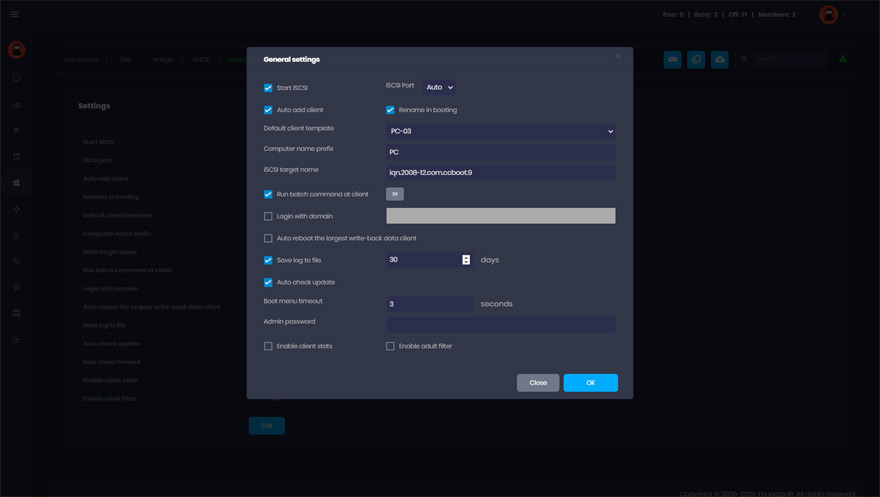
A Windows server with RAM/SSD cache and a 10G uplink handles 70–100 workstations; add NICs or a second server for more. Install CCBoot and run the Options Wizard.
- 2
Build the golden image
On one master PC install Windows, join the domain, add applications and policies, then upload the image to the server.
- 3
Boot a pilot group
Set a handful of PCs to boot from the network. Users keep their domain logins and files; only the local disk is no longer used.
- 4
Switch departments over
Assign images per client group, add personal disks where needed and move the rest of the floor as schedules allow.
Success stories
Look what our clients are saying about CCBoot.

Documentation
Step-by-step guides from the CCBoot wiki.
- Create boot imageBuild the standard workstation image once.
- Super clientPatch Tuesday on one PC, rolled out to every desk.
- Restore pointsStage a change, test it, roll back if needed.
- Multiple boot imagesFinance, call center and design on separate images.
- Call center exampleA real multi-shift deployment and its sizing.
- Server requirementsServer sizing for 50–200 workstations.
- UEFI Secure BootBoot corporate PCs with Secure Boot left on.
- Windows Update controlUpdates on the master image, never on the floor.
Common questions
Does CCBoot work with Active Directory and group policy?
How do we handle Windows updates and application patches?
What about user data and security?
Can different departments have different software?
How many workstations can one server support?
Is there volume or enterprise pricing?
Are You Ready To Give CCBoot A Try?
It only takes a few minutes to give CCBoot a try… (You’ll be glad you did)