

Thin client solution for education
Every lab PC clean at the start of every class
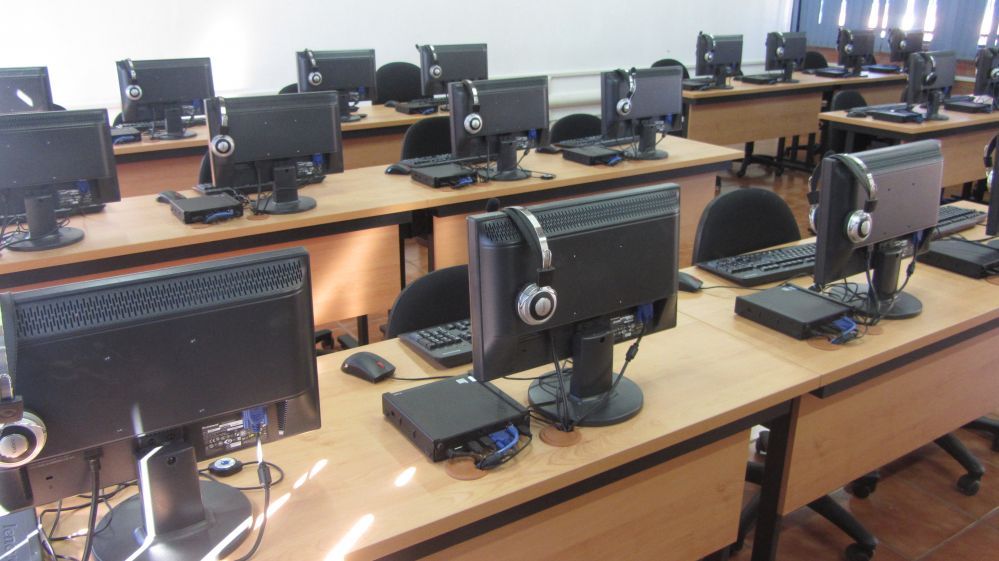
CCBoot is a diskless boot solution and easy update & recovery software for schools, colleges and training rooms. Students can install, break or change anything — a reboot returns the PC to the image you approved, and a single update reaches the whole lab.
- image for the whole lab
- 1
- hard drives to repair
- 0
- PCs per typical server
- 70
Why schools run their labs on CCBoot
The features that matter most when dozens of students share the same PCs all day.
No More Viruses, Trojans, and Spyware
The system will be restored after every reboot, leaving your PCs in a clean state at all times.
Easy Updates
When the “master” PC is updated, the rest of the PCs on the LAN will update with a simple reboot.
No More Buying Hard Drives
Client PCs don’t need a hard drive… this alone could save you THOUSANDS of dollars.
Save Money On Human Resources
One person can handle updates, maintenance, and software rollouts that used to take multiple people hours… or days.
Energy Conserving
Up to 40% energy could be saved, which is environmental and energy-saving.
Efficient Cache Equipped
Equipped with good cache performance, physical memory, and SSD cache support.
Windows Domain
Works perfectly with Windows domain. Login with your domain account, and then load and store personal data on the personal disk.
Graphic Boot
You can set the graphic boot menu anyway you want for easy customization.
How a diskless classroom works
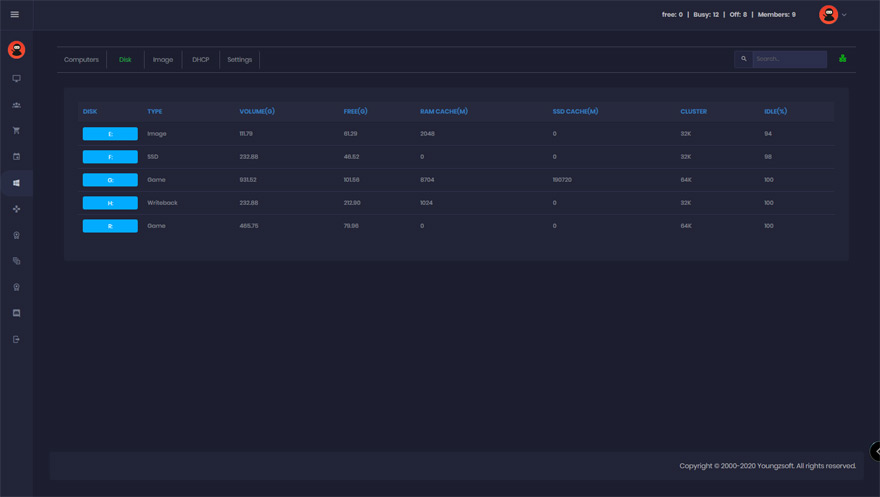
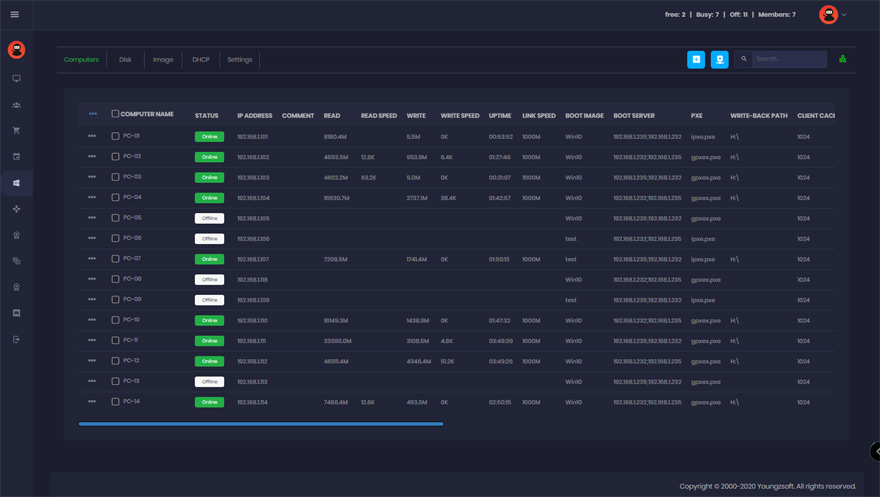
One master PC holds the Windows image with every application the course needs. Lab PCs boot it over the network from the CCBoot server — no local disks to image, patch or replace. Writes during the lesson go to a per-client write-back area and are discarded on reboot.
Teachers and IT staff update the image once in super-client mode, keep a restore point, and roll the change out with a reboot. Students sign in with their Windows domain accounts and keep their own files on a personal disk or network share.
- Clean, identical PCs at the start of every period
- Per-course images: one for the CAD lab, one for the language lab
- Windows domain login with roaming or personal-disk profiles
- Works with existing lab PCs — only a bootable NIC is required
How to use CCBoot in a Windows domain
Join diskless clients to the school domain and let students log in with their own accounts.
Get Your FREE Trial Today
Set up one classroom on the trial and see the first clean reboot before you commit.
Start Your FREE Trial TodayReference thin client for classrooms
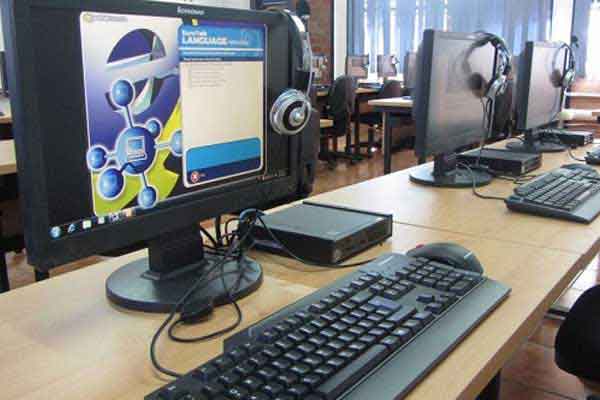
The low-power client PC we documented for school labs. Any PC with a PXE-capable network card and enough RAM works just as well — treat this as a sizing example, not a requirement.
- CPU
- Intel Dual Core 1.80 GHz, 4 threads
- Chipset
- Intel NM10 Express
- VGA
- Intel GMA3150
- RAM
- 2 GB, 1 × SO-DIMM DDR3 800 MHz
- Ethernet
- Gigabit NIC
- Power supply
- 12 V / 19 V DC-IN compatible, 4-pin ATX compatible
- Audio
- 6-channel ALC662 with S/PDIF and power amplifier; sound ports for 2 W / 3 W / 5 W speakers, adjustable hood
Success stories
Look what our clients are saying about CCBoot.
Documentation
Step-by-step guides from the CCBoot wiki.
- Create boot imageInstall Windows and your teaching software once on a master PC.
- Super clientApply updates once and roll them out to every lab PC.
- Restore pointsTry a change on the image and roll it back if it breaks a class.
- Multiple boot imagesDifferent images for different labs or courses.
- Client requirementsWhat an existing lab PC needs to boot diskless.
- Server requirementsServer sizing for 30, 70 or 100 seats.
- UEFI Secure BootBoot modern lab PCs without disabling Secure Boot.
- Windows Update controlKeep updates on the master image, off in class.
Common questions
Can students save their work?
Do we need to buy new PCs?
How do we install new software for a course?
Does CCBoot work with our Windows domain and Active Directory?
How many classrooms can one server handle?
Is there an academic price?
Are You Ready To Give CCBoot A Try?
It only takes a few minutes to give CCBoot a try… (You’ll be glad you did)