Diskless Boot Server: A Buyer's Guide for Gaming Centers
Choose a diskless boot server for your gaming center. Learn what to ask suppliers, how to test shared workloads, and how to plan updates and future growth.
Read article

Page 1 of 8
Choose a diskless boot server for your gaming center. Learn what to ask suppliers, how to test shared workloads, and how to plan updates and future growth.
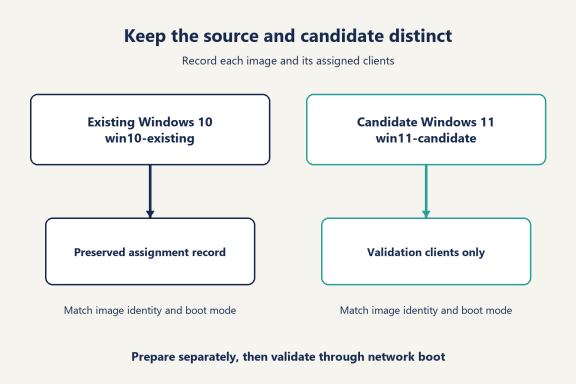
Read articleLearn how to upgrade diskless images from Windows 10 to 11 with CCBoot. Check readiness, prepare a separate image, validate games, and roll out by group.
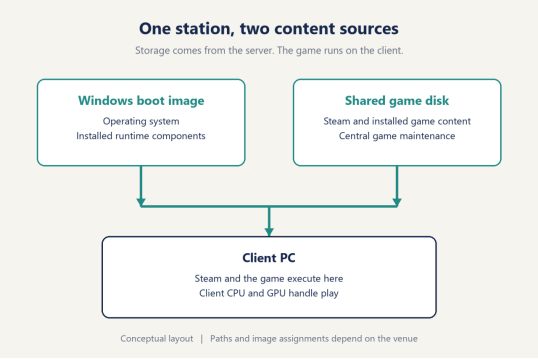
Read articleUnderstand Steam on diskless PCs with CCBoot: shared game files, first-run components, player data, and the maintenance tasks that belong in each place.
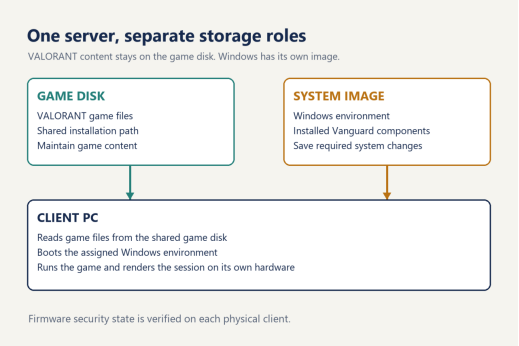
Read articleUnderstand Valorant on diskless PC with CCBoot: keep game files on the game disk, maintain Vanguard in Windows, and plan updates around what actually changes.
Read articleUnderstand CS2 on diskless PCs: shared game files, first and repeat launches, updates, and the checks that prepare gaming center seats for real matches.
Read articleUse this anti-cheat and diskless boot checklist to check game requirements, client security, image changes, and match access before updating every seat.
Read articleLearn how a Super Client update works in CCBoot: select the right disk, make changes on one client PC, then save them to the image or skip the update.
Read articleHow to update games on a diskless server: patch the game disk once, reboot, and handle Steam, Epic, Riot and Battle.net without touching each client PC.
Read article