
2025-12-11
gtav, corrupted, files
The following section addresses the issue where GTA V fails to launch from Steam, displaying errors such as "Reinstall," "Corrupted," or "Failed to Launch."
- If you get the error "Unable to launch game" in GTA V, try reinstalling the game.(Figure 1)
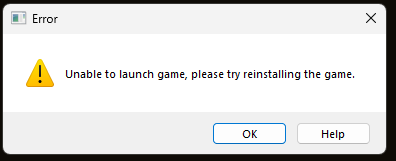
Figure 1
- To launch GTA V in Steam add those 2 parameters -nobattleye -noBE
- Open your Steam Library.
- Right-click on Grand Theft Auto V and select Properties.
- In the General tab, find the text box labeled Launch Options.
- Enter the following two parameters: -nobattleye -noBE
- Close the window to save your changes. (Figure 2)
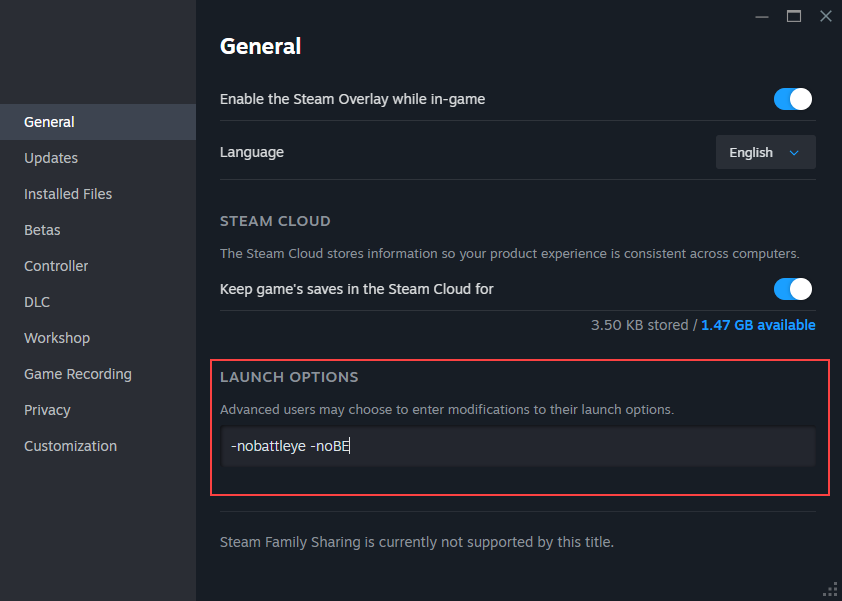
Figure 2
- Delete the xinput1_4.dll file.
Location: C:\Program Files (x86)\Steam\steamapps\common\Grand Theft Auto V\xinput1_4.dll - Remove or rename the args.txt file.
Location: In the main GTA V game folder (e.g., ...\Steam\steamapps\common\Grand Theft Auto V\args.txt).
You can rename it to aargs.txt instead of deleting it, if preferred.