

The following explains how to fix the missing game executable issue for dota2.
- Dota 2 shows “Missing game executable”, even after verifying the game (Figure 1).
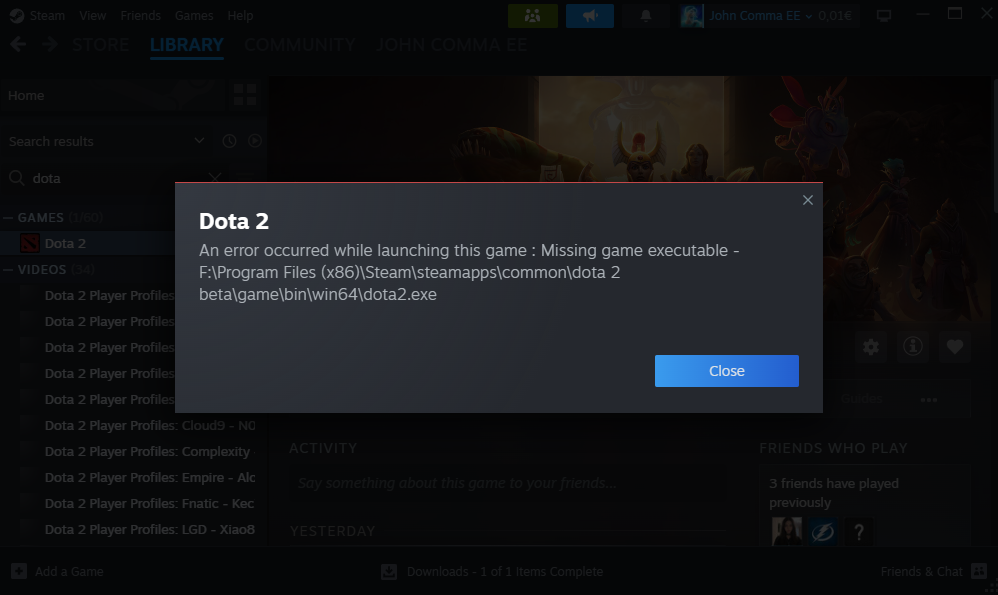
Figure 1
- To fix this issue, delete the bin folder from server Gamedisk:\Steam\steamapps\common\dota2\game (Figure 2).
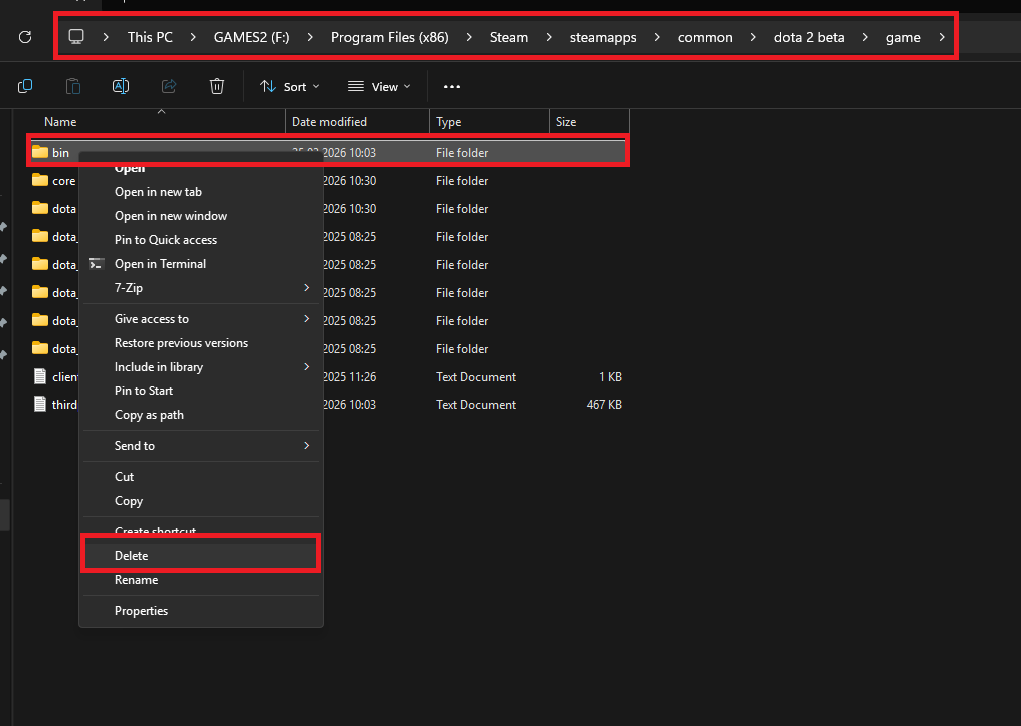
Figure 2
- Open steam steam on the server, right click on Dota 2 and go to “Properties” (Figure 3).
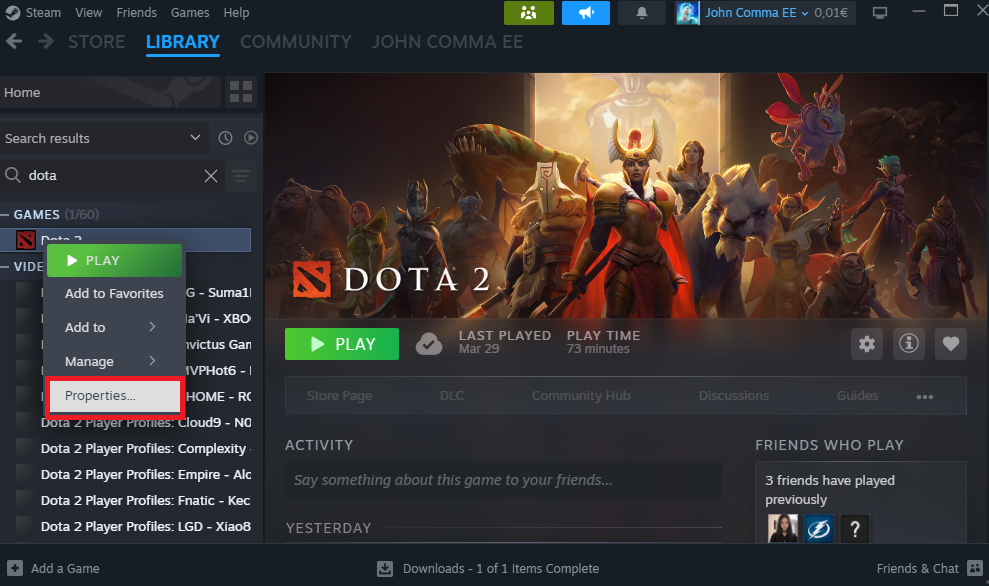
Figure 3
- In “Properties”, go to “Installed files” and click on “Verify integrity of game files” (Figure 4).
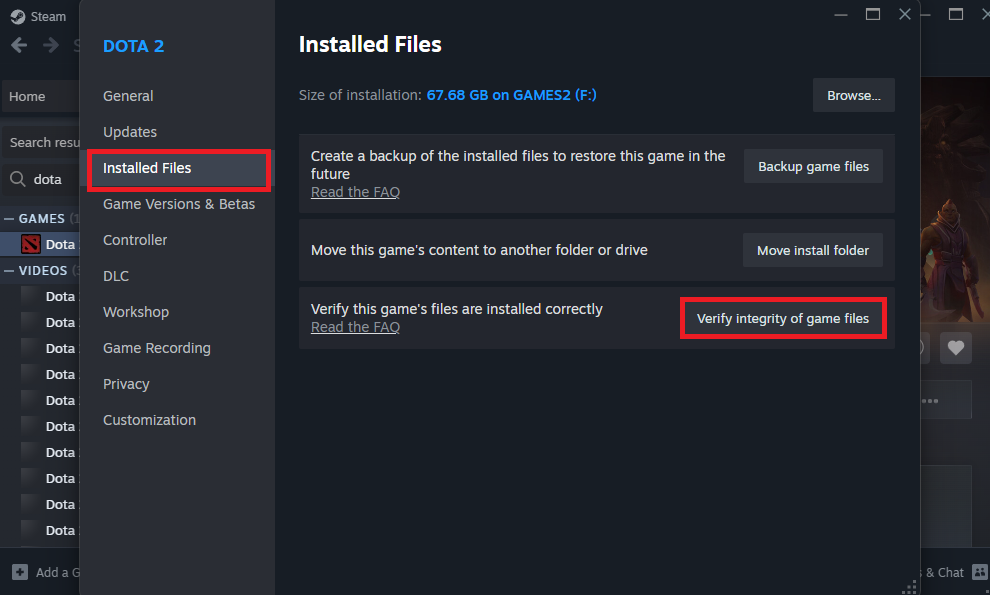
Figure 4
- Once verification is complete, the game should start normally.