
2026-04-01
displayport, black, screen, issue
The following section explains how to fix a DisplayPort (DP) black screen issue during boot, which may be caused by USB ports and standby power behavior, rather than the GPU or monitor.
- If you experience a black screen during boot while using a DisplayPort (DP) cable, testing shows that USB devices drawing power while the PC is off can interfere with DP initialization. (Figure 1)
Ex: Headphones with RGB lights or Wireless Mouse.
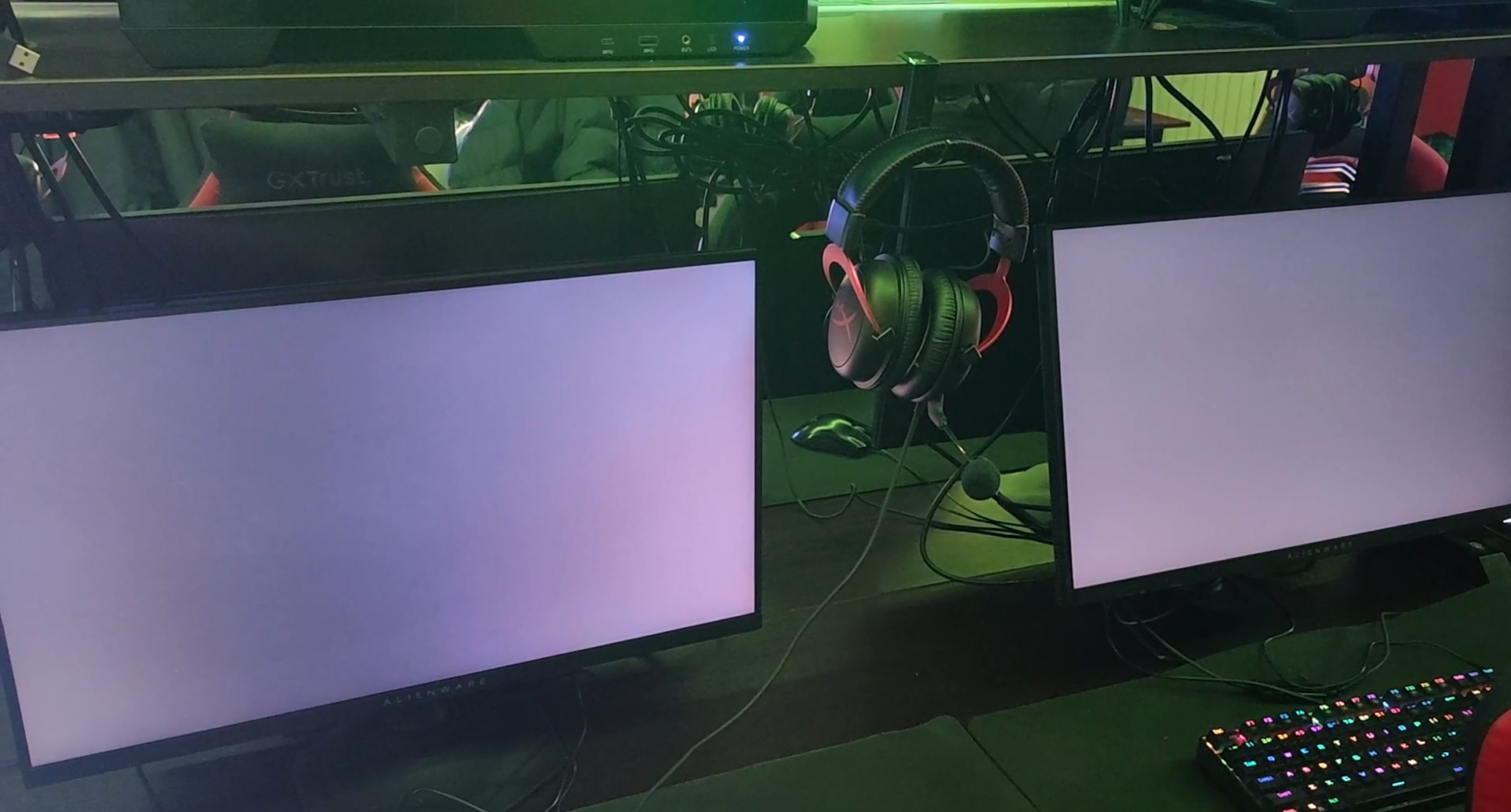
Figure 1
- Changing the USB port used by such a device can resolve the issue, which indicates that different USB ports may be powered by different controllers or rails.
- If your GPU has multiple DisplayPort (DP) outputs, try switching the cable to a different port. This can help resolve black screen issues.
- Enabling ErP in BIOS improves stability by cutting standby power to USB devices.
BIOS - Power Management - ErP - Enabled
Disables USB power when system is off (Figure 2)
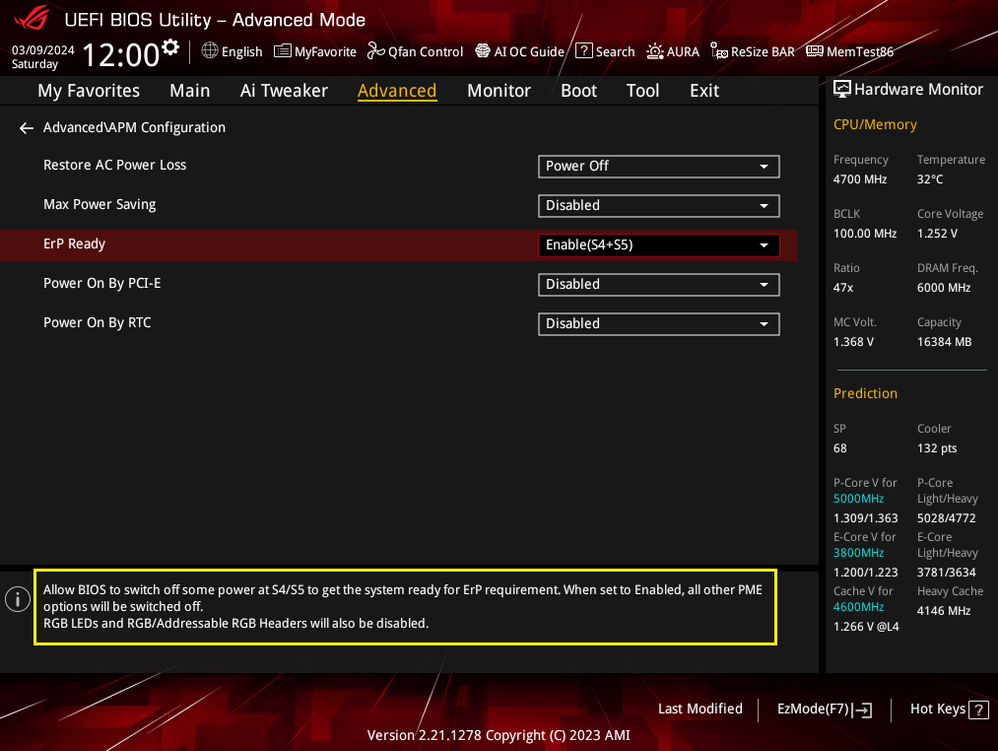
Figure 2
- The underlying cause is likely an unstable or overloaded 5VSB (standby power) rail, which affects motherboard initialization timing and leads to DP signal failure during boot.
- In some cases, what appears to be a hardware-related black screen may actually be caused by software. For example, there was a case where Opera GX caused a black screen issue, and uninstalling it resolved the problem.