

This section describes how to enable Core Isolation and Memory Integrity on super image.
- Enable super client on client PC.
- On the desktop you will see a shortcut named “Core Isolation”, open it. You can find its location C:\Tools\Core Isolation. (Figure 1)
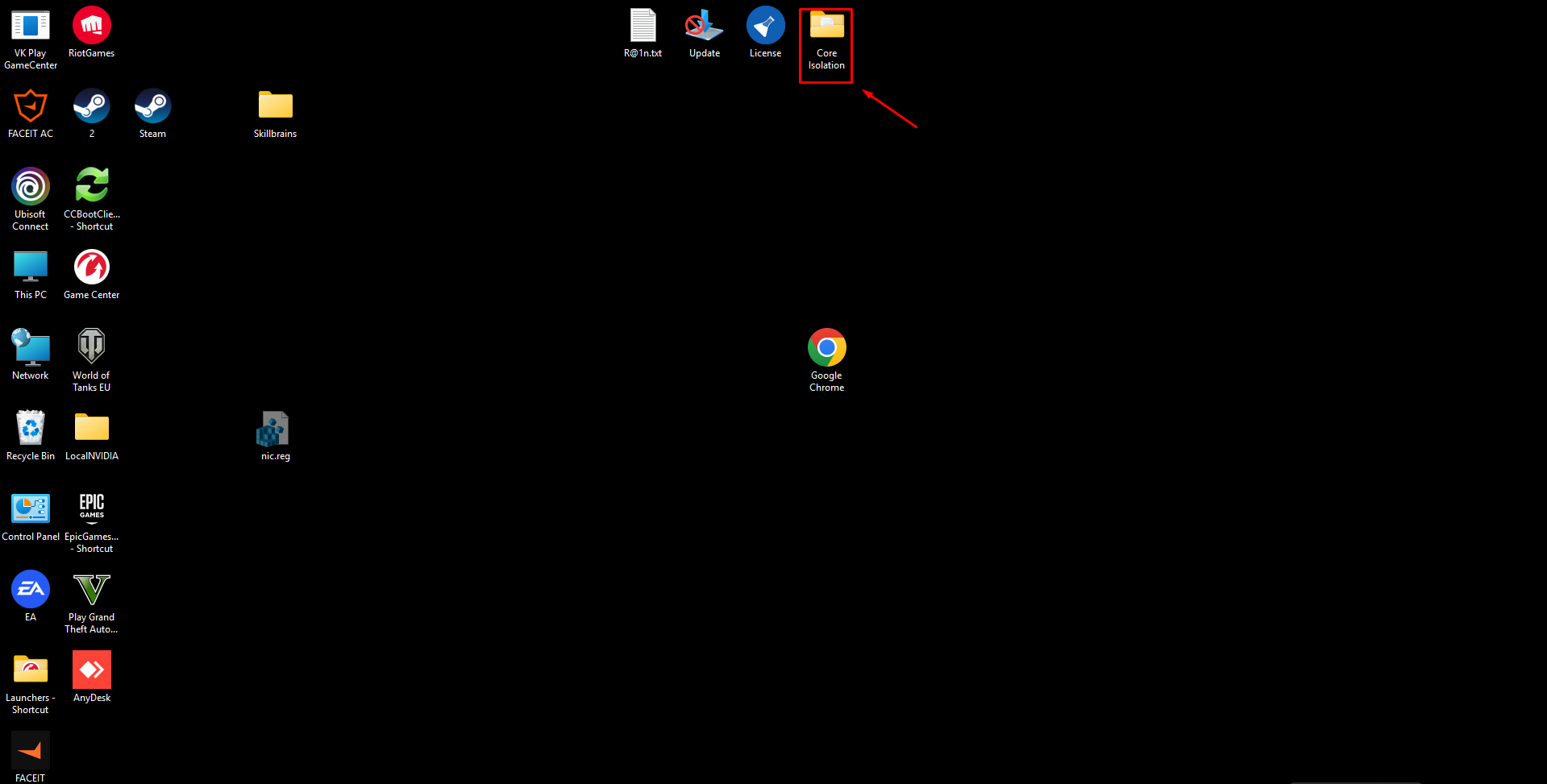
Figure 1
- In the Core Isolation folder, merge “Turn Core Isolation Memory Integrity ON.reg”. (Figure 2)
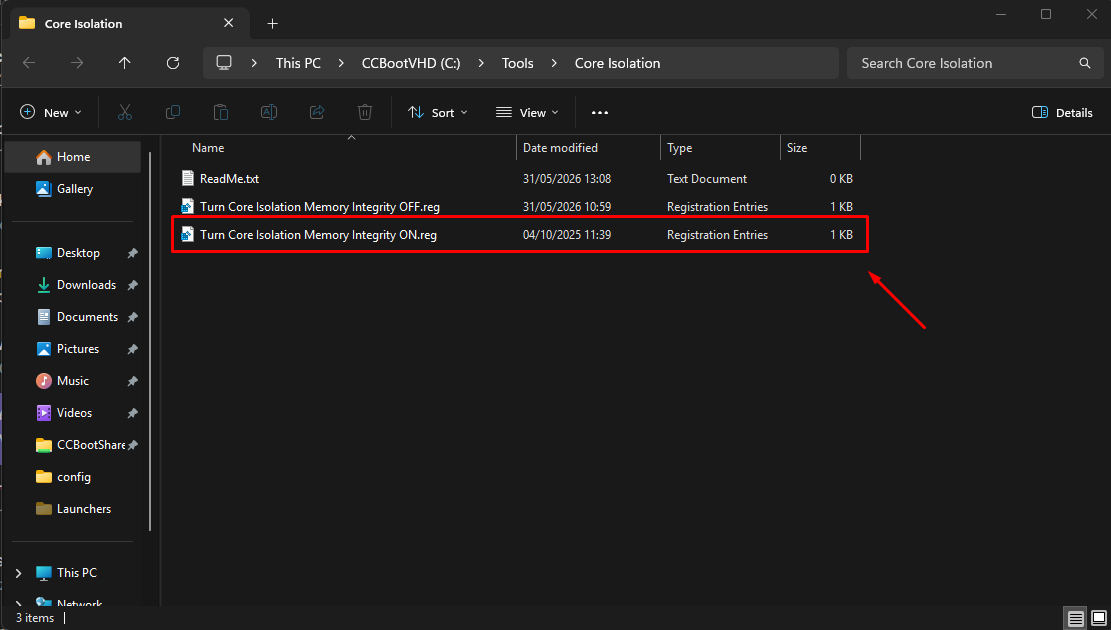
Figure 2
- Restart client PC
- After restart, shut down and save the super client.
Create reg files for core isolation on your own image
- Turn Core Isolation Memory Integrity ON.reg
Windows Registry Editor Version 5.00
[HKEY_LOCAL_MACHINE\SYSTEM\CurrentControlSet\Control\DeviceGuard\Scenarios\HypervisorEnforcedCodeIntegrity]
"Enabled"=dword:00000001
- Turn Core Isolation Memory Integrity OFF.reg
Windows Registry Editor Version 5.00
[HKEY_LOCAL_MACHINE\SYSTEM\CurrentControlSet\Control\DeviceGuard\Scenarios\HypervisorEnforcedCodeIntegrity]
"Enabled"=dword:00000000