
2026-06-28
black, screen, pxe, bios
The following explains how to fix black screen after PXE connection.
- Open bios settings and change following values:
- “Memory Context Restore” set “Enabled”
- “Power Down Enable” set ”Enabled”
- “Wait For ‘F1’ If Error” set “Disabled”
- In cp.icafecloud.com admin panel, uncheck ‘Change Display’ from the selected PC (Figure 1).
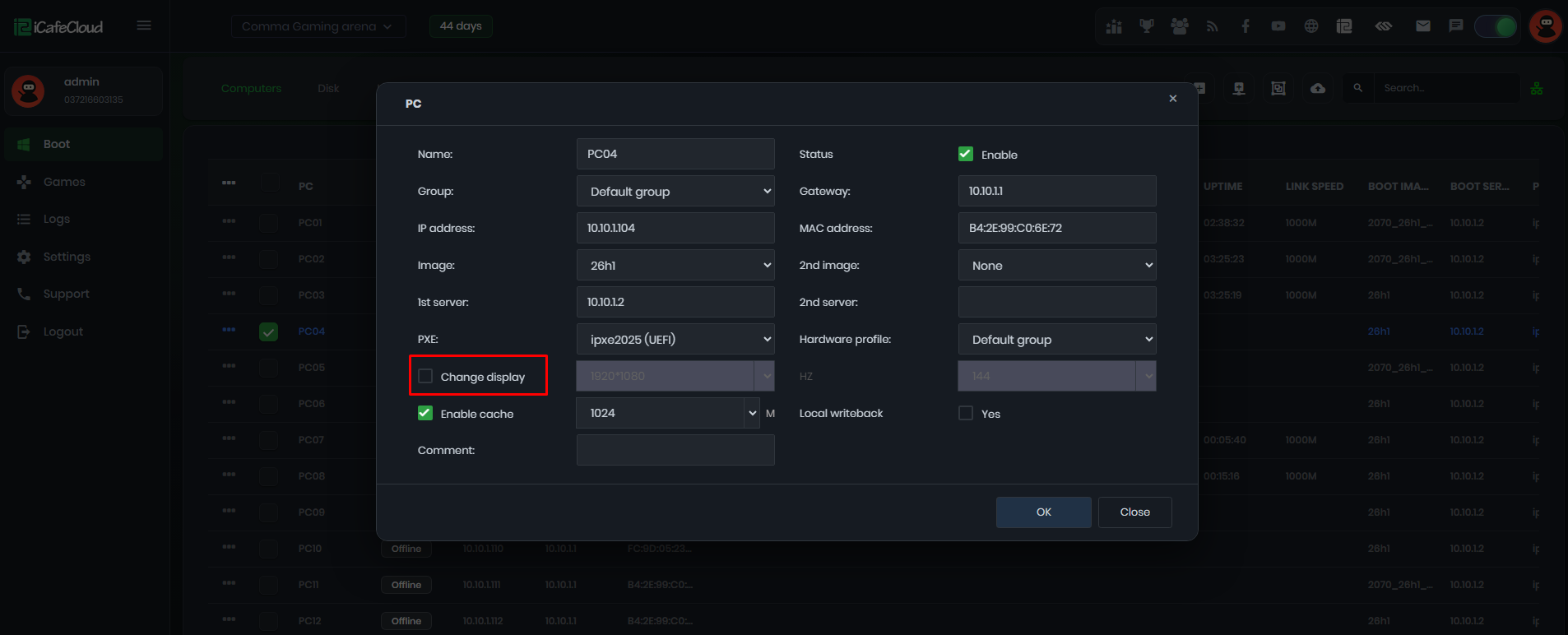
Figure 1
- Enable on Super Client and turn on PC.
- After the PC turned on, shut down and save the image.