
2025-11-06
reset, mok, certificate
The following explains how to reset youngzsoftv2.cer that was imported using the MOK method.
- Go to the Boot page, then open Settings and click Edit. (Figure 1)
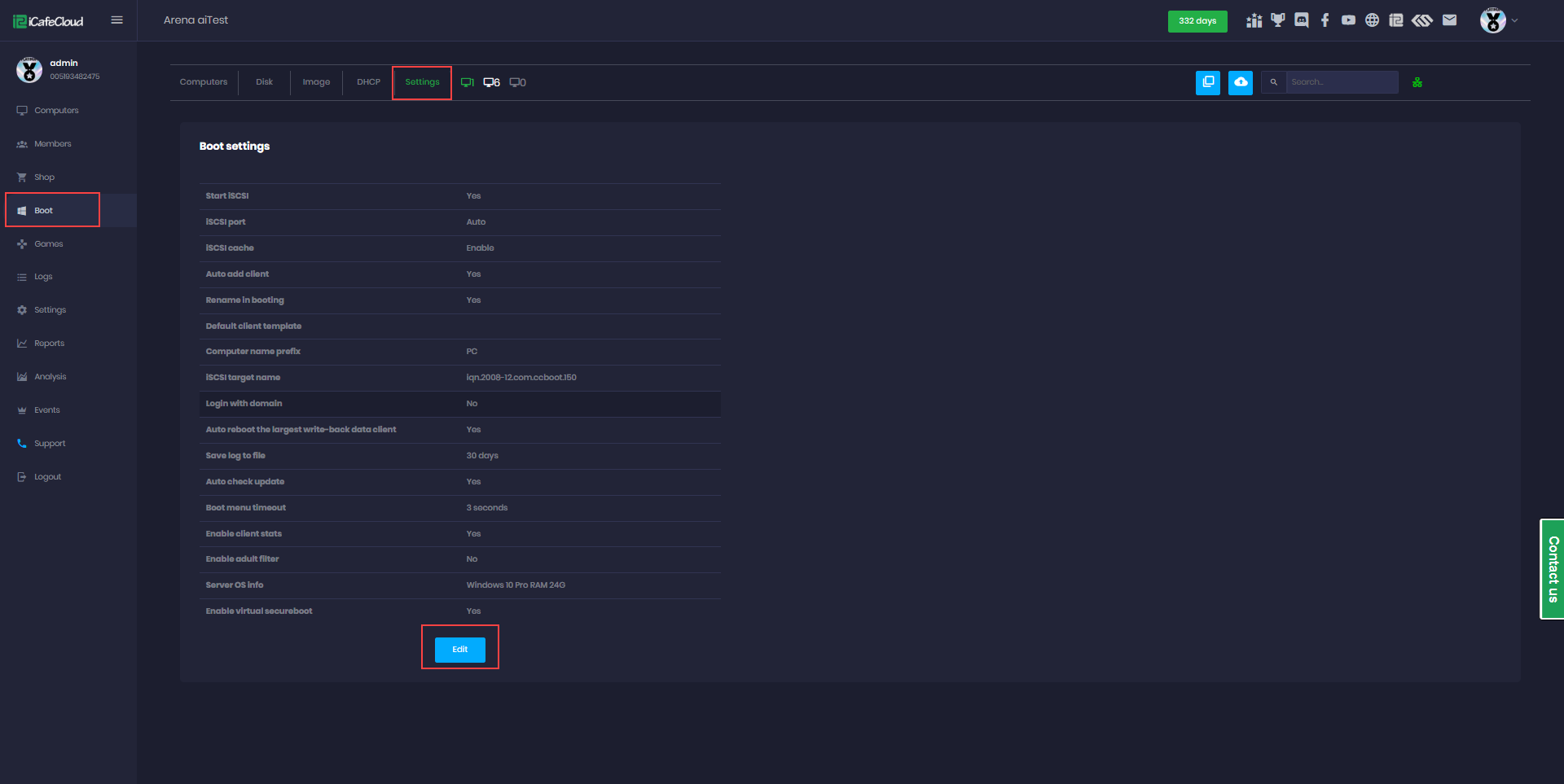
Figure 1
- The Settings page will open, at Enable Virtual Secure Boot change the option to Enable and click OK. (Figure 2)
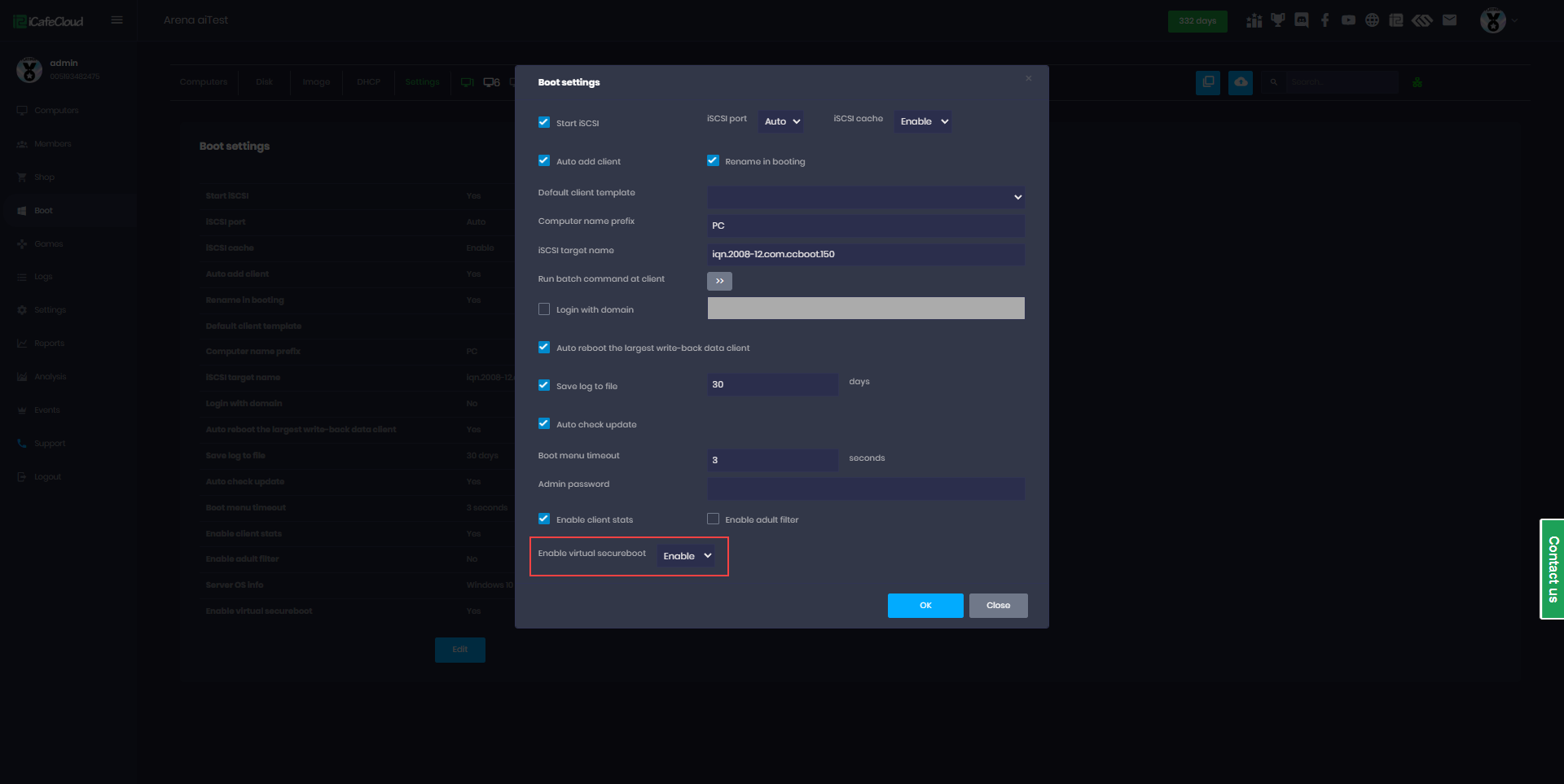
Figure 2
- Boot the client PC, and when it starts booting at PXE phase, press F4 on the keyboard to reset the certificate. (Figure 3)

Figure 3
- The PC will restart, and on the next boot, the MOK screen will appear again, allowing you to import the certificate if you are using ipxe2025.
- You can then go back to the Settings page and change “Enable Virtual Secure Boot” to Disabled.
- There are only two situations where the Reset MOK key screen appears during boot:
1.Virtual Secure Boot is enabled in the CCBoot settings.
2.CCBootCloud server is not updated to the latest version.