

The following explains that when you reinstall Windows or change the OS hard disk, the machine ID is updated, which can invalidate the current license. In such cases, you must reset the license in order to reactivate it on the server. License resets are limited to four times per day.
- If you receive a license-related error in the CCBootCloud Server Logs, you may need to reset the license. (Figure1)
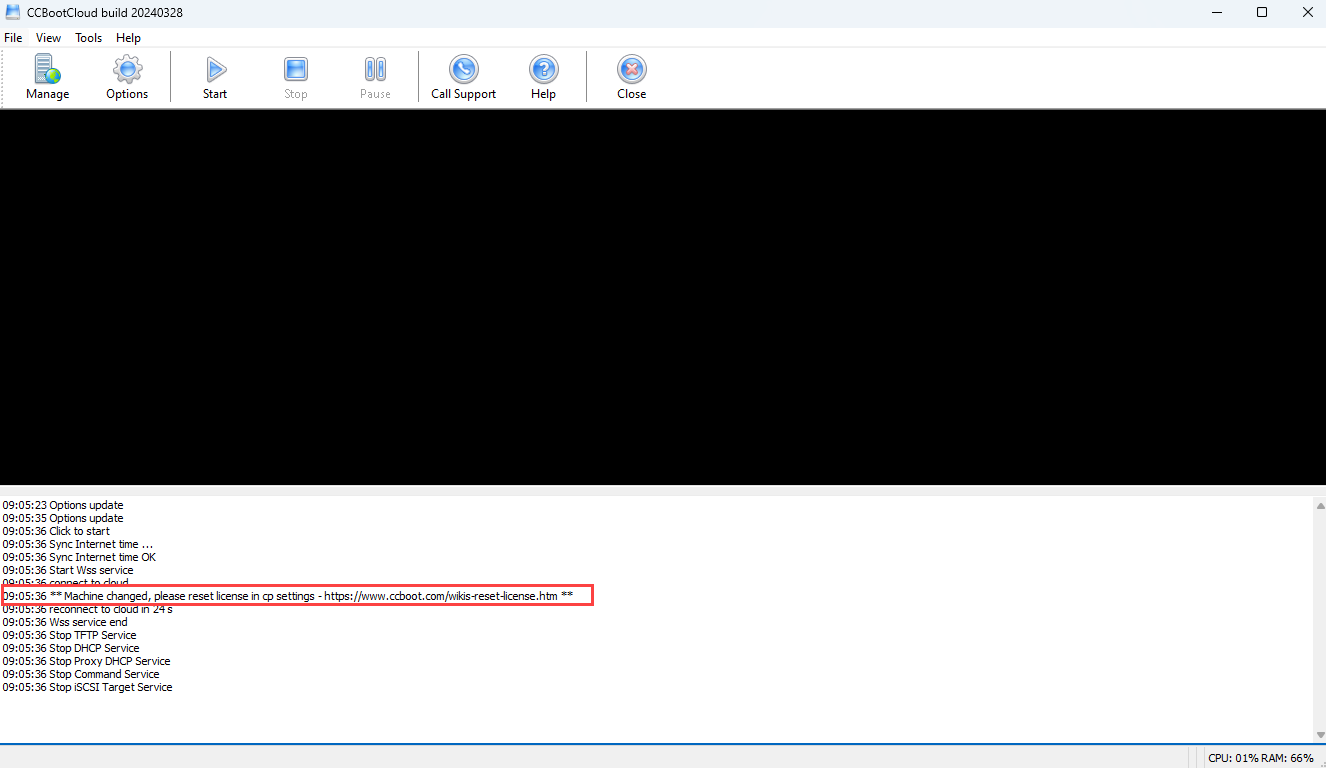
Figure 1
- Navigate to the Settings page and open the License tab. Then click the Reset License button next to the license number.(Figure 2).
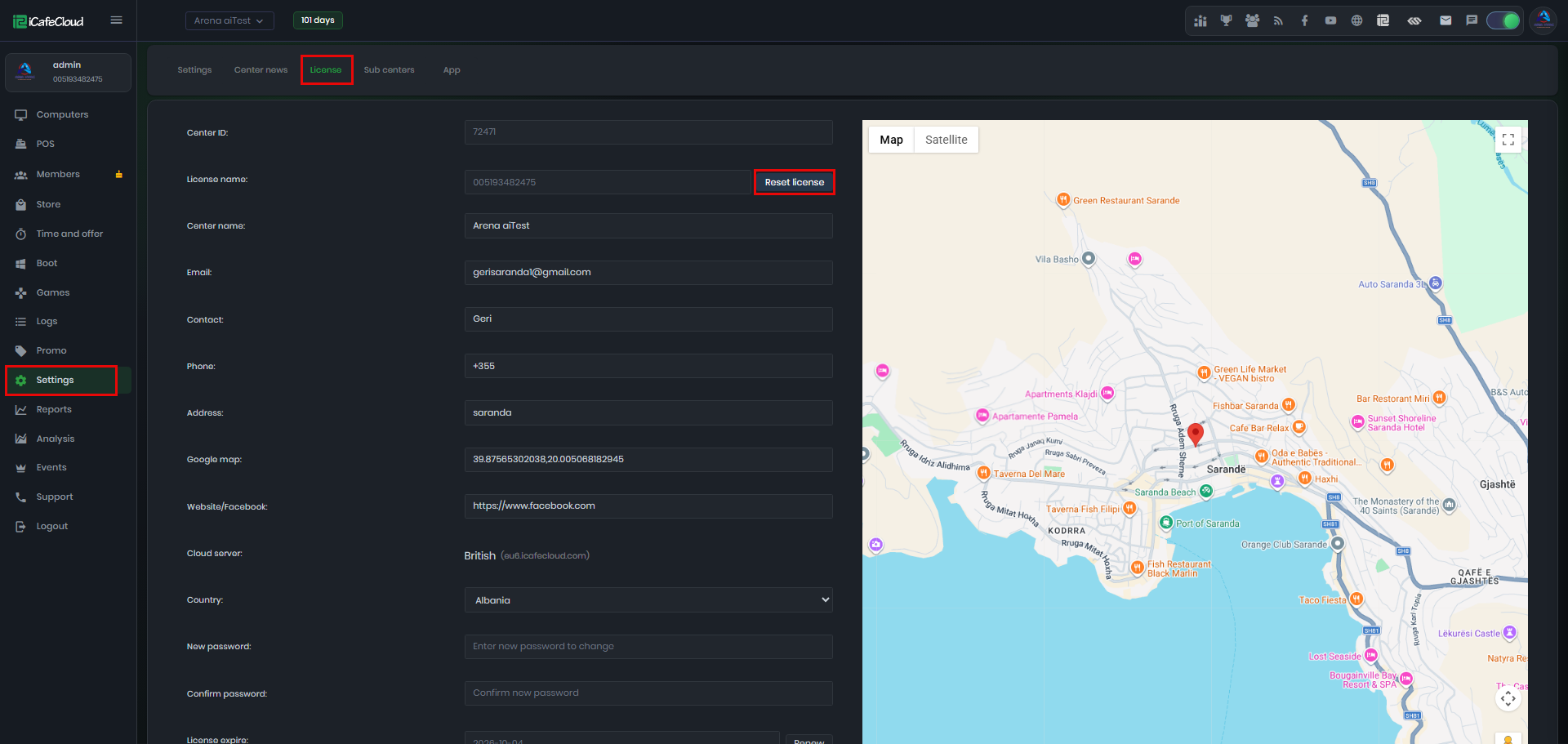
Figure 2
- Click Yes to confirm the license reset. The license can be reset a maximum of four times per week (Figure 3).
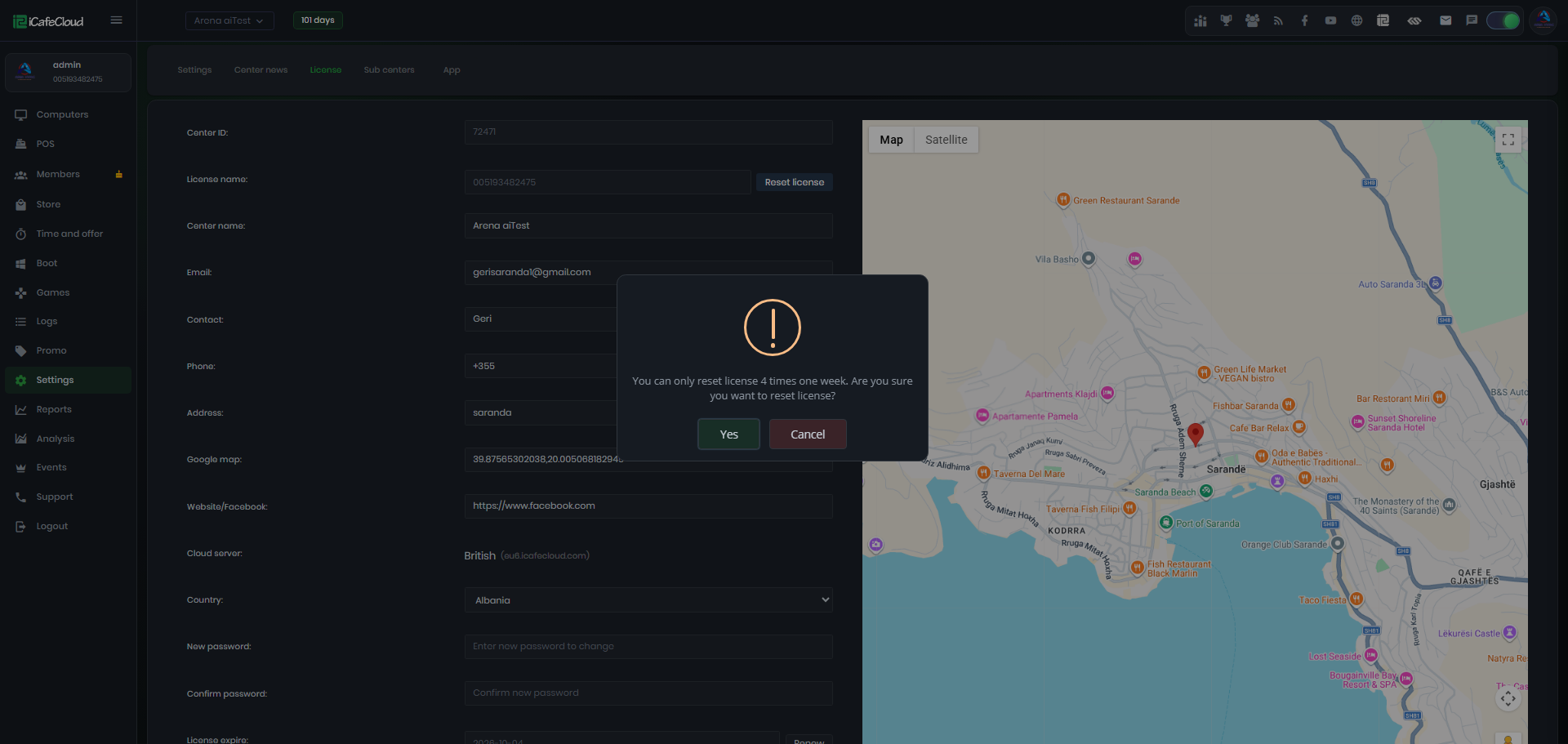
Figure 3
- For CCBoot Classic and CCDisk licenses, please contact support for manual license resets.