
2026-02-07
disable, nic, optimize
The following explains how to disable nic optimization by editing the registry.
- Enable super client to any PC
- Open registry editor
- Locate Computer\HKEY_LOCAL_MACHINE\SYSTEM\CCBootPnP\Optimize
- Select the Optimize folder (Figure1)

Figure 1
- On the right side, locate the “Enable” registry entry and double-click it to edit.
- Change the Value data from 1 to 0.(Figure 2)
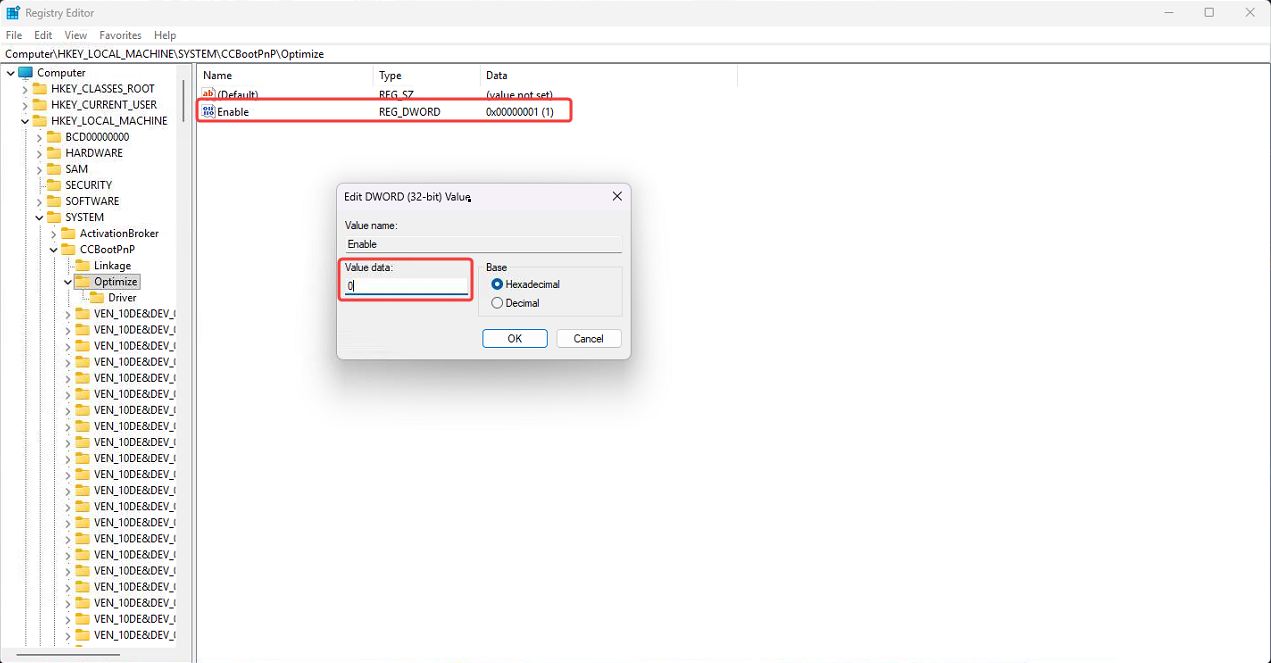
Figure 2
- 0 means the optimization will be disabled.
- Click OK to save the changes, then close Registry Editor.
- Shut down the PC and disable Super Client to save the changes.