
2025-12-22
faceit, NDIS, disable
The following steps explain how to disable NDIS in the CCBootClient to prevent the network's NDIS services from affecting the boot time.
- Access a client PC and open the Super Client.
- Navigate to C:\CCBootClient\ and run the CCBootClient.exe file (Figure 1).
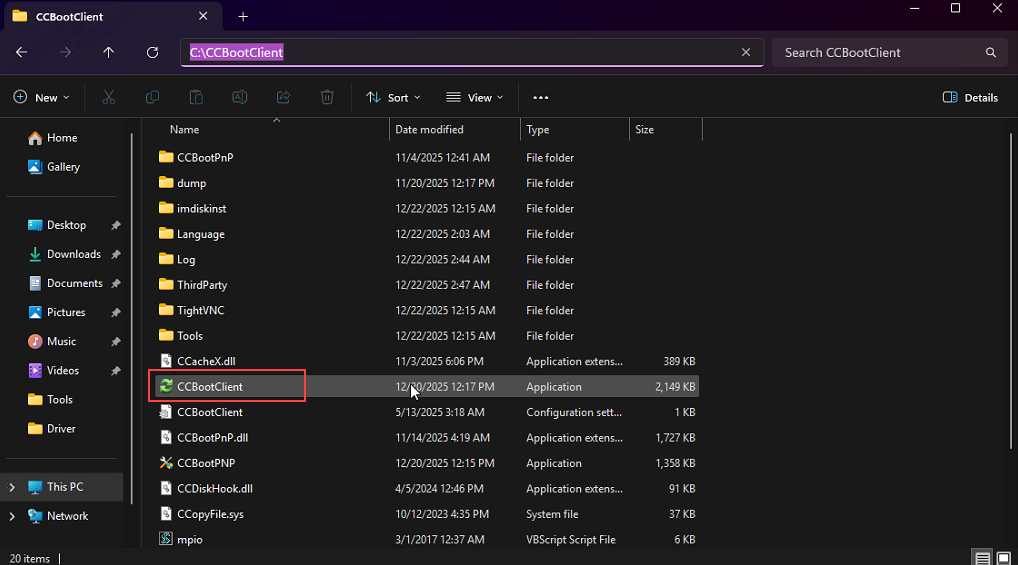
Figure 1
- Once the program opens, click the “Disable Faceit NDIS” button.(Figure 2)
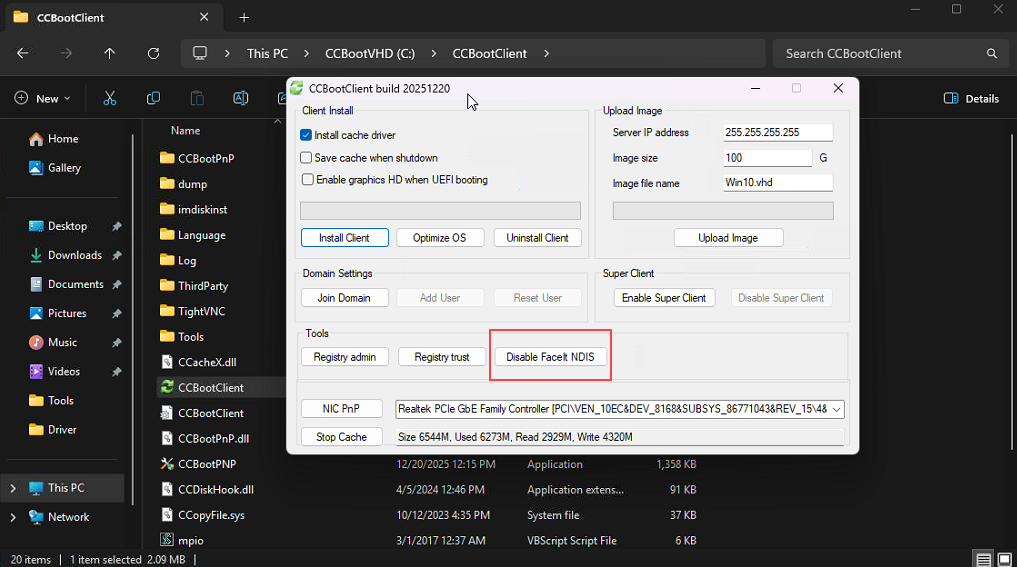
Figure 2
- The system will prompt you to shut down the PC. Proceed with the shutdown, then disable Super Client to save all changes.
- FACEIT requires NDIS to function, but enabling it adds several seconds to the boot time. To reduce boot time, we have added this option to temporarily disable it.
- NDIS will automatically restart when FACEIT launches.