

Avoind using super client and run gameloop as will cause bsod
- Download the PUBGMobileFix.zip file (Figure 1).
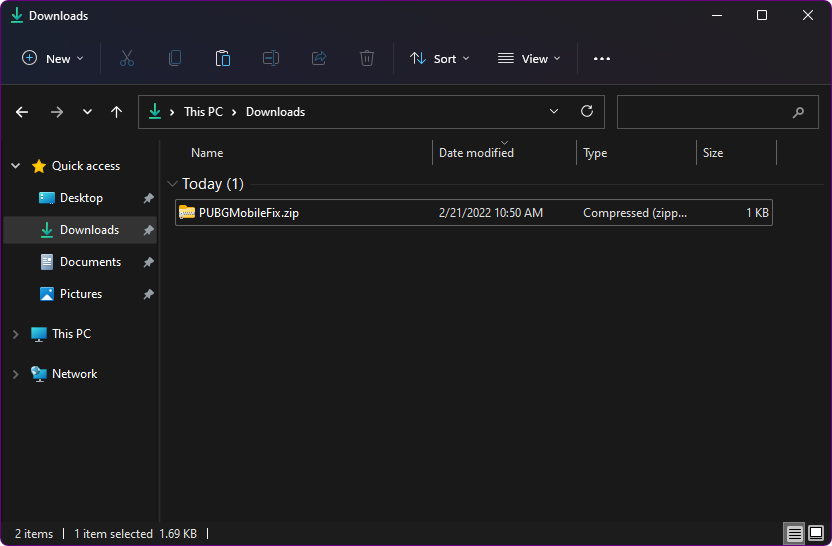
Figure 1
- Extracting the zip file you will get “PUBGMobileFix.reg”, copy it to the game disk in the same folder as the “TxGameAssistant” folder (Figure 2).
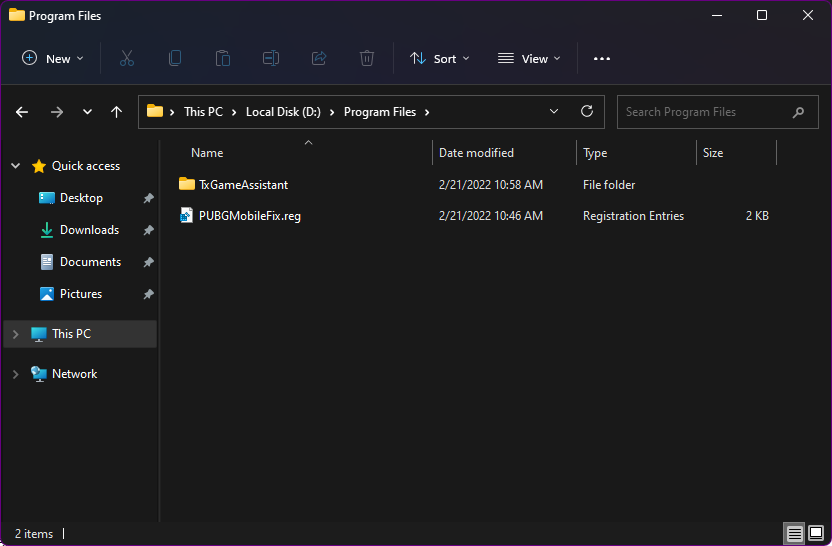
Figure 2
- Now, login to the cloud panel then go to the “Boot” page and click on the “Settings” tab (Figure 3).
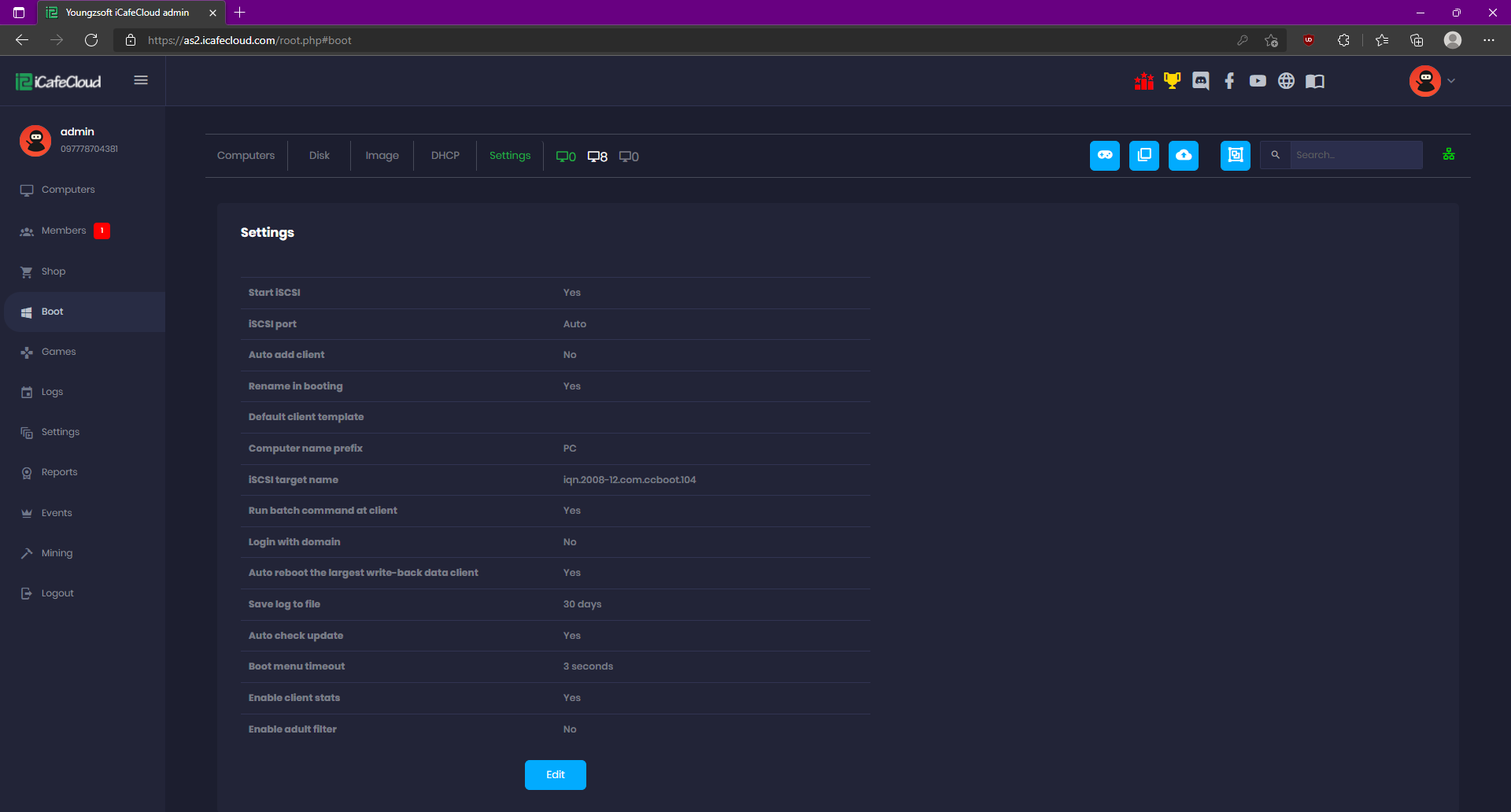
Figure 3
- Click the “Edit” button and then click the “>>” button to open the “Batch command at client” modal (Figure 4).
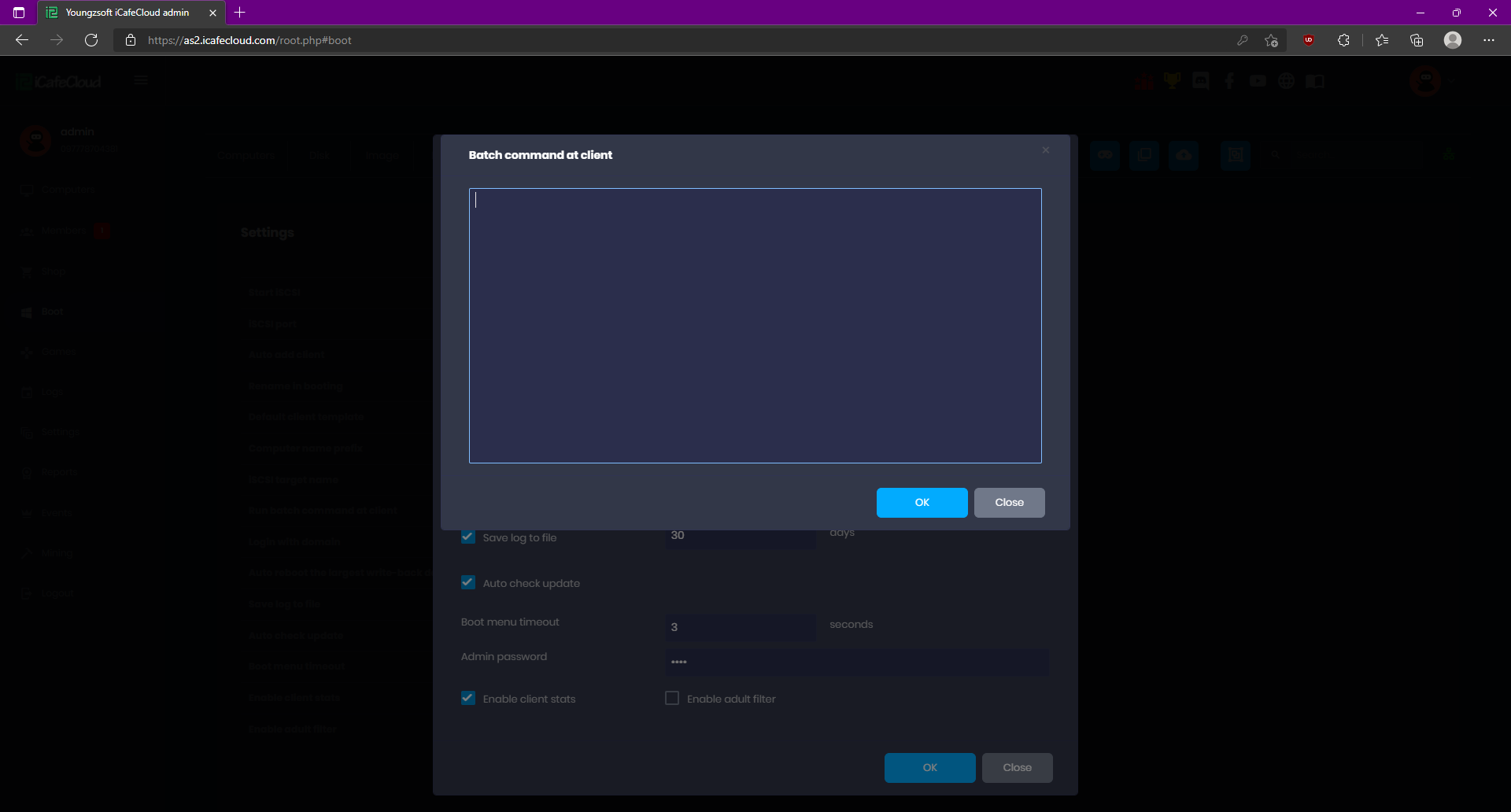
Figure 4
- Paste the command below and then click the “OK” button (Figure 5).
reg import "D:\Program Files\TxGameAssistant\PUBGMobileFix.reg"
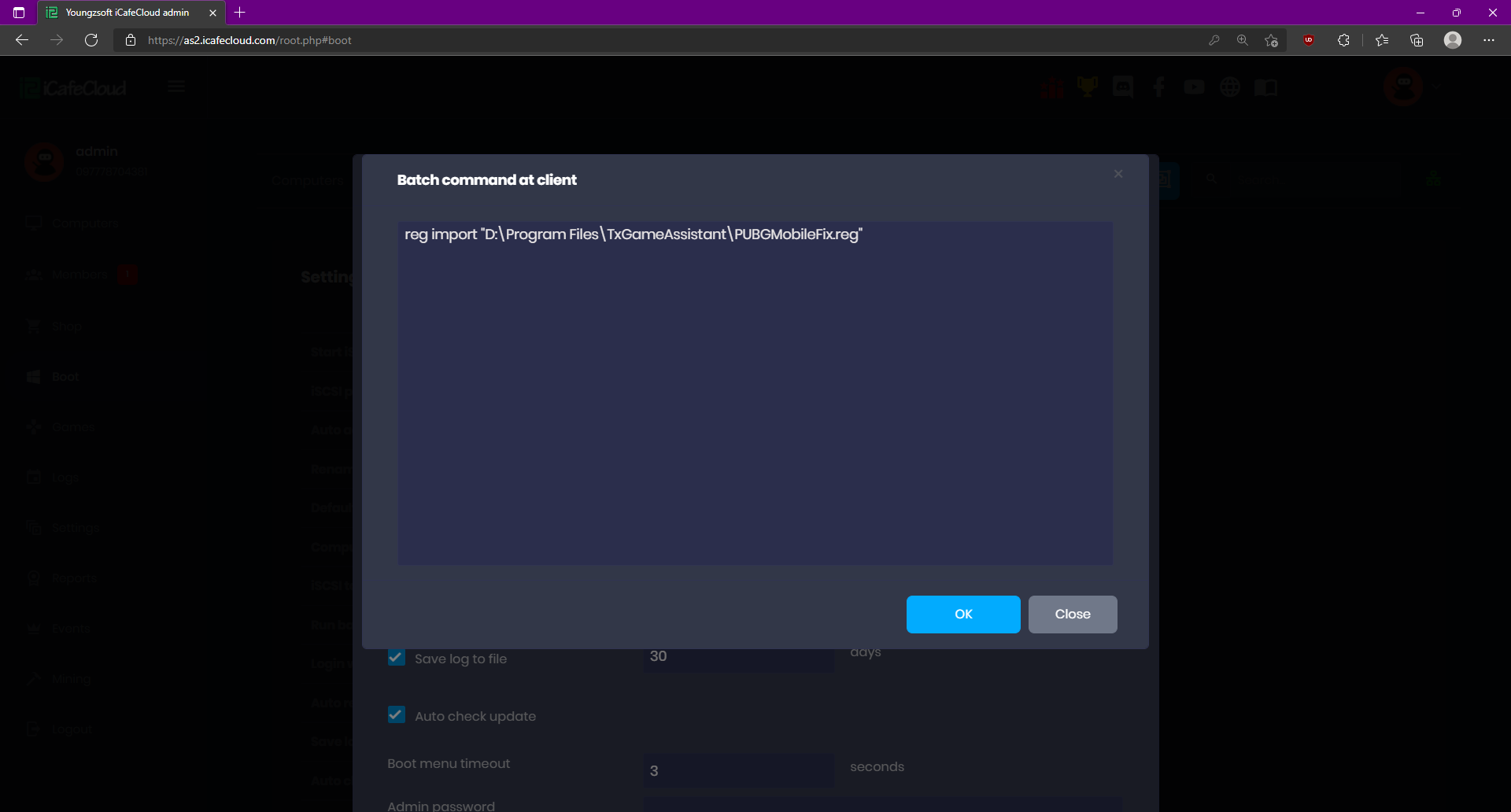
Figure 5
- Now, you can super client and make changes to GameLoop games without any bluescreen.