

The following explains how to fix CS2 having no sound, if monitor sound output overrides it.
Fix CS2 sound:
- Enable super client and boot client PC
- Open Control Panel -> Hardware and Sound and click on Sound. (Figure 1)
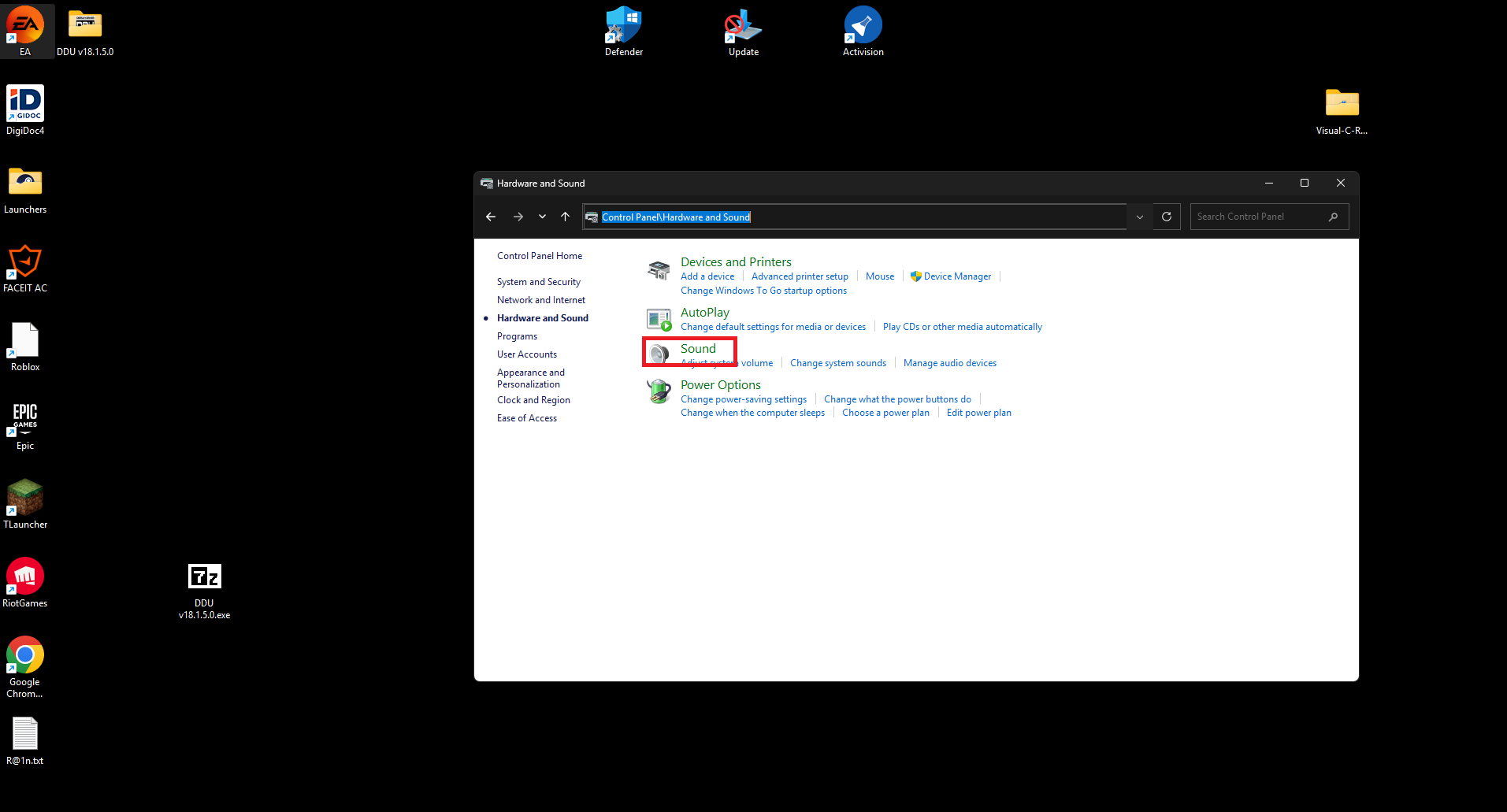
Figure 1
- Locate monitor sound output, right click on it and disable it. (Figure 2)
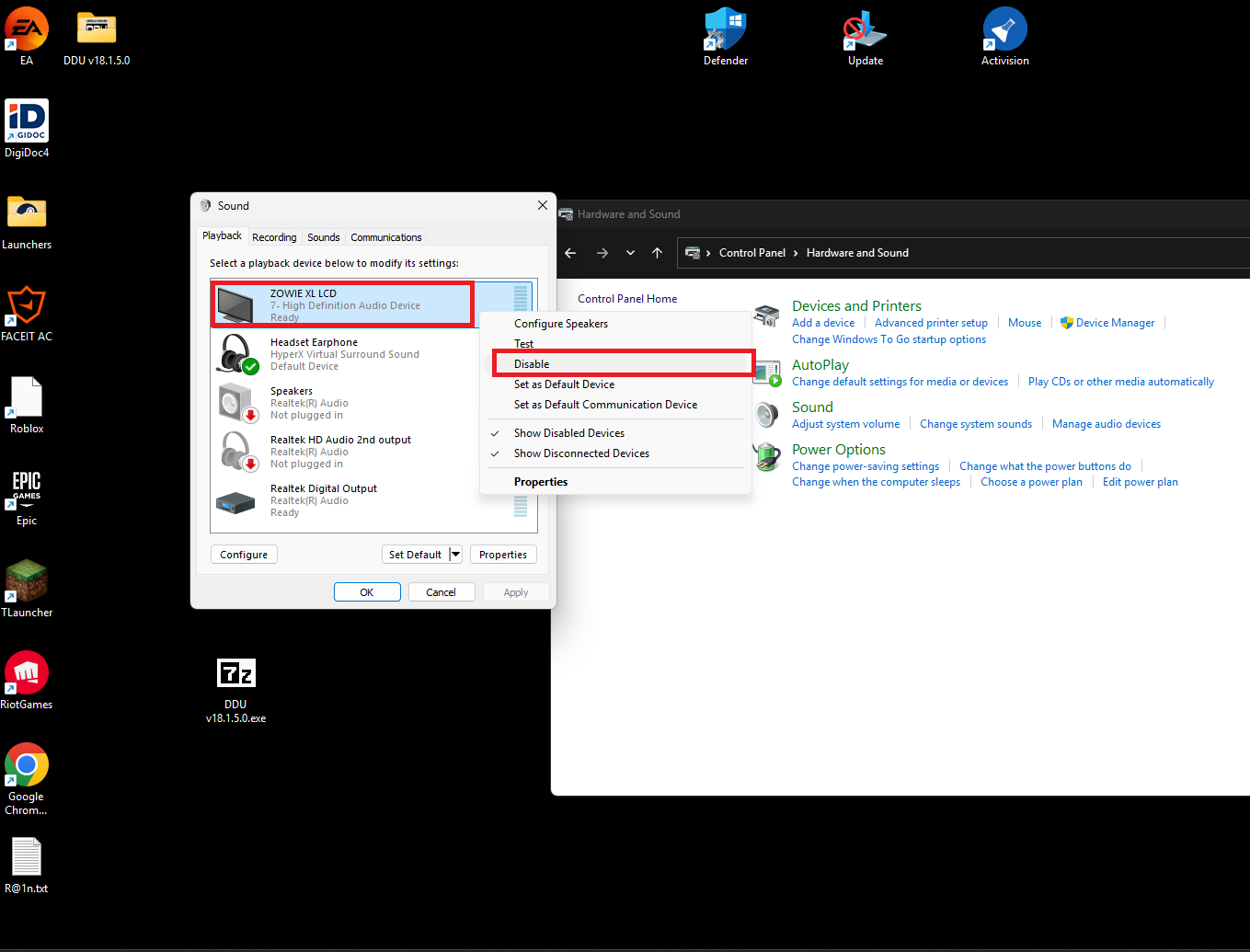
Figure 2
- Turn off Client PC and save super client
- This usually happens when the monitor overrides sound output. If you have any other monitor models in your center, please repeat the process for other monitors.