

The following explains when upgrading to the latest version of CCBoot, users who have previously been running an older version may encounter an error message during installation.
- The message indicates that the new version uses a NEW recovery function and does not support recovery points created by the old version. (Figure 1)
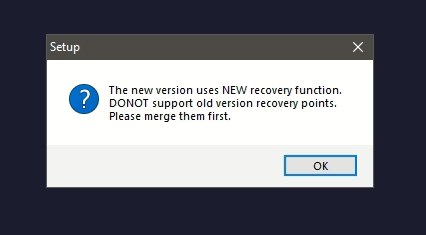
Figure 1
- This issue occurs because the db.xml file in the CCBoot installation folder belongs to the older CCBoot version and causes a compatibility issue with the new version.
- Close the CCBoot application and stop its related services.
- Navigate to the CCBoot installation folder.
- Locate the db.xml file.
- Delete or rename the old db.xml file.
- Restart the CCBoot installation or launch the new version. (Figure 2)
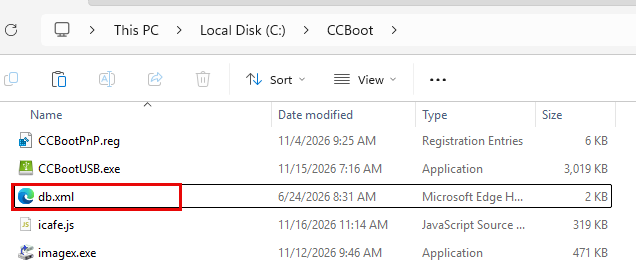
Figure 2
- After removing the old db.xml file, the new CCBoot version should be able to proceed without displaying the recovery point compatibility error.