
2026-01-29
gpu, pnp, drivers, auto
The following explains how to enable and install the NVIDIA Control Panel on Windows when using GPU PNP.
Nvidia control panel setup
- The Nvidia control panel needs to be installed after the PNP GPU is ready.
- Boot the PC with Super client mode.
- Locate the file at C:\CCBootclient\NVCPL (Figure 1)
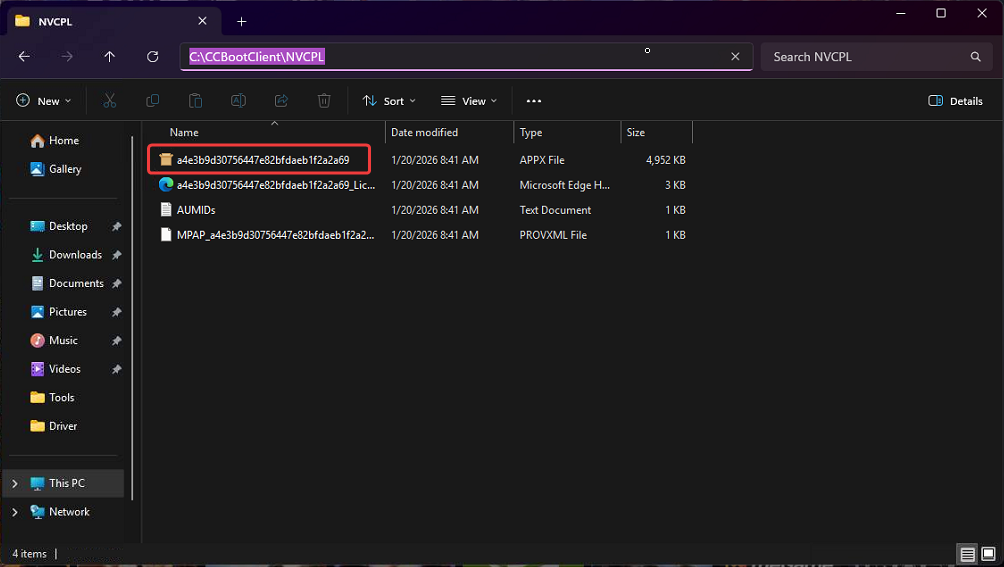
Figure 1
- Run the a4e3b9d30756447ae… file to start the setup and click install (Figure 2)
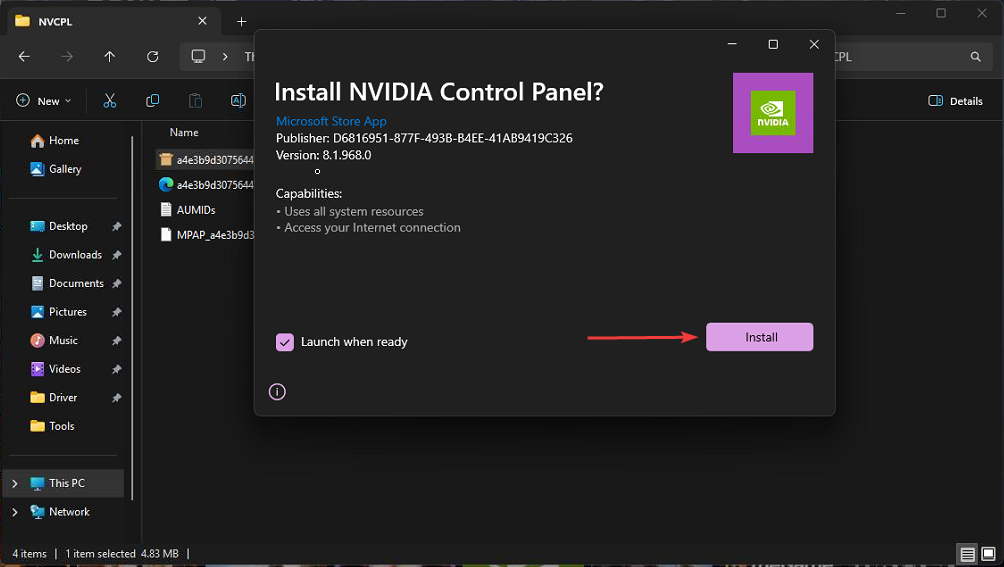
Figure 2
- After the installation is complete, the NVIDIA Control Panel will launch.
- Then shut down the PC and disable Super Client to save the changes.
- If the NVCPL folder is missing from the CCBootClient path, it means the GPU PNP module was not installed correctly.
- To resolve this:
Reset the GPU PNP.
Boot a client PC to initiate reinstallation. - After reboot, the system will apply the latest GPU PNP updates and the NVCPL folder will be created automatically.
Nvidia control panel Error
- If the NVIDIA Control Panel does not open even though the tray icon is visible, it usually indicates driver corruption. This randomly happens when the NVIDIA driver was installed directly into the image instead of being deployed through GPU PNP.
- Boot the client PC in Super Client Mode.
- Use DDU (Display Driver Uninstaller) to completely remove the NVIDIA driver from the system.
If multiple Windows user accounts exist on the PC, always use the Administrator account to run DDU to ensure the driver removal process completes properly with full system privileges. - After the uninstall process is complete, shut down the PC.
- Disable Super Client Mode.
- Reset the GPU PNP from the server.
- Boot the client PC again the system will automatically reinstall the GPU driver through the GPU PNP process.
- Next Steps is to install Nvidia control panel
Nvidia control panel Microsoft
- The Nvidia control panel needs to be installed after the PNP GPU is ready.
- Boot the PC with Super client mode.
- Enable Windows Updates. If you are using a Super Image from CCBoot and click Update Control Software on the desktop and enable updates.(Figure 1)
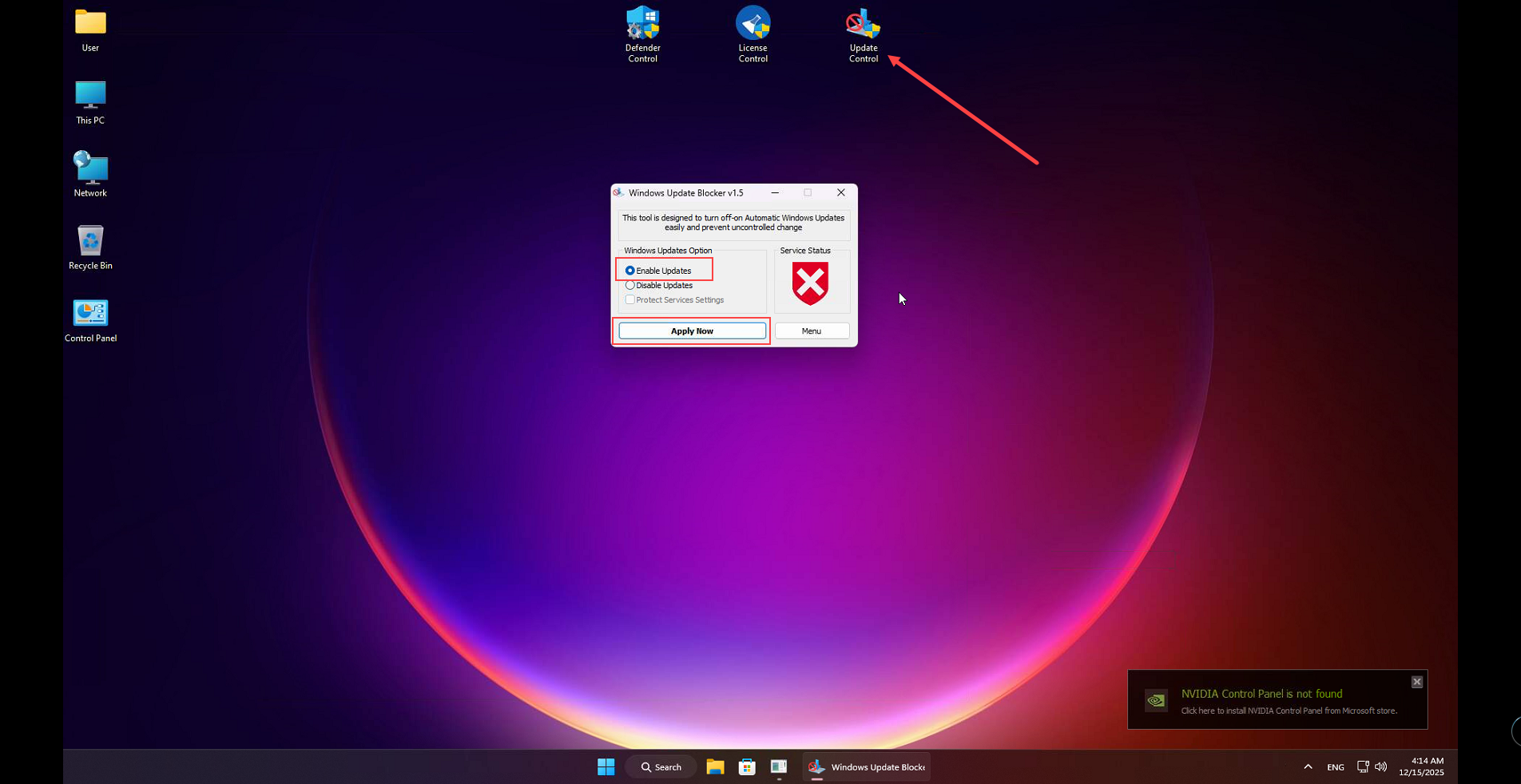
Figure 1
- Then open the Microsoft Store, search for NVIDIA Control Panel, and click Get. This will download and install the NVIDIA Control Panel. (Figure 2)
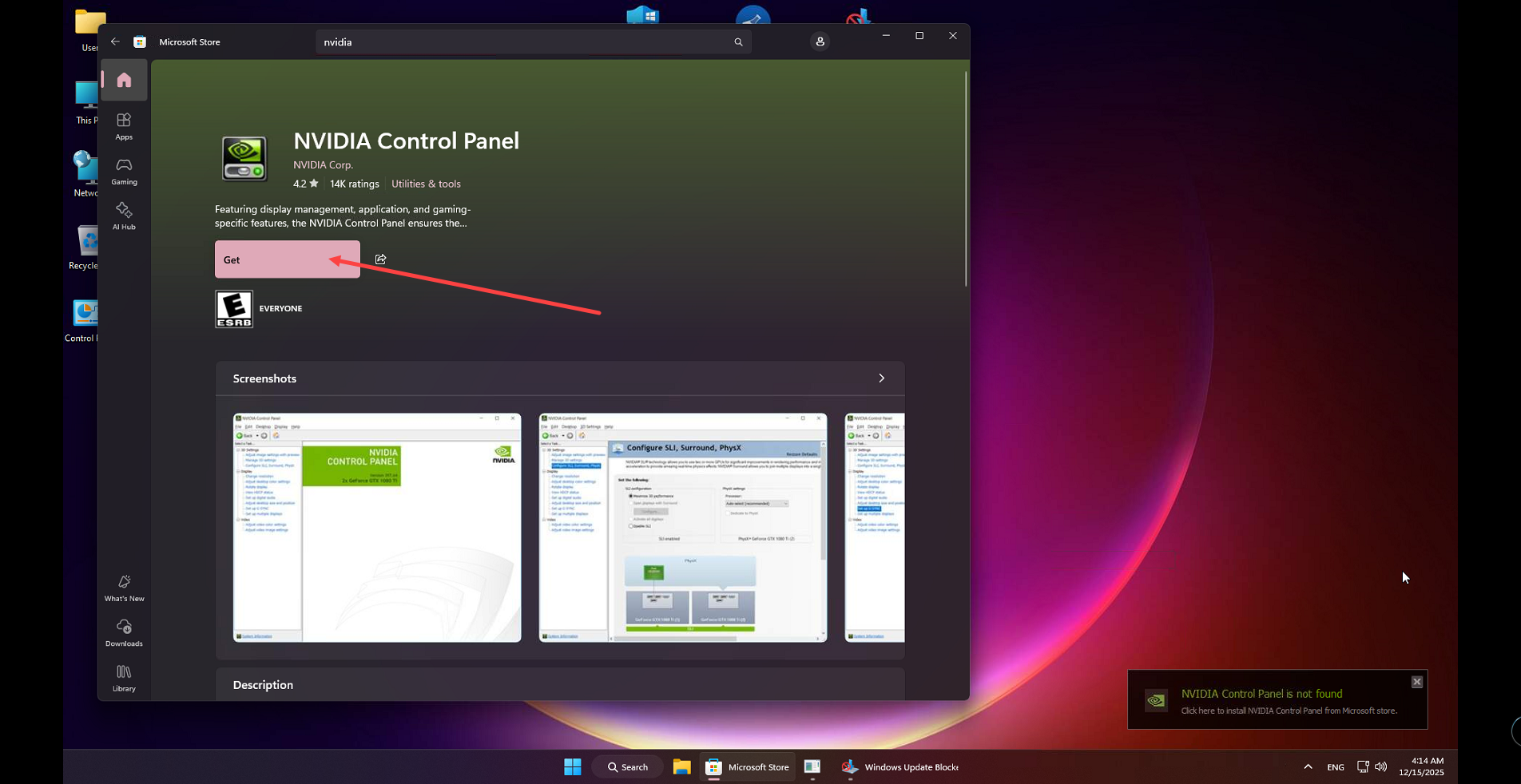
Figure 2
- Click Update Control Software on the desktop and disable windows updates.
- Shut down the PC, disable Super Client, save the changes, and you are done.