

Over the weekend someone finally split the network properly. The front desk and office PCs got their own VLAN, guest Wi-Fi got another, and the gaming floor kept the rest. On Monday at opening, half the stations sit on a black screen that reads PXE-E51: No DHCP or proxyDHCP offers were received. Nothing is broken. The VLANs are doing exactly what VLANs are supposed to do, and the one request each station sends in its first second of life never reaches the server. Getting diskless boot with VLAN segments right comes down to three things: where the server sits, a couple of lines on the switch, and a few fields in the DHCP settings.
Why does a new VLAN stop the boot before Windows loads?
A diskless station that has just been powered on has no IP address. It doesn't know where the boot server is either. So it does the only thing it can, which is shout a DHCP discovery to everything on its segment and wait for somebody to answer with an address and a boot file.
Broadcasts stay inside their VLAN.
That's the whole point of a VLAN, and it's also the whole problem. If the CCBoot server sits on the same segment as the station, it hears the request and answers. If it sits on a different one, the request dies at the edge of the station's VLAN and the station eventually times out.
The fix goes by different names depending on who made your switch. Cisco calls it ip helper-address, while H3C and many other vendors call it DHCP relay. Either way it does one simple job: the layer 3 interface for the station's VLAN catches the broadcast, turns it into an ordinary unicast packet addressed to the server, marks which VLAN it came from, and passes the server's reply back to the station.
After that first exchange, everything else is normal routed traffic. The station pulls its boot loader over TFTP, attaches its system disk from the server over iSCSI, and loads Windows. None of those steps care about VLANs, as long as routing and access rules let the packets through. CCBoot supports VLANs, dual NICs and dual LAN segments out of the box, so the work below is almost entirely on the network side.
Three ways to place the server, and the one to pick
Before typing a single command, decide where the server lives. That one choice sets how much switch configuration you need, and also whether every station's disk traffic has to pass through a router all evening.
Layout | Where the | What the | How boot and | Best fit |
A. Same VLAN | In the gaming | Nothing extra | Switched, | Gaming |
B. Server VLAN | In its own | DHCP relay | Routed by a | Schools and |
C. One leg | A port or | Access or | Switched, | Venues with a |
For diskless boot with VLAN segments on a gaming floor, pick A or C. Stations read their games from the server for hours, and 60 seats loading the same CS2 map in the same second is exactly the traffic you want switched at wire speed. Layout A is the simplest network you'll ever build: office, POS terminals and guest Wi-Fi go on their own VLANs, the stations and the server stay together, and there's nothing to relay.
Layout C keeps that property when you genuinely need the stations split, say a glass-walled tournament area on VLAN 30 and the open floor on VLAN 20. Give the server a port in each VLAN, or a tagged team interface per VLAN if you'd rather run a single trunk (Windows Server NIC Teaming can create one interface per VLAN ID). Then set DHCP server IP to 0.0.0.0 in CCBoot, which tells it to serve on every address the server owns. Each segment boots from the port that lives on it.
Layout B is the right call when a school or company already routes between VLANs on a layer 3 core switch. One server in the server VLAN, one relay line on each lab's VLAN interface, and the switch's hardware does the routing. In practice a core switch like that routes between VLANs at full port speed, so diskless boot with VLAN routing on that class of hardware feels no different to the student sitting at the keyboard.
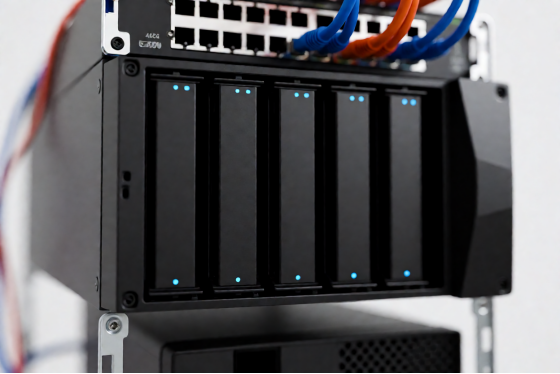
Diagram of diskless boot with VLAN segments using DHCP relay on a layer 3 switch
What to have ready before you touch the switch
· The CCBoot server needs a static IP in every segment it sits on, and it should never take its own address from DHCP.
· Write down each VLAN ID, its subnet and its gateway, which is the switch's VLAN interface (often called an SVI).
· For layout B, confirm the layer 3 switch or router supports DHCP relay.
· Decide what happens to the router's built-in DHCP on the station VLANs: switched off, or used as the third-party DHCP described in Step 1.
· On smart switches, turn flow control off, because it slows down diskless boot.
Diskless boot with VLAN, step by step
The steps below follow layout B, since it has the most moving parts. On layout A or C you can skip Step 2 entirely, because every station segment already has the server on it.
Step 1: Decide who hands out addresses
Open the CCBoot admin panel, go to Boot, then the DHCP tab. Everything in this step happens on that one page.
CCBoot DHCP settings page with TFTP, proxy DHCP, IP range, gateway and DNS fields
With one VLAN, let CCBoot do it. Choose Using CCBoot DHCP and fill in that VLAN's IP allocated start and end, the mask and the DNS addresses. The field that trips people up is IP gateway. It has to be the station VLAN's own gateway (the VLAN interface address on the layer 3 switch), not the CCBoot server's IP and not the office router on some other segment. A station with the wrong gateway gets an address and then can't reach anything outside its own subnet, including the server it's trying to boot from. Keep Start TFTP and Start proxy DHCP ticked. The DHCP settings reference describes every field on the page.
With several station VLANs, let the network hand out addresses per VLAN. A layer 3 switch, a firewall or Windows Server DHCP can each hold one scope per VLAN, and that's the tidy way to run a segmented site. In CCBoot, choose Using 3rd party DHCP and leave Start proxy DHCP on. The other DHCP server answers with the address, and CCBoot answers with the boot information. MikroTik routers handle the address side well: create an IP pool for the station range, add a DHCP server on that interface, and bind each station's MAC address to an address under Leases.
Step 2: Tell the switch where DHCP requests should go
Put the relay on the station VLAN's interface, not the server's. The broadcast is heard on the station side, so that's where the helper has to live. Honestly, this one detail accounts for more lost evenings than everything else in this article combined.
On a Cisco-style switch, with the CCBoot server at 192.168.10.5 and stations on VLAN 20:
interface Vlan20
ip helper-address 192.168.10.5
If Step 1 went the third-party route, add a second line pointing at that DHCP server so both of them see every request:
interface Vlan20
ip helper-address 192.168.10.2
ip helper-address 192.168.10.5
On H3C, the same idea from system view:
interface Vlan-interface 20
ip forward-broadcast
dhcp select relay
dhcp relay server-address 192.168.10.5
udp-helper server 192.168.10.5
Add matching dhcp relay server-address and udp-helper server lines for a Windows DHCP server if one owns the addresses. Then repeat the whole block for every station VLAN, because VLAN 30 needs its own lines and so does VLAN 40. The VLAN page in the CCBoot wiki has the full H3C sequence, including the case where Windows DHCP and CCBoot sit in different VLANs.
Step 3: Open the path between segments
If you run ACLs or firewall zones between VLANs, permit all traffic between the station subnet and the CCBoot server's IP, in both directions. You could write the rules port by port for DHCP, TFTP, iSCSI and the rest, but one permit to one address is shorter, easier to audit, and can't leave a port out.
While you're in the switch config, make the station-facing ports edge ports (portfast on Cisco). Otherwise a spanning tree can hold a port in its listening state for long enough that the network card's PXE timer gives up first.
Step 4: Boot one station and watch it
One machine, not ten. Power it on and watch the PXE screen: within a few seconds it should show an address from the station subnet, then the CCBoot loader, then Windows. On the Computers page, check that the station appears with the IP you expected. If you're still evaluating, run this whole sequence on a trial server and one spare PC before you touch the production floor.
The PXE screen also tells you which half of the setup still needs attention. A station that stops at PXE-E51 again never got its request to the server, so look at the relay: right interface, right helper address. A station that gets an address and the loader but then hangs is having trouble on the routed path afterwards. That's the gateway field from Step 1 or a rule from Step 3.
Where segmented networks trip up diskless stations
Almost every failure after a VLAN change lands in this short list, and each one has a clean fix.
Routing on the wrong box is the big one. When the "layer 3 device" is really a firewall or a small router doing router-on-a-stick, every disk read from every station crosses its CPU. Move inter-VLAN routing to the layer 3 switch, or go to layout C and let stations reach the server without routing at all.
A VLAN added later never got its relay. The original segments boot fine and the new wing doesn't. Check the config of every station VLAN interface, not just the first one you set up months ago.
Two DHCP servers answer the same segment. If the router's DHCP is still live where CCBoot DHCP also answers, some stations take the router's offer and never hear about the boot file. On any one VLAN, exactly one server hands out addresses. The other is either in third-party mode or off.
Stations with two network ports boot from the wrong one. Choose the booting NIC when you install CCBoot Client on the master PC, give that NIC a static IP, and leave the second port on DHCP for internet or local use.
A station boots from a different server than you intended. With two CCBoot servers, the 1st server and 2nd server set on a station through Edit PC take priority over whatever DHCP hands out. That's actually useful: to pin the tournament VLAN to server 2, select those PCs and put server 2 first.
Network cabinet with patch cables color-coded by segment on two managed switches

Is it really working? Three checks
Addresses first. Every station on every VLAN should hold an address from its own subnet, and the Computers page in CCBoot should list the same IPs.
Then boot time. Cold-boot one station on a routed VLAN and one on the server's own segment, back to back, with a stopwatch. When routing happens on a layer 3 switch, or you're on layout C, you shouldn't be able to tell which is which.
Finally, traffic. On a busy night, look at the server's network usage per port. On layout C each port should carry roughly its own segment's share of the floor, and with load balancing set up the ports should run close to even.
Run all three again after any change to a diskless boot with VLAN setup, not just on day one. A switch firmware update or a new ACL can undo a working relay without anyone noticing until the next cold start.
More VLANs, more NICs, a second server
Growing a segmented network is mostly repetition. A new station VLAN means one more scope or range, one more relay block, and one more permit rule.
Keep the numbering boring. VLAN 20 is the open floor on 192.168.20.0/24, VLAN 30 is the tournament area on 192.168.30.0/24, VLAN 40 is the lab upstairs. When a station misbehaves at 9pm, you read its address and know which room it's in without opening a spreadsheet.
More NICs on one server is where CCBoot's single-server load balancing comes in. Set DHCP server IP to 0.0.0.0, select half the stations on the Computers page and give them NIC A as 1st server and NIC B as 2nd, then give the other half the reverse order. Both ports carry boot traffic, and if one address stops answering, stations boot from the other.
A second server works the same way across two machines, each with its own static IP. Half the floor boots from server 1 first and half from server 2, and either one picks up stations when the other isn't answering. CCBoot is licensed per client PC, at USD 2.50 per PC per month or USD 2.00 per PC per month on annual billing.
Pick one station VLAN tonight and one machine on it. Set the gateway on the DHCP tab, add the relay line on that VLAN's interface, and cold-boot. Once that station shows the CCBoot loader, the rest of your diskless boot with VLAN rollout is the same handful of lines per segment, and the network stays split exactly the way you drew it on Monday morning.