
Managing game images can be a daunting task. Game image management software simplifies this process. It helps organize, store, and retrieve game assets efficiently.
These tools are essential for game developers and digital artists. They streamline workflows and enhance productivity. With the right software, managing game assets becomes seamless.
Features like editing, tagging, and categorizing images are common. Some tools even offer cloud-based solutions for easy access. This makes collaboration across teams much simpler.
Choosing the right software can be challenging. There are many options available, each with unique features. Understanding your needs is crucial to making the right choice.
If you manage game images across many shared PCs (for example, in a game studio lab, QA room, training center, or esports venue), image management is only part of the workflow. You also need a reliable way to keep machines consistent, fast, and clean between sessions. That’s where CCBoot can fit naturally alongside your asset pipeline.
In this article, we review top game image management software. We highlight their features, benefits, and suitability for different users. Whether you're a developer or an artist, this guide will help you find the best tool for your needs.
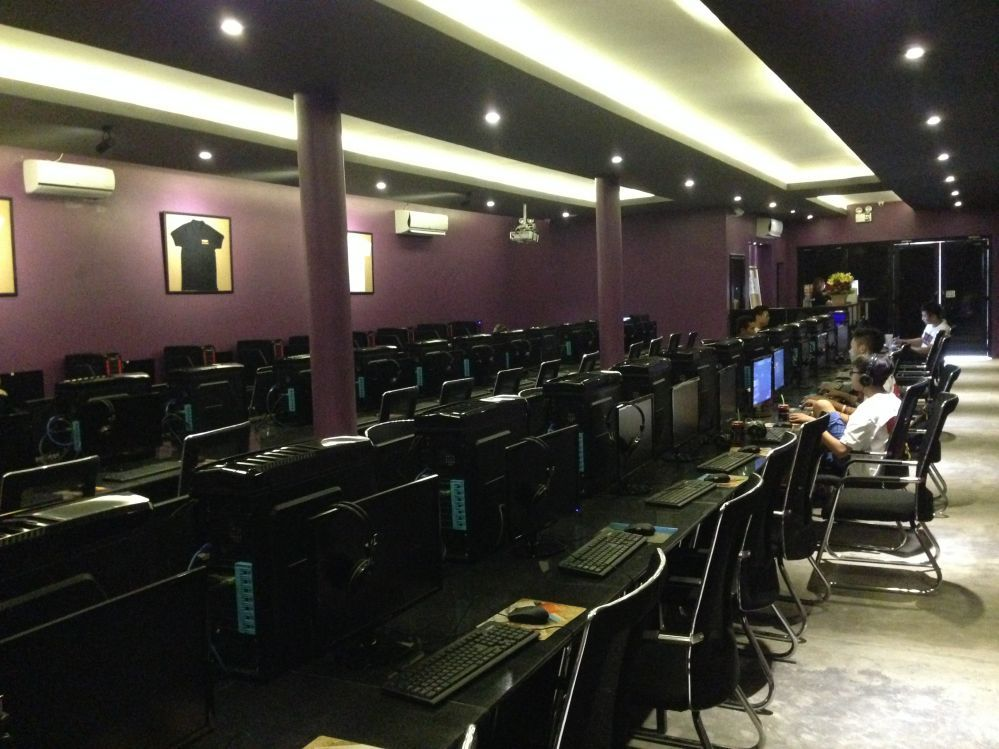
What is Game Image Management Software?
Game image management software is a specialized toolset. It aids in organizing and managing visual assets for games. This software ensures assets are stored and retrieved efficiently.
The software includes features beyond basic storage. It offers editing, tagging, and categorization capabilities. These functionalities streamline the asset management process significantly.
Developers and digital artists benefit greatly from these tools. They simplify complex workflows, making tasks more manageable. Users can focus on creativity instead of cumbersome asset organization.
Features to expect from such tools include:
- Robust search and filter options
- Version control for updates
- Compatibility with multiple file formats
They also provide security for your assets. Encryption and user permissions protect valuable content. Protecting your assets should be a priority in any development environment.
Key Features to Look For
When choosing game image management software, identify key features. Not all tools offer the same capabilities. Prioritize features that align with your specific needs.
Efficient search and organization are essential. Look for software with strong search and filter options. The ability to tag and categorize assets is a big advantage.
Another crucial feature is integration. Choose software that seamlessly connects with other game development tools. This integration boosts productivity by providing a smooth workflow.
Consider security when making your choice. Features like user permissions and encryption protect your assets. Secure software ensures your projects remain private and safe.
For teams managing assets on multiple shared workstations, also evaluate operational tooling that keeps PCs standardized and reduces downtime. For example, CCBoot can help keep machines in a clean, known state after every reboot, which complements a disciplined asset workflow.
Important features include:
- Advanced search and tagging
- Integration with development tools
- Robust security measures
Top Game Image Management Software Compared
Choosing the best game image management software can be daunting. Each tool offers unique strengths. Here, we've compared top options to guide your decision.
These tools cater to different needs, from robust network management to sleek asset organization. Some are perfect for large studios, while others serve indie developers well.
Our comparison focuses on essential features and usability. Consider these tools based on your workflow, team size, and budget:
- CCBoot: Centralized management for multi-PC environments.
- Anchorpoint: Excels in seamless integrations.
- Perforce Helix DAM: Renowned for version control.
- Eagle.cool: Strong in design asset management.
- digiKam: Known for its open-source flexibility.
CCBoot
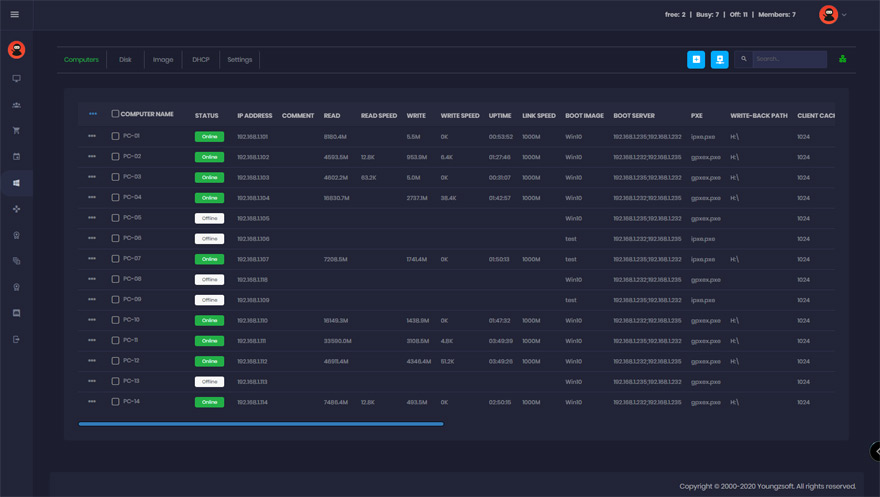
CCBoot is a diskless boot system designed to make managing multiple PCs fast and easy—especially useful in game studios, esports venues, training rooms, and any environment where many computers must stay consistent.
Its core benefit is system cleanliness and stability: after every single reboot, the PC is effectively wiped clean, helping reduce worries about spyware, viruses, and trojans. Each restart can feel like a fresh install, which can translate into safer machines that also run faster over time.
CCBoot also simplifies rollouts and updates. You can update PCs with a single click, and if you need to deploy software across all machines, you can install it on a “master” computer and then reboot the rest of the PCs to apply it—saving hours compared to manual updates.
While it isn’t an image editor or DAM in the traditional sense, it complements game image management workflows by keeping production or lab machines standardized. That consistency helps teams spend less time troubleshooting and more time creating and managing game assets.
Anchorpoint
Anchorpoint is a version control and asset management tool built for artists and game developers. It’s based on Git but strips away the usual complexity, so non-technical creatives can manage large binary files without hand-configuring Git LFS.
It generates visual previews and thumbnails for game formats such as FBX, UASSET, BLEND, and PSD, and adds file locking so two people can’t overwrite each other’s work. Tagging, search, and review workflows help keep large asset libraries organized.
Anchorpoint works alongside engines like Unity and Unreal, and it avoids vendor lock-in by keeping your files on your own Git server or storage rather than a proprietary cloud.
Perforce Helix DAM
Perforce Helix DAM (recently rebranded P4 DAM) is a digital asset management layer built on top of Perforce Helix Core (P4), the version control system widely regarded as a standard in AAA game development. Helix Core handles the versioning; Helix DAM adds a visual, browser-based way to work with those assets.
It lets art and design teams store, preview, review, and track 2D, 3D, audio, and video files in one secure place. Features include AI-assisted auto-tagging, high-resolution thumbnails and interactive 3D previews, side-by-side version comparison, annotation and markup tools, and approval workflows with file-locking visibility.
Because it sits on Helix Core, Helix DAM scales to large teams and huge binary libraries while keeping granular, permission-based security. That makes it a strong fit for demanding studio pipelines.
Eagle.cool
Eagle.cool is well-suited for design-focused asset management. It specializes in organizing and searching digital assets efficiently. The tool is favored by designers for its intuitive features.
Its search capabilities stand out, allowing quick retrieval through various filters. The tagging system enhances the organization, making asset finding fast.
Eagle.cool’s clean interface supports creativity without confusion. It ensures designers spend more time creating and less time managing assets.
digiKam
digiKam offers open-source flexibility. It’s ideal for users seeking customizable solutions. This software is feature-rich, offering various image handling capabilities.
Its user community is active and supportive. They provide a wealth of resources and assistance. digiKam’s support ensures users maximize its potential.
The software handles numerous file formats, bolstering its versatility. For those who appreciate customization and community support, digiKam is a great choice.
How to Choose the Right Software for Your Needs
Selecting the appropriate game image management software requires careful thought. First, assess your specific needs and team size. Consider features that enhance productivity.
Budget is a crucial factor. Some software options offer flexible pricing to suit various financial constraints. It’s important to balance cost with functionality.
Reflect on integration capabilities. Ensure the software works well with your existing tools and systems. Here are key factors to consider:
- Scalability: Can the software grow with your needs?
- User interface: Is it intuitive and easy to navigate?
- File compatibility: Does it support necessary formats?
- Security: Are there robust protections for your assets?
- Multi-PC consistency: If you manage many shared computers, consider operational tools like CCBoot that help keep machines standardized and reduce downtime.
Taking these factors into account can guide you to the best choice for your game development projects.
Integration with Digital Asset Management and Image Editing Software
Seamless integration with digital asset management (DAM) systems is vital for game developers. This integration enhances workflow efficiency and asset organization. It's crucial for managing extensive asset libraries.
Most modern tools allow easy connectivity with popular DAM and image editing software. This ensures smooth updates and alterations to game images. It also supports collaborative efforts among creative teams.
Consider the following integration aspects when choosing software:
- Compatibility: Works with existing DAM and editing tools.
- Automated workflows: Reduces manual efforts.
- Real-time updates: Ensures all users see latest versions.
In environments where assets move between many workstations, pairing your DAM with centralized PC management can keep the workflow stable. Using a diskless solution like CCBoot can help ensure each workstation starts in a clean state, reducing unexpected issues that disrupt asset production.
Selecting software with these capabilities streamlines the process. It bridges gaps between creating, managing, and deploying digital assets.
Tips for Effective Game Asset Management
Managing game assets requires a strategic approach. Efficient game asset management can greatly boost productivity and ease pressure.
Firstly, categorize assets based on their type and usage. This aids quick retrieval and reduces time spent searching.
Secondly, employ metadata effectively. Accurate labeling ensures efficient organization and simplifies search functions.
Additionally, consider implementing these strategies:
- Regular backups: Protect against data loss.
- Consistent naming conventions: Prevents confusion.
- Version control systems: Tracks changes for efficiency.
- Standardized workstations: For shared-PC setups, a diskless approach like CCBoot can help keep systems clean and consistent after every reboot.
Consistently revisiting and refining your asset management processes will yield smoother development cycles. A well-structured system can accommodate growth and adapt to evolving project needs.
Conclusion
Choosing the right game image management software is crucial for game developers and digital artists. The right tool optimizes asset handling and enhances creative workflows.
Consider features like integration, ease of use, and cost-effectiveness. This helps to ensure the software meets your specific needs and budget constraints. And if your workflow also depends on keeping many PCs reliable and identical across sessions, consider adding a diskless boot and centralized management layer like CCBoot to support smoother day-to-day operations.
By prioritizing these aspects, your asset management processes can become more efficient, ultimately boosting project success and team productivity.