
Imagine walking into your company’s IT department and discovering that the time required to update operating systems, patch software, and replace failing hard drives has been reduced from weeks to mere minutes. For modern businesses, schools, and high-demand computer networks, this isn't a pipe dream. It is the reality of implementing high-quality diskless boot software.
As organizations scale, managing hundreds or thousands of individual hard drives becomes a logistical nightmare. By shifting to a centralized infrastructure, IT administrators can streamline updates, boost security, and dramatically cut costs.
In this comprehensive guide, we will explore how a network boot environment works, highlight the top features to look for in diskless software, and walk you through the technical foundations required to transform your IT infrastructure. If you’re looking for a practical solution to evaluate, CCBoot is one diskless boot software option businesses can consider as part of their shortlist.

What is Diskless Boot Software?
At its core, diskless boot software allows a computer to load its operating system and applications directly from a central server over a network, entirely bypassing the need for a local hard drive or solid-state drive (SSD).
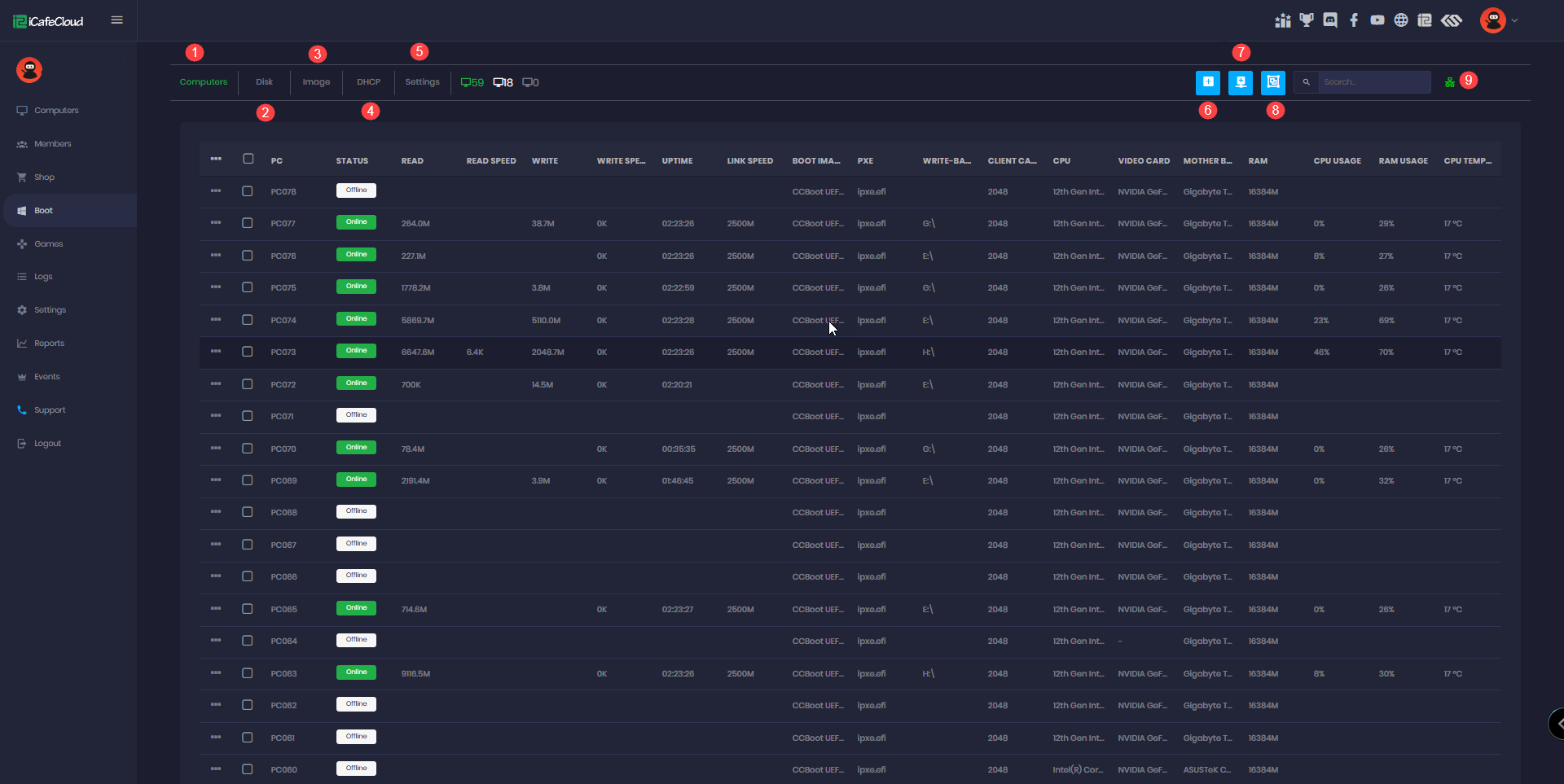
When a diskless workstation is powered on, its motherboard utilizes a specialized protocol to broadcast a request across the network. The central server responds by delivering the necessary boot files and streaming the operating system in real-time. This method of network-based operating system delivery ensures that every computer on your network is running the exact same, pristine version of your corporate environment.
The Magic of the Network Boot
The foundation of this technology relies on a standard known as a pxe boot (Preboot eXecution Environment). Built directly into most modern network interface cards (NICs), PXE allows a workstation to communicate with a server before any OS is loaded.
However, as technology has evolved, network administrators frequently weigh the PXE vs iPXE differences. While traditional PXE relies on older protocols like TFTP (Trivial File Transfer Protocol) which can be slow and limited, iPXE is an open-source implementation that supports booting via modern protocols such as HTTP, iSCSI, and even over Wi-Fi. Understanding these differences is critical when planning a robust enterprise or enterprise-level network boot solution.
The Undeniable Benefits of Diskless Workstations
Transitioning to a diskless environment is a major infrastructure shift, but the return on investment is substantial. Here are the primary benefits of diskless workstations for modern businesses:
1. Centralized OS Image Management
With traditional PCs, installing a new software suite or rolling out a Windows update requires touching every single machine. Diskless boot software introduces centralized OS image management. IT staff only need to update a single "master image" on the server. The next time the workstations are rebooted, they instantly load the updated OS. This ensures zero downtime for the end-user and perfect consistency across the network.
2. Massive Cost Savings
If you are researching how to reduce hardware maintenance costs, removing local storage is one of the most effective strategies. Hard drives and local SSDs are among the most common points of hardware failure in a PC. By eliminating them, you reduce the upfront cost of purchasing workstations and drastically lower the ongoing labor costs associated with replacing dead drives and recovering lost data.
3. Enhanced Security and Data Protection
Because client machines have no local storage, it is incredibly difficult for end-users to introduce malware or steal sensitive corporate data. Even if a user accidentally downloads a virus, a simple reboot wipes the local session clean, reloading the uncorrupted master image from the server.
Key Technologies Driving Diskless Environments
To truly understand how to implement the best diskless boot software, you must understand the underlying storage and networking protocols that make it possible.
iSCSI vs Local Storage Performance
A common concern when moving to a diskless setup is whether the network can handle the load. Users often wonder about iSCSI vs local storage performance. iSCSI (Internet Small Computer Systems Interface) is the protocol most diskless servers use to send storage commands over an IP network.
In the past, local hard drives were faster than network storage. Today, the script has flipped. A well-configured diskless server equipped with NVMe SSDs, paired with a 10-Gigabit Ethernet (10GbE) network, can deliver data to workstations faster than a standard local SATA SSD. Multiple machines can pull from the server's massive IOPS (Input/Output Operations Per Second) pool, resulting in lightning-fast boot times and application launches.
Write-Back Disk Cache Optimization
When 100 computers boot up simultaneously, the server experiences a massive spike in read and write requests. To prevent bottlenecks, premium diskless boot software utilizes write-back disk cache optimization.
Instead of writing temporary user data directly to the server's physical hard drives, the software caches these writes in the server’s high-speed RAM or a dedicated NVMe SSD cache. This acts as a massive shock absorber, ensuring that client machines never experience lag or stuttering, even under heavy network loads.
Evaluating Diskless Boot Software: What to Look For
Not all diskless products are built for the same environment. When comparing options, focus on capabilities that directly affect operational stability: consistent image deployment, clear client/server management workflows, and performance features that keep boot storms from overwhelming your infrastructure. For example, if your team is reviewing tools such as CCBoot, map the product’s features to your real-world requirements—how you build and update images, how you handle user data, and how you monitor and recover clients when something goes wrong.
Virtual Disk Deployment Strategies
Choosing the right diskless boot software requires looking at how it handles virtual disks. Effective virtual disk deployment strategies dictate how seamlessly your network operates.
- Single Image Deployment: One master OS image serves the entire network. Ideal for corporate offices where everyone uses the same software.
- Hardware Profile Merging: High-quality software allows a single virtual disk to contain multiple hardware drivers. This means you can boot Dell, HP, and Lenovo machines—all with different motherboards and graphics cards—from the exact same master image.
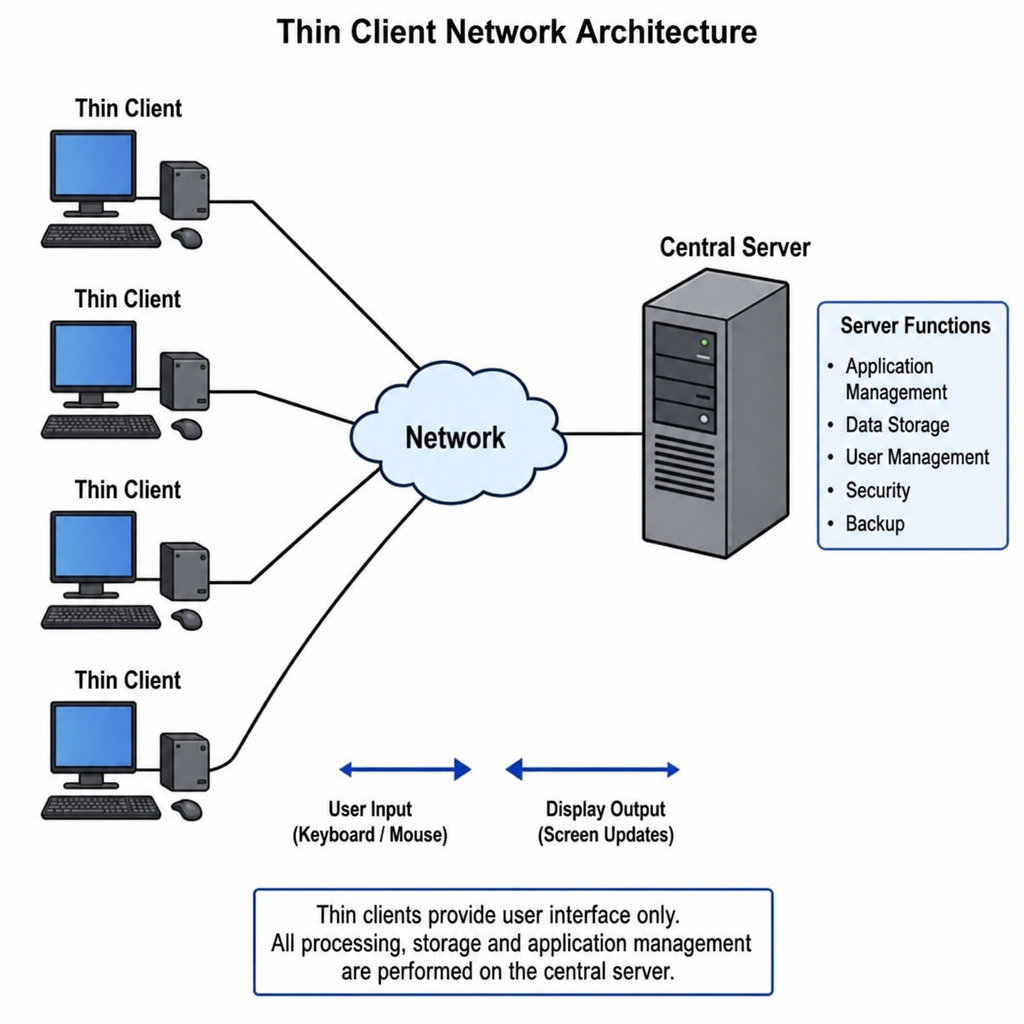
- Personal Disks (Roaming Profiles): For environments where users need to save personal files, administrators can assign a secondary, personalized virtual disk to specific users, ensuring their data follows them to whichever physical thin client they log into.
This level of flexibility is what makes a modern thin client infrastructure architecture so appealing to enterprise IT architects.
Practical Applications: Who Benefits Most?
While corporate offices benefit greatly from this technology, certain industries rely on it as a fundamental operational requirement.
Setting Up Internet Cafe Networks
If you are tasked with setting up internet cafe network environments, diskless software is virtually mandatory. Cyber cafes require strict security to prevent patrons from altering the OS, installing keyloggers, or leaving personal data behind. A diskless setup ensures that every customer sits down to a fresh, perfectly configured machine.
Managing Multi-User Gaming Environments
Esports arenas and gaming centers face a unique challenge: modern video games often exceed 100GB in size and require near-constant updates. Managing multi-user gaming environments with local hard drives means downloading massive patches on dozens of PCs simultaneously, crippling internet bandwidth. With a diskless server, the facility manager updates the game once on the central server. Instantly, every PC in the arena has access to the patched game, running at peak performance thanks to high-speed server caching.
Essential Network Booting Setup Guide
Ready to make the leap? Implementing a diskless system requires careful planning. Follow this foundational network booting setup guide to ensure a smooth deployment.
1. Network Infrastructure Preparation
Your network is the backbone of a diskless setup. You cannot run a successful network boot environment on cheap, unmanaged switches.
- Upgrade to Gigabit (or better): All client connections must be at least 1Gbps. The server should be connected to the core switch via a 10Gbps, 25Gbps, or bonded multiple 1Gbps connections.
- Use High-Quality Cabling: Ensure all cables are Cat6 or better to prevent packet loss.
2. PXE Server Configuration
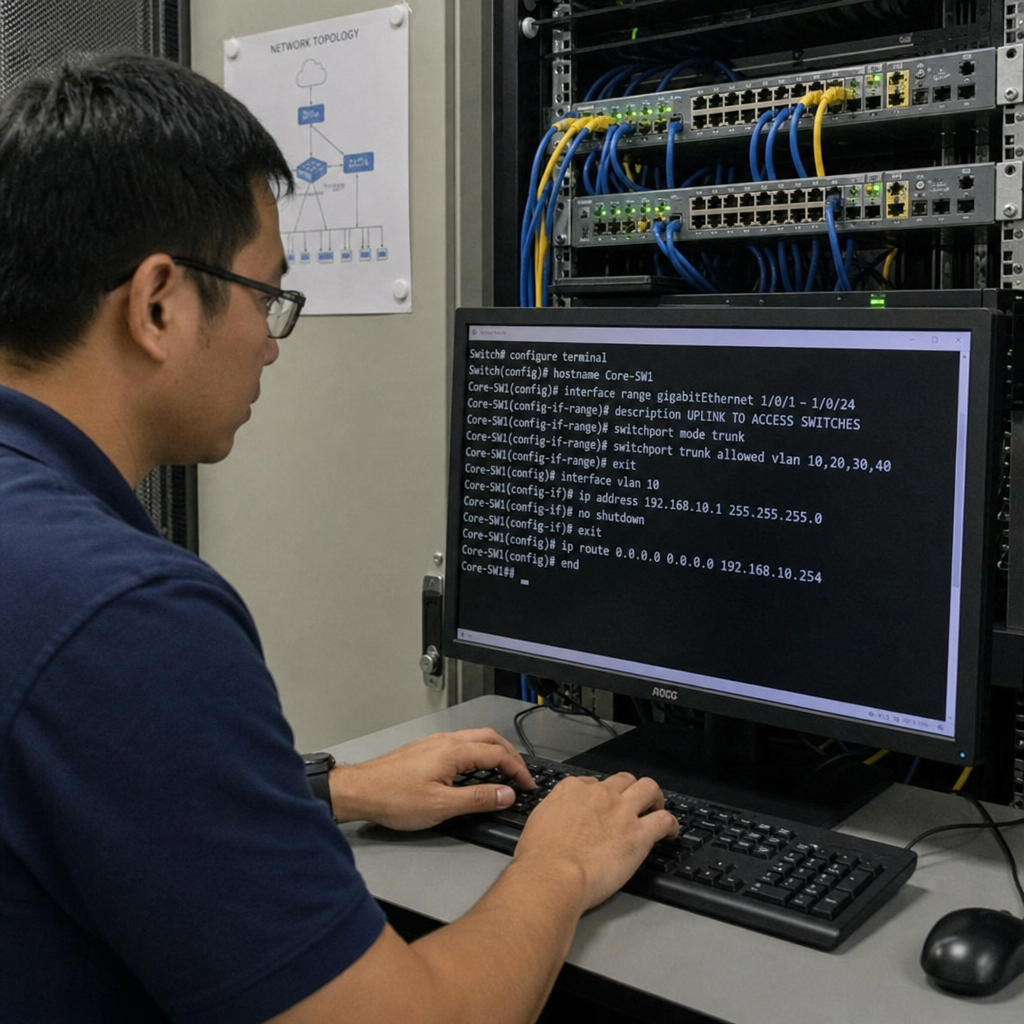
Proper PXE server configuration is the most critical step. Your network relies on DHCP (Dynamic Host Configuration Protocol) to assign IP addresses and point the client machines to the boot file on the server.
- Ensure there is only one active DHCP server on your network to prevent IP conflicts.
- Configure the DHCP server’s Option 66 (Boot Server Host Name) and Option 67 (Bootfile Name) to direct client NICs to your diskless software server.
3. Optimizing Network Boot Speed
If workstations are booting slowly, you need to focus on optimizing network boot speed.
- Enable Jumbo Frames: Setting your switch and server NICs to support Jumbo Frames (MTU 9000) allows larger packets of data to be sent at once, reducing CPU overhead and speeding up file transfers.
- Maximize Server RAM: Diskless servers rely heavily on RAM for caching. Install as much RAM as your server motherboard will allow (typically 64GB to 256GB depending on the number of clients).
4. Securing Network Boot Process
Because the OS is traveling over the network, securing network boot process protocols is paramount.
- Implement VLANs: Segregate your network boot traffic onto a dedicated Virtual Local Area Network (VLAN). This separates your raw storage data from guest Wi-Fi and generic internet traffic, preventing snooping and reducing broadcast storms.
- MAC Address Filtering: Configure your diskless software to only serve boot images to approved MAC addresses. If an unauthorized user plugs a laptop into a wall jack, the server will ignore their network boot requests.
Conclusion
Transitioning to diskless boot software is one of the most effective ways to modernize your IT infrastructure. By embracing the power of centralized storage and high-speed networking, businesses can eliminate the headaches of local hard drive failures, ensure bulletproof security through unified images, and drastically reduce the administrative burden on IT staff.
Whether you are designing a sleek corporate thin client architecture, optimizing an esports arena, or simply looking to cut hardware costs across a sprawling campus, a well-configured network boot environment offers unparalleled efficiency. If you’re deciding on a platform to pilot, reviewing a solution such as CCBoot alongside your technical requirements can help you validate fit before a wider rollout.