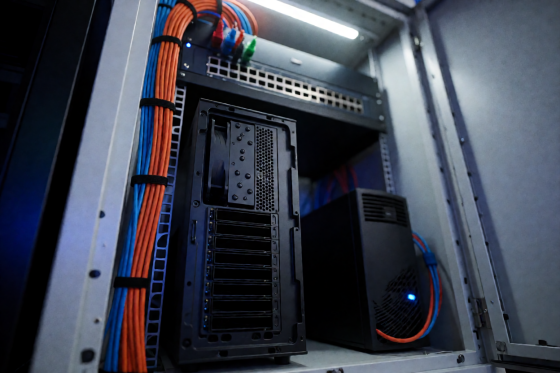
For internet cafés, school computer labs, training centers, and other shared-PC environments, “boot” isn’t a single user pressing a power button—it’s an operational workflow. You need dozens (or hundreds) of endpoints to start reliably, load the same standardized Windows environment, and stay easy to maintain day after day.
That’s why cloud booting and centralized, diskless deployment models are becoming the practical future of computing in these scenarios. Instead of maintaining each PC individually, administrators use cloud pc management principles—centralized images, policies, and remote control—to deliver a consistent experience at scale.
In this guide, we focus on cloud-controlled pc boot for large environments and explain how to build a modern, manageable diskless workflow—with CCBoot as the core platform to standardize boot, simplify maintenance, and keep fleets of PCs running smoothly.
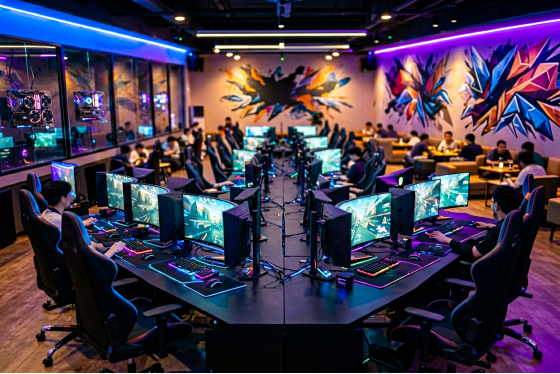
Why Large-Scale Environments Need Cloud-Controlled Boot
In internet cafés and schools, the requirements are fundamentally different from a personal “remote wake-up” use case:
- Consistency: Every client should boot into a known-good, standardized environment.
- Fast recovery: Endpoints must be easy to restore after user changes, misconfiguration, or software issues.
- Centralized updates: IT teams need to apply changes once, then roll them out across many PCs.
- Operational control: Scheduled boot, reboot windows, and controlled access are crucial in shared settings.
A scalable cloud-controlled pc boot approach is less about a single “power on” event and more about centralized boot + centralized management.
CCBoot: A Practical Platform for Diskless, Centralized Boot
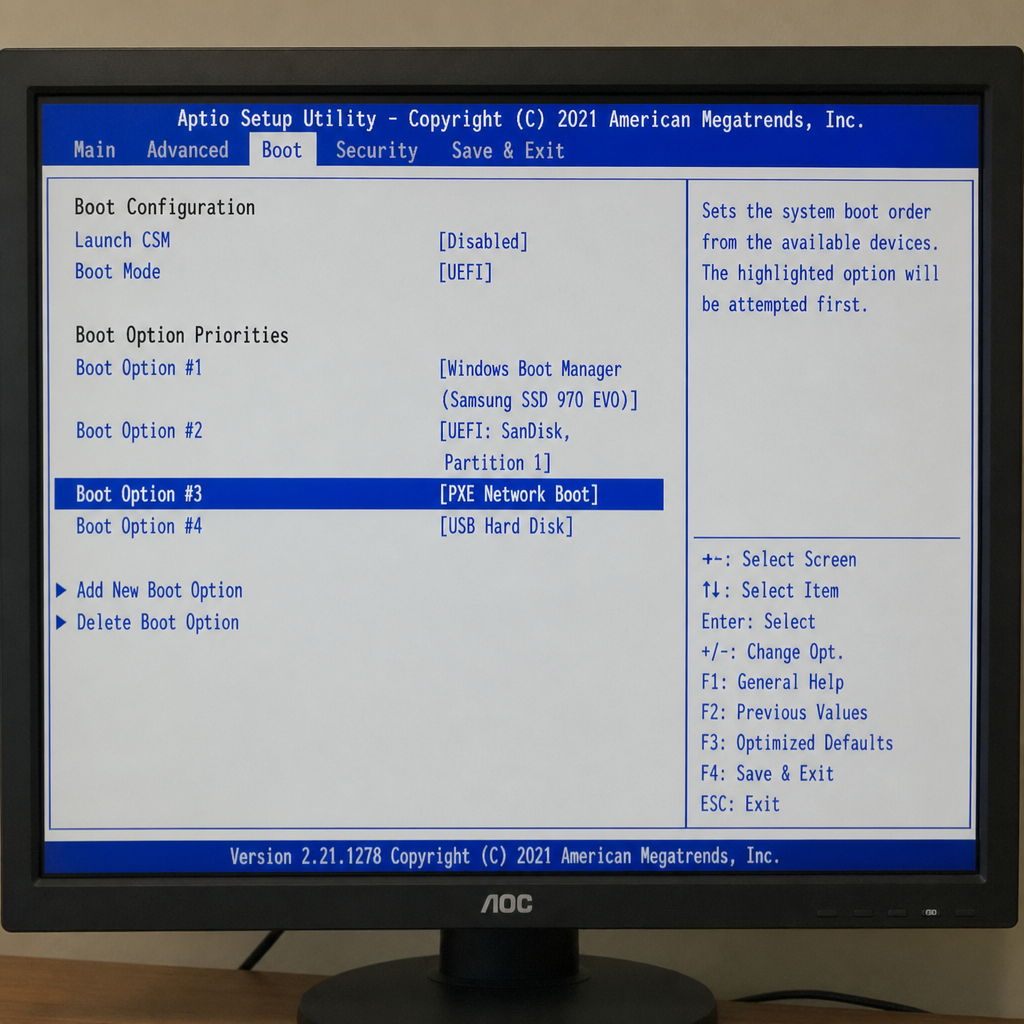
CCBoot is purpose-built for diskless environments where many client PCs boot from a centralized source over the network. In a typical deployment, clients boot via PXE/network boot and load a standardized system image managed centrally—so administrators can keep endpoints consistent and reduce per-PC maintenance.
That model aligns directly with the goals of cloud booting in shared-PC operations: centralized control, predictable boot behavior, and easier lifecycle management.
Where CCBoot Fits in a “Cloud Booting” Architecture
Think of the workflow in layers:
- Power layer: How endpoints turn on or wake (for example, Wake on LAN in controlled networks).
- Boot layer: How endpoints load the OS (diskless/PXE boot from a central image).
- Management layer: How you maintain, update, and keep clients consistent at scale.
CCBoot targets the boot and management layers, which are the most operationally impactful parts for internet cafés and schools.
Designing a Diskless Boot Workflow for Internet Cafés and School Labs
Below is a practical way to think about implementing cloud pc management and centralized booting at scale.
1) Standardize the Client Experience with a Central Image
Large labs and cafés typically want every PC to start the day in a clean, consistent state. With a diskless approach, administrators can maintain a primary image centrally and ensure clients boot into that standardized environment.
This is one of the core reasons CCBoot is widely discussed for shared-PC scenarios: it helps shift day-to-day maintenance away from individual endpoints and toward a centrally managed boot workflow.
2) Plan the Network for Predictable Boot Performance
Because diskless boot relies heavily on network stability, capacity planning matters:
- Switching: Use business-grade switching and consistent cabling standards across the floor/lab.
- Segmentation: Separate client boot traffic from guest/user Wi‑Fi to reduce congestion and risk.
- Reliability: Avoid single points of failure where possible (for example, ensure the server and core networking are protected and monitored).
In other words, the “cloud” in cloud booting doesn’t have to mean the public cloud—it means centrally delivered services over the network with disciplined infrastructure.
3) Use Scheduled Boot/Reboot Windows for Operational Control
In schools, you may want labs ready before the first class. In internet cafés, you may want controlled reboot windows during off-hours. A centralized approach makes it easier to adopt routine operations such as:
- Booting or waking endpoints before opening hours
- Rebooting groups of clients after updates
- Keeping endpoints aligned to a defined baseline
This is the real-world meaning of cloud-controlled pc boot in shared environments: predictable, repeatable control—at fleet scale.
Wake on LAN Still Matters—But It’s Not the Main Event
Wake on LAN (WoL) is a useful tool in managed LAN environments, because it lets administrators wake powered-off PCs using a “magic packet.” In a school or café, WoL can be used as the power layer to bring endpoints online before a session begins.
However, WoL alone does not solve diskless operations. The bigger win comes after power-on: ensuring each endpoint boots correctly, consistently, and is easy to maintain—where CCBoot’s diskless, centralized boot model becomes the centerpiece.
Security and Governance for Centralized Boot
Shared-PC environments require operational guardrails:
- Access control: Limit who can modify images and boot configuration.
- Network hygiene: Keep boot traffic on controlled segments and limit unnecessary exposure.
- Change management: Test updates before pushing them broadly to avoid widespread disruption.
Centralized boot can reduce endpoint drift, but it also makes the central infrastructure more important—so treat it like a critical service.
Conclusion: For Diskless Environments, CCBoot Should Be the Center of the Strategy
The future of computing for internet cafés, schools, and training labs isn’t a single remote power button—it’s a centralized, repeatable, scalable boot-and-management workflow. That’s what modern cloud pc management looks like in the real world.
If your goal is cloud-controlled pc boot across many endpoints in a diskless environment, CCBoot is the product to build around: it’s designed for centralized, network-based booting and helps operators keep large fleets of PCs consistent, maintainable, and ready for users every day.