
Imagine the logistical nightmare of managing hundreds of individual computers in a corporate office or an educational institution. Every time a new software update is released, or a hard drive fails, IT administrators are forced to run from desk to desk, wasting valuable time and resources.
Now, imagine a scenario where every computer in your network boots up seamlessly from a single, centralized server. No local hard drives to fail. No individual operating systems to patch. This is the reality of a modern diskless boot system.
In this comprehensive guide, we will explore the mechanics behind this technology, weigh its performance against traditional setups, and uncover the tremendous advantages it offers to businesses and institutions alike.
What is a Diskless Boot System?
A diskless boot system is a network of computers (often referred to as nodes or clients) that operate without local mass storage devices, such as hard drives or solid-state drives (SSDs). Instead, these machines load their operating system and applications directly from a central server over the local area network.
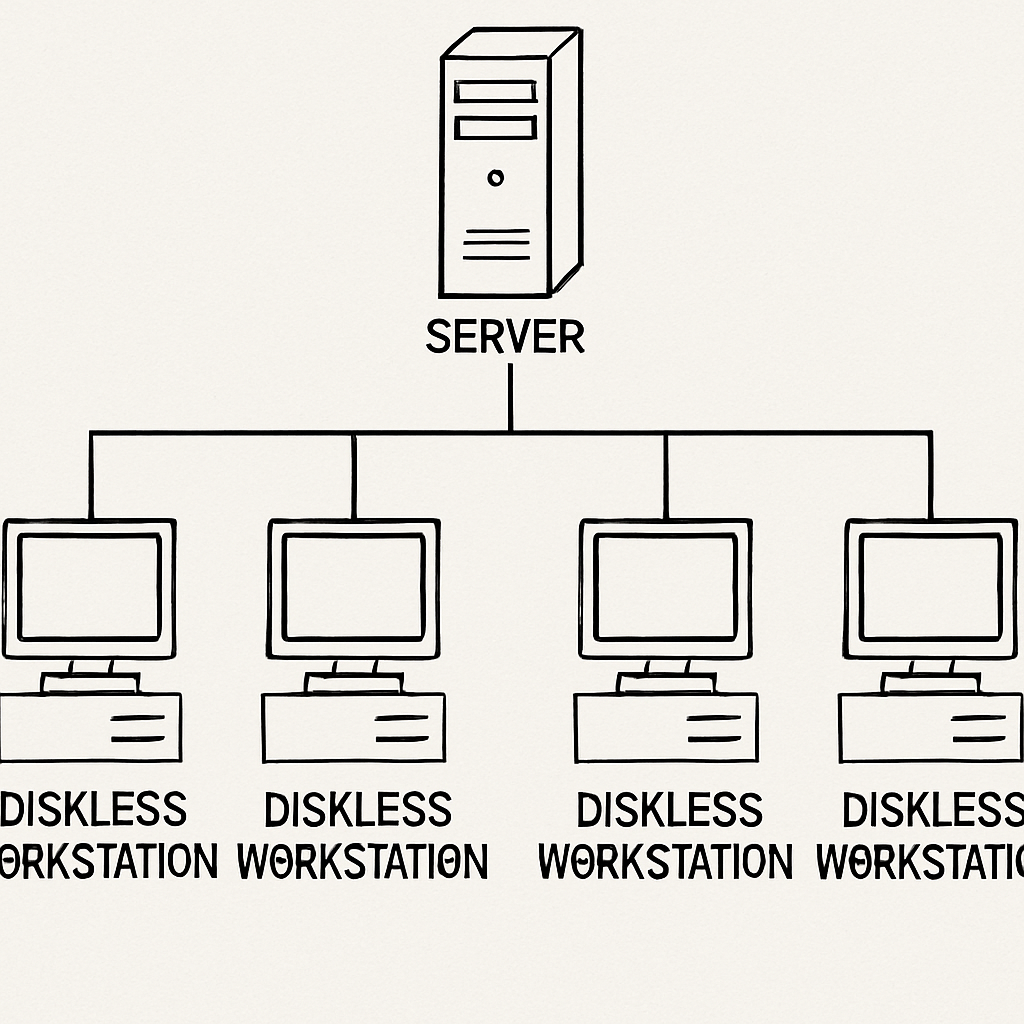
For those new to the concept, a common question is: how does a network boot work? In simple terms, when you power on a diskless workstation, its motherboard’s network interface card (NIC) sends out a broadcast requesting an IP address and boot instructions. The central server responds, delivering the necessary operating system files straight into the client’s Random Access Memory (RAM).
Instead of a bulky, heat-generating PC, users often interact with a thin client—a lightweight, minimalist computer specifically designed to establish a connection with the server. Because the thin client doesn't need to spin up a hard drive or process heavy local storage requests, it is silent, energy-efficient, and incredibly durable.
The Technology Under the Hood: PXE and Network Protocols
To understand the magic of diskless computing, we need to look at the protocols that make it possible.
The backbone of this process is the PXE boot (Preboot Execution Environment). Built into the firmware of almost all modern network cards, PXE allows a workstation to boot from a server prior to loading any local OS.
When tackling Preboot Execution Environment configuration for beginners, it helps to break the process down into a few manageable steps:
- DHCP Request: The client machine powers on and asks the network for an IP address.
- PXE Handshake: The DHCP server assigns an IP and points the client to the boot server.
- File Transfer: The client downloads the bootloader.
Here is where the TFTP protocol role in network booting becomes vital. Trivial File Transfer Protocol (TFTP) is a stripped-down, lightweight protocol used to transfer the initial bootloader file from the server to the client. Because the client machine has no OS yet, it needs a profoundly simple protocol like TFTP to grab those first crucial bytes of data.
Once the bootloader is running, the system usually shifts to a more robust protocol to stream the actual operating system. This often involves an iSCSI target configuration for remote booting. By setting up an iSCSI (Internet Small Computer Systems Interface) target on your server, the diskless client treats the network-based storage block exactly as if it were a physical hard drive plugged directly into its motherboard.
Top Advantages of a Diskless Architecture
Transitioning away from localized storage is not just a neat technical trick; it fundamentally transforms how an organization handles IT infrastructure. Here are the core benefits.
1. Cost Efficiency and Hardware Longevity
One of the most compelling benefits of disk-free workstations in business is the immediate reduction in hardware expenditures. Hard drives and SSDs are among the most common points of failure in standard PCs. By removing them entirely, you significantly extend the lifespan of the workstation.
Furthermore, reducing hardware maintenance costs with thin client architecture allows companies to stretch their IT budgets. Thin clients consume a fraction of the electricity required by standard fat clients, generating less heat and reducing cooling costs. When a thin client does eventually fail, replacing it is as simple as plugging in a new inexpensive unit—no data recovery or OS installation required.
2. Streamlined IT Management
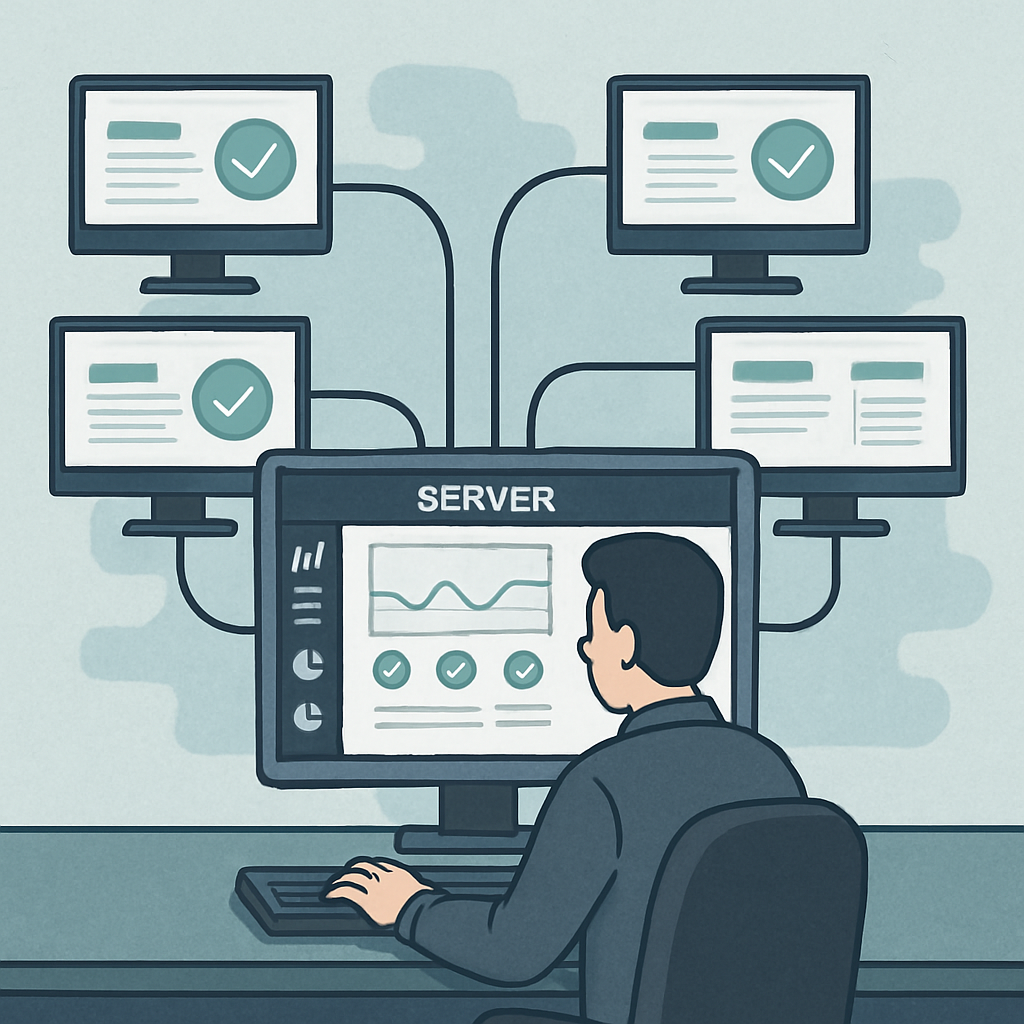
Managing software across hundreds of devices is traditionally a massive headache. A diskless environment solves this by enabling instant software updates via centralized image management.
Instead of pushing an update to 300 individual machines and hoping none of them fail or conflict, an IT administrator simply updates the master image on the central server. The next time the 300 workstations reboot, they automatically load the newly updated image.
This capability is an absolute game-changer for education sectors, providing flawless centralized OS management for school computer labs. Teachers and IT staff can ensure every student has identical, pristine software environments at the start of every single class, completely eliminating the "it works on my machine" excuse.
3. Bulletproof Security
Security is arguably the most critical concern for modern businesses. Traditional PCs are vulnerable to users accidentally downloading malware, altering registry keys, or corrupting system files.
Diskless systems offer a brilliant defense mechanism: eliminating malware risks through read-only system images. The server can be configured to serve the OS in a read-only state. While users can browse the web, create documents, and use applications (saving their personal files to a separate network drive), any changes they make to the core operating system are temporary. The moment the workstation is rebooted, the system wipes the slate clean, reverting to the uncorrupted master image. Ransomware and viruses simply cannot take root.
Overcoming Common Challenges and Performance Questions
While the benefits are immense, IT decision-makers often have valid concerns regarding performance and network strain. Let’s address the most common technical questions.
Storage vs. Network Performance
How does the user experience compare when evaluating PXE boot vs local storage performance? Historically, booting from a network was noticeably slower than booting from a local hard drive. However, with the advent of Gigabit (and 10-Gigabit) networking, enterprise-grade switches, and NVMe SSDs on the server side, a network-booted machine can often boot faster than a traditional PC with a standard hard drive. The speed is ultimately dictated by your server's disk read speed and your network's throughput.
Bandwidth Bottlenecks
A sudden "boot storm"—when 100 employees turn on their computers at 9:00 AM—can saturate a network. Therefore, optimizing network bandwidth for multiple client startups is critical.
- Actionable Tip: Implement IGMP Snooping and Multicast transmissions. Instead of the server sending 100 separate copies of the OS data across the network, Multicast allows the server to broadcast a single stream of data that all 100 booting clients can tap into simultaneously, drastically reducing network load.
Network Streaming vs. Virtual Desktop Infrastructure (VDI)
Many professionals confuse diskless booting with VDI. It is vital to understand VDI versus network-based OS streaming.
- In a VDI setup (like VMware Horizon or Citrix), the central server does all the computing. The thin client just displays a video feed of the desktop. This requires incredibly expensive, high-CPU servers.
- In Network-Based OS Streaming (Diskless Booting), the server merely hands over the files. The client computer uses its own local CPU and RAM to process applications. This allows you to utilize cheaper servers while still getting the benefits of centralized storage.
Compatibility: The "Windows" Question
A frequently asked question on tech forums is: can you run Windows from a network server? Absolutely. While Linux distributions have natively supported network booting for decades, modern tools (like CCBoot, iVentoy, or Windows Deployment Services) make diskless booting for Windows 10 and Windows 11 highly accessible. For example, CCBoot is commonly used in environments that need centralized image management and reliable network boot at scale (such as computer labs and internet cafés), helping administrators roll out updates and recover endpoints quickly.
Actionable Tips for Deployment
If you are ready to make the leap, here are a few actionable steps to ensure a smooth transition.
1. Dedicate Your Resources When setting up a dedicated PXE server for office workstations, ensure this server is isolated from other heavy workloads. Don't run your primary database or heavy web applications on the same hardware that is trying to stream operating systems to 50 employees. Equip your PXE server with high-speed SSD arrays (RAID 10 is recommended for read speeds) and multiple bonded Gigabit or 10GbE network interfaces.
2. Standardize Where Possible, But Prepare for Diversity The easiest diskless deployments happen when every client machine has the exact same motherboard and graphics card. However, this isn't always realistic. Spend time creating a universal boot image for diverse hardware. Modern diskless software allows you to inject multiple different network and storage drivers into a single master image. When the client boots, the software intelligently uses a hardware profile to load only the drivers specific to that particular machine's MAC address, allowing you to use one single Windows image for Dells, HPs, and custom-built rigs alike.
3. Implement a Solid User-Data Strategy Since the OS drive will be read-only, ensure you have a robust active directory and roaming profiles setup. Map user documents, desktops, and application data to a separate, backed-up Network Attached Storage (NAS) drive. This ensures that even though the OS resets on reboot, the user's personal workflow remains uninterrupted.
4. Plan for Multi-Site Operations (If Applicable) If you’re deploying diskless boot across multiple locations, the technical design extends beyond imaging and PXE. You also need consistent policy enforcement, inventory visibility, and remote operations workflows. In those cases, a cloud management layer such as iCafeCloud can complement a diskless architecture by centralizing operational management for distributed environments.
Conclusion
Transitioning to a diskless environment is a strategic move that pays dividends in administrative efficiency, hardware savings, and network security. By shifting the burden of storage away from fragile, decentralized endpoints and placing it onto a secure, high-performance central server, IT departments can reclaim countless hours of maintenance time.
Whether you are looking to secure a corporate office against malware, lower your hardware replacement budget, or simply ensure that a classroom of students has a reliable, identical experience every single day, implementing a diskless boot system is a modern, elegant solution to age-old IT problems.