
2025-10-30
run, batch, command, client
The following explains how to use batch commands from the Control Panel and apply them on the client side, where the script runs automatically when the PC boots.
- Go to the Boot page and click at Settings and locate Run batch command at client (Figure 1)
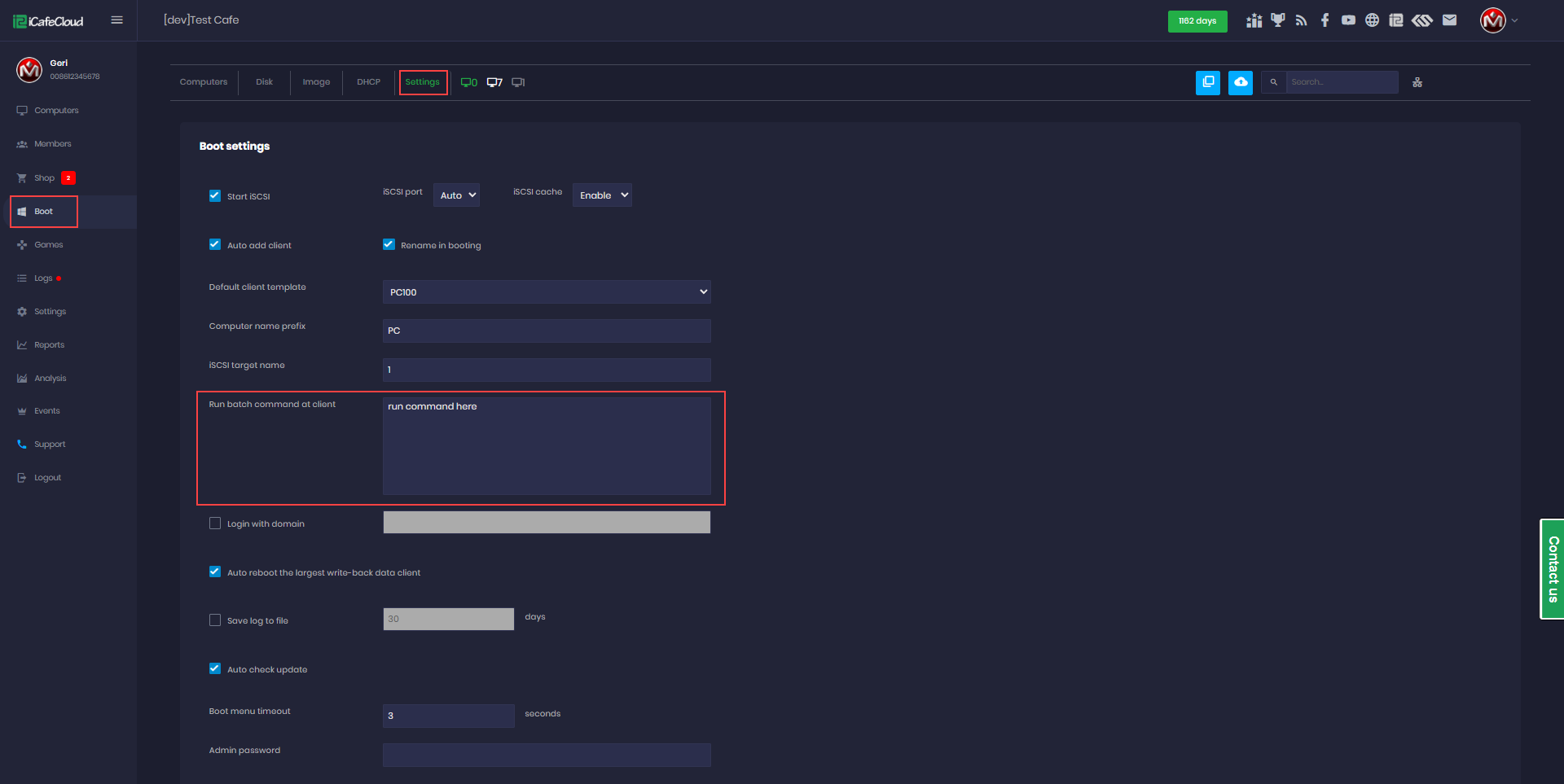
Figure 1
- In the batch command field, you can enter any script you want to run as text it will execute automatically when the client PC is booting.
For example you can use it for CD key games