

The following explanation allows you to switch the PC list between Compact and Normal view on the Boot page.
- On the Boot page, right-click on a PC and select the last option, “Compact” (Figure 1).
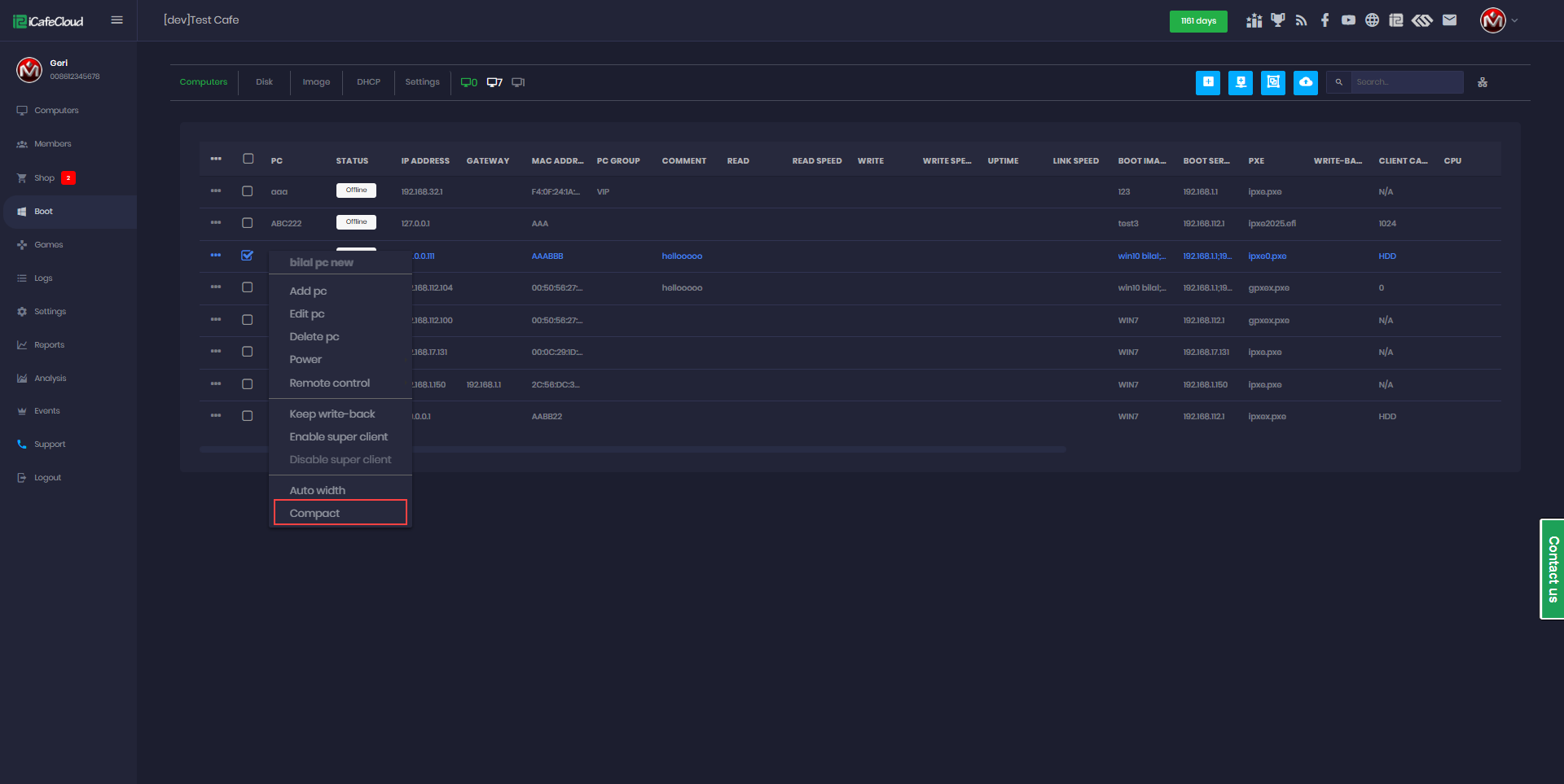
Figure 1
- The PC list will update, and all PCs will appear in a more compact layout. (Figure 2)
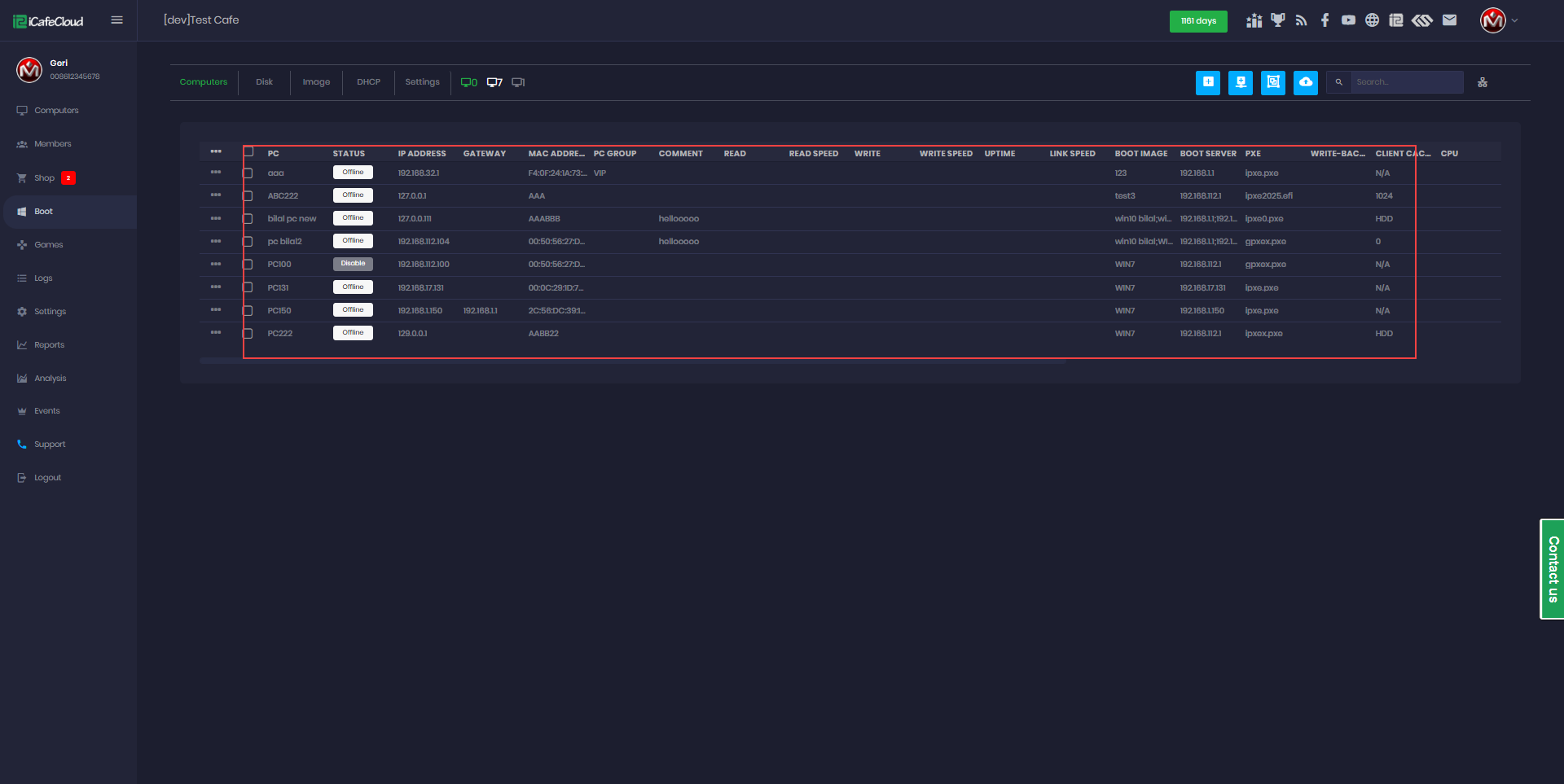
Figure 2
- You can switch back the same way right-click on the PC list.
This time, instead of “Compact”, the option will show as “Normal”. Select it to restore the normal view. - This setting is saved only locally.
If you log in from another PC, the list will appear in the normal view only the PC where you enabled compact mode will keep the effect.