
2026-02-05
Edit, pc
The following explains how to select multiple PCs and edit their functionalities, so you don’t have to configure each PC manually, one by one.
- On the Boot page, you can select multiple PCs or all PCs by clicking the top checkbox. (Figure 1)
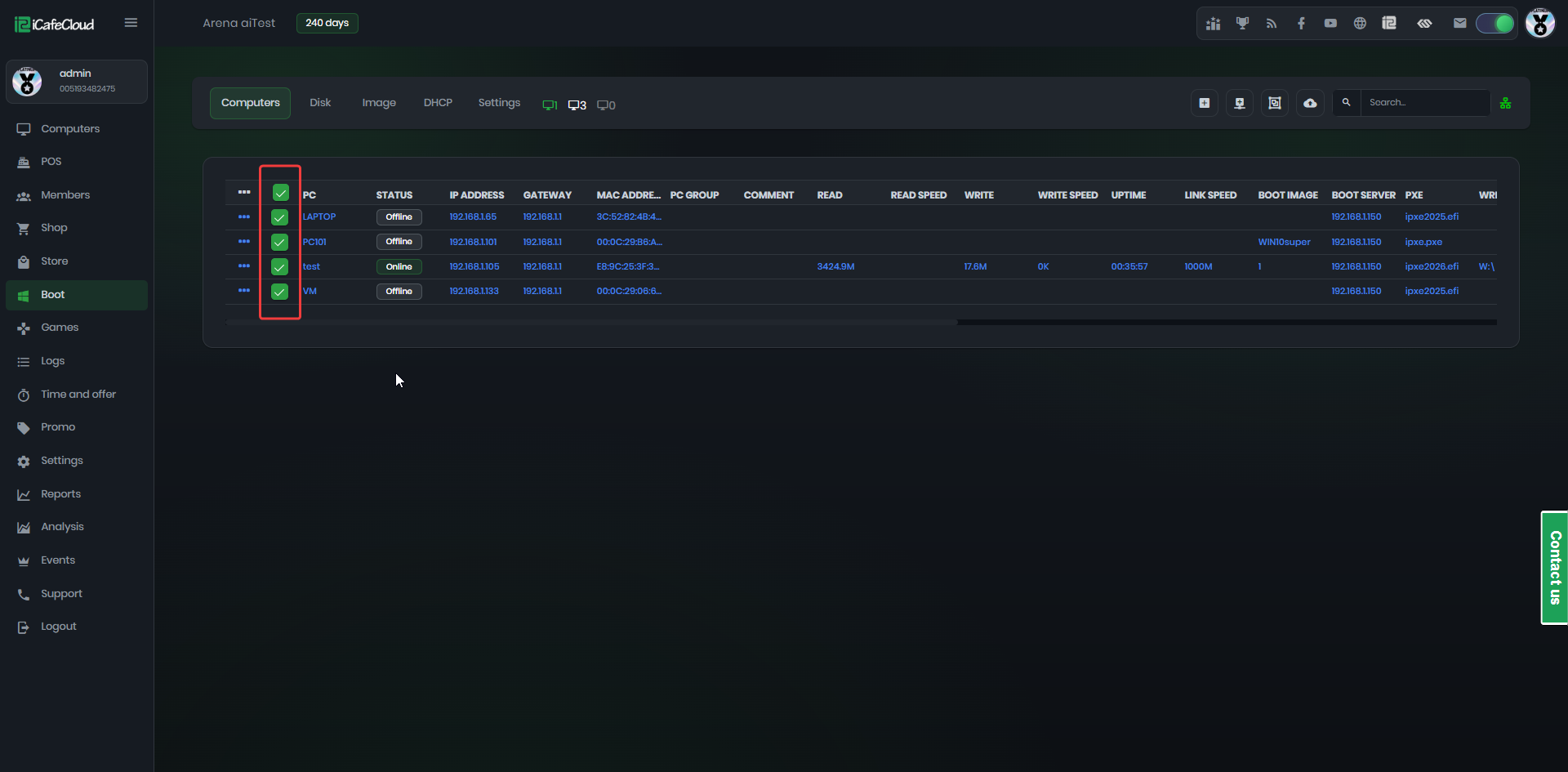
Figure 1
- Right-click to open the menu, then select Edit PC.(Figure 2)
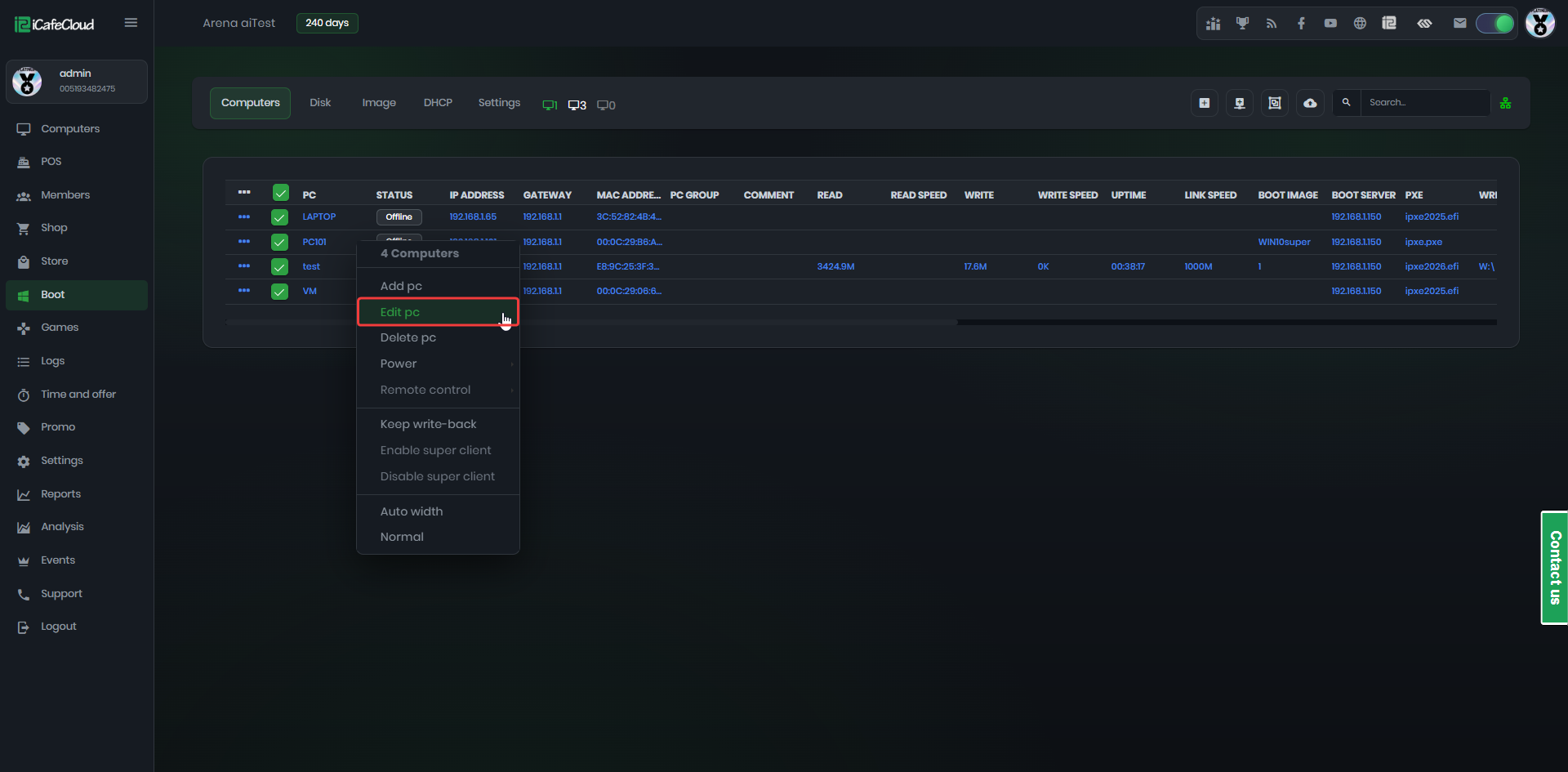
Figure 2
- Check the box to enable editing for each function you want to modify. (Figure 3)
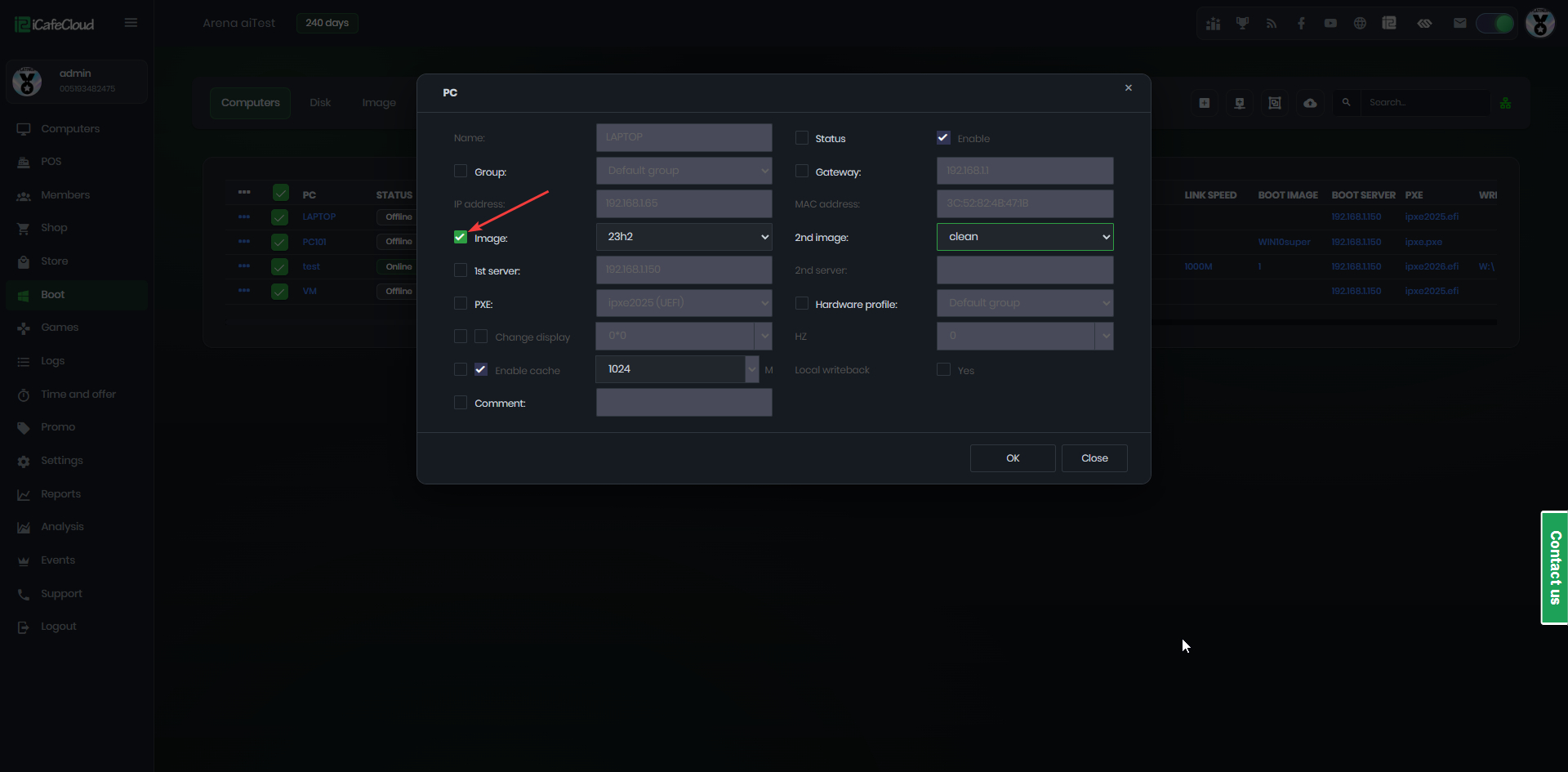
Figure 3
- Once finished, click OK to save the changes for all selected PCs.