
2025-12-06
find, ven, dev, NIC
The following explains how to find Vendor (VEN) and Device (DEV) IDs in Windows
- One method is to check the image restore points. When CCBoot automatically adds the NIC via Plug and Play (PnP), the driver version will also be displayed. (Figure 1)
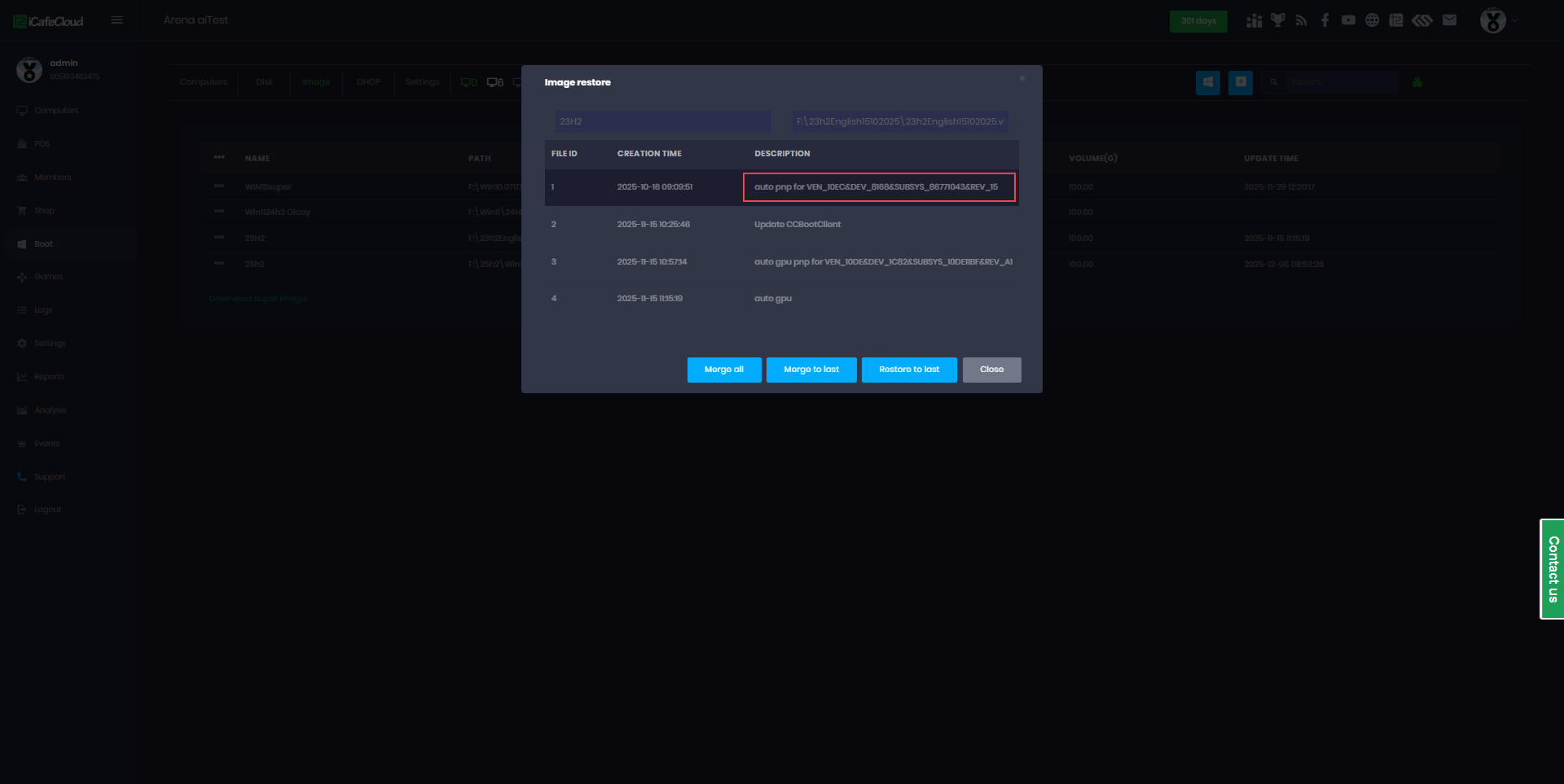
Figure 1
- During the client PC's boot process, pause when the PnP screen displays. Take a photo or note down the Device (Dev) and Vendor (Ven) ID shown (Figure 2)
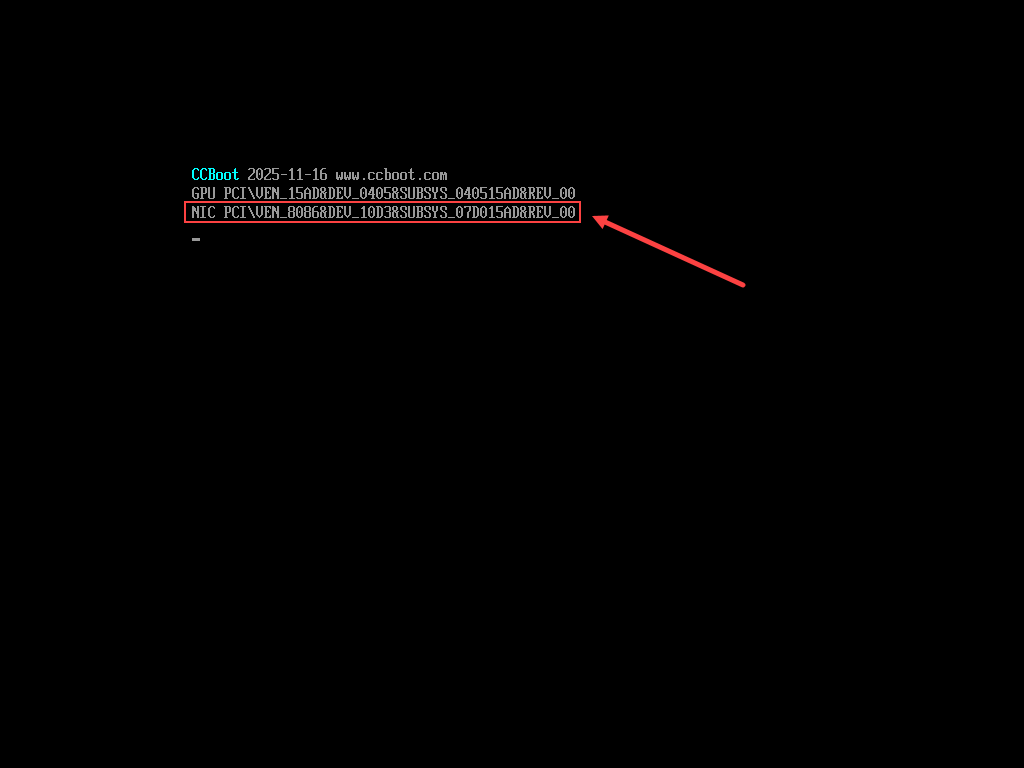
Figure 2