
2025-12-27
gigabyte, stuck, pxe, boot
The following explains how to resolve the issue where a Gigabyte motherboard gets stuck in a PXE boot loop after displaying a "4MB Read Error."
- If your motherboard is a Gigabyte brand and fails during PXE boot, follow the steps below to resolve the issue. (Figure 1)
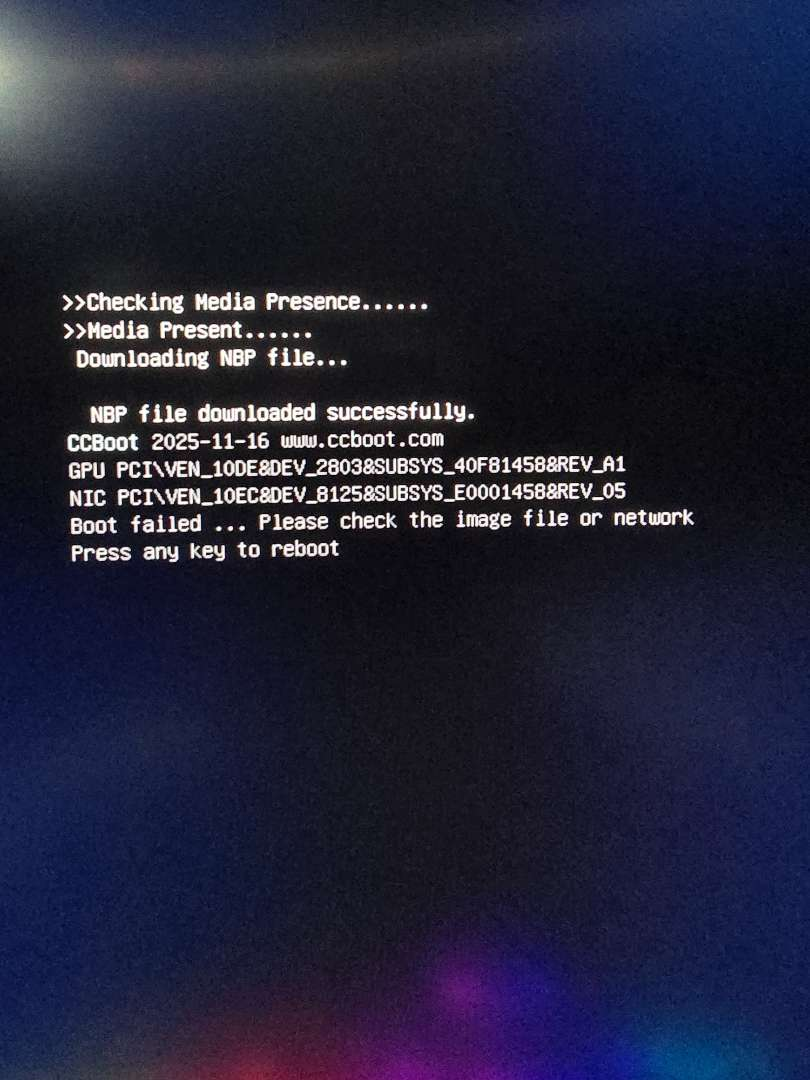
Figure 1
- First thing to do is check the Bios version:
Press the Windows key + R to open the Run dialog.
Type msinfo32 and press
Enter to open System Information.In the System Summary, look for the "BIOS Version/Date" field to find your version and release date.(Figure 2)
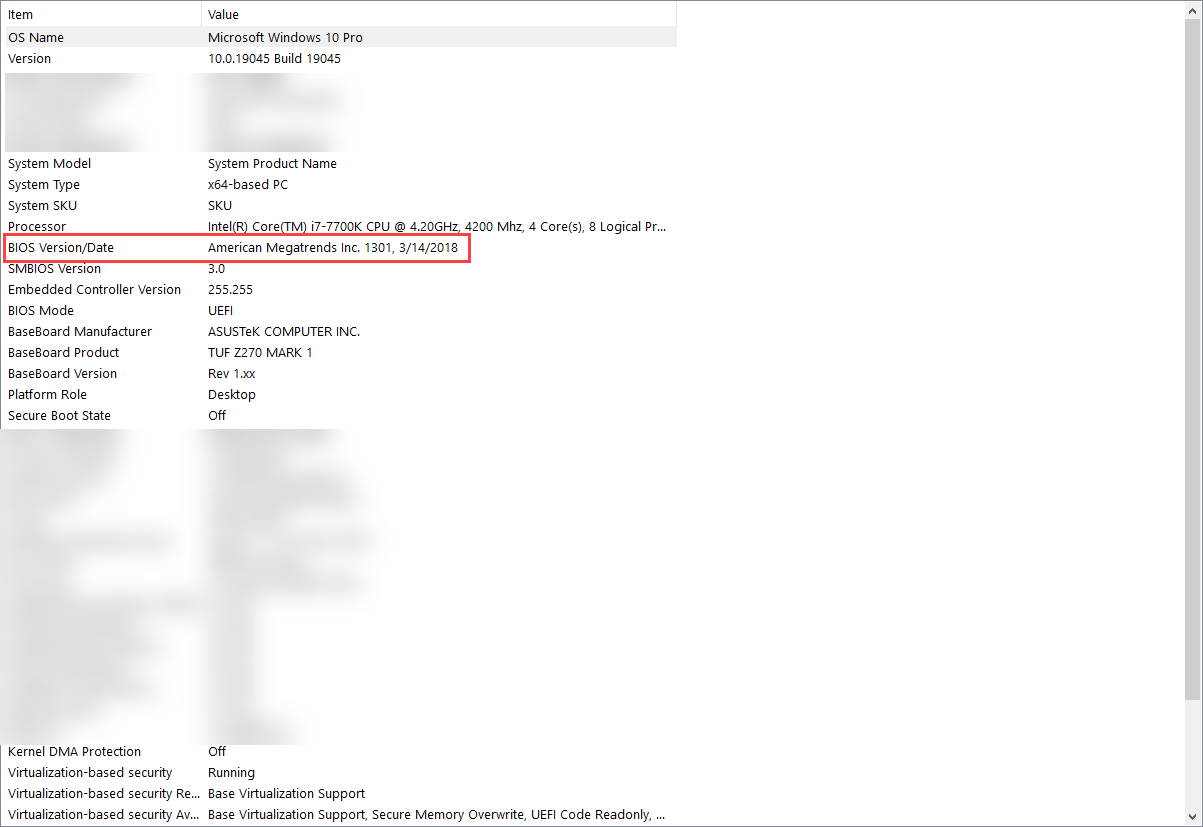
Figure 2
- Next, visit the Gigabyte website, search for your specific motherboard model, and navigate to Support > BIOS. If you are already on the latest version, try downgrading. Check if the "Pre-boot IOMMU" setting was updated in recent BIOS releases, and if so, revert to an older version that does not include that change. (Figure 3).
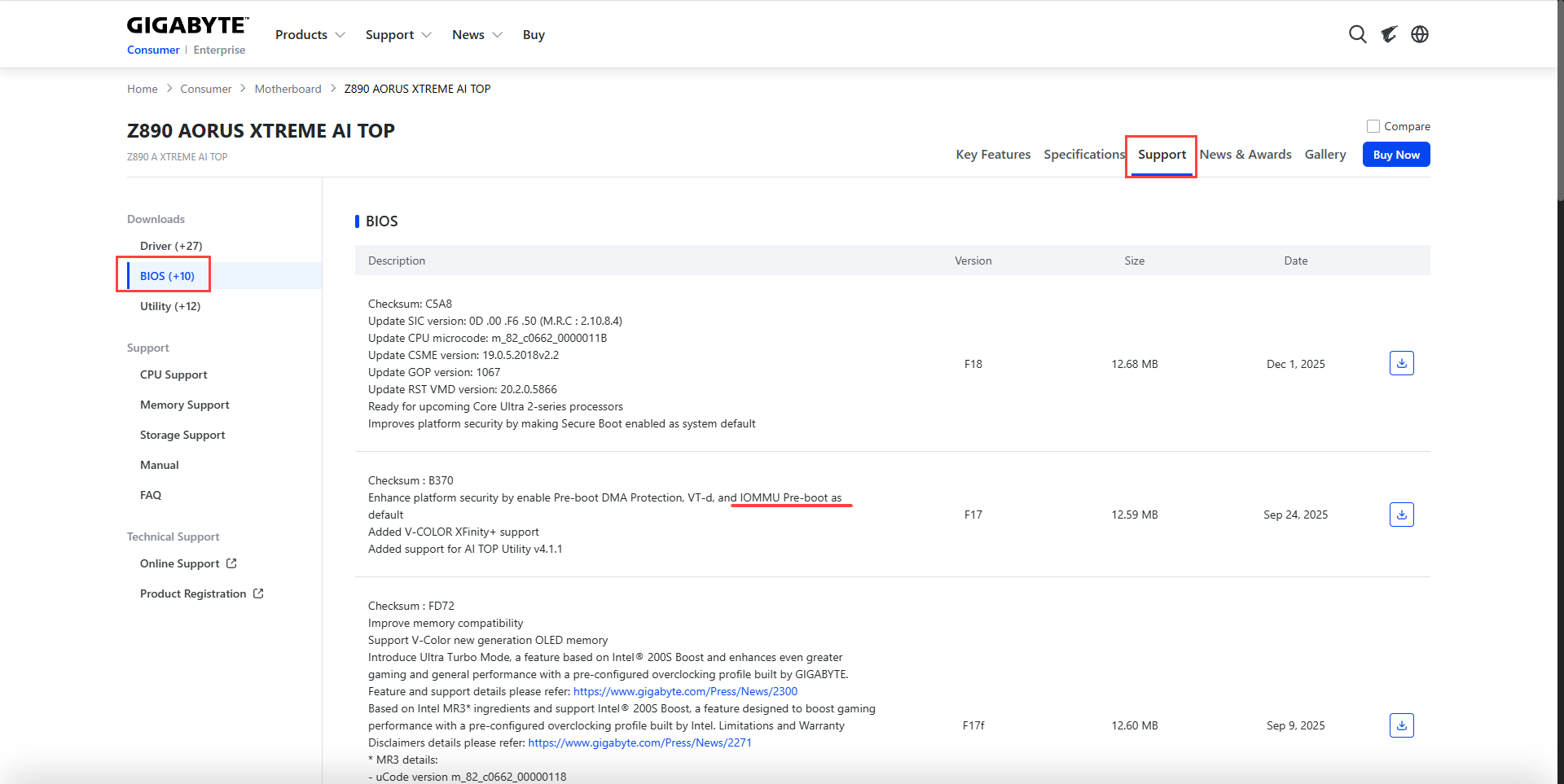
Figure 3
- Our motherboard list already includes some Gigabyte BIOS versions that have been tested or reported by various sources. This is to make it easier for other users with similar problems to find a known-working version.