
2025-12-16
auto, add, ip, issue
The following explains how to disable Auto Add Client Pc function, so that when other devices connect to your network, CCBoot will not automatically add the computer name and IP address.
- Go to the Boot page, then open Settings.
- Uncheck “Auto add client” and click OK (Figure 1).
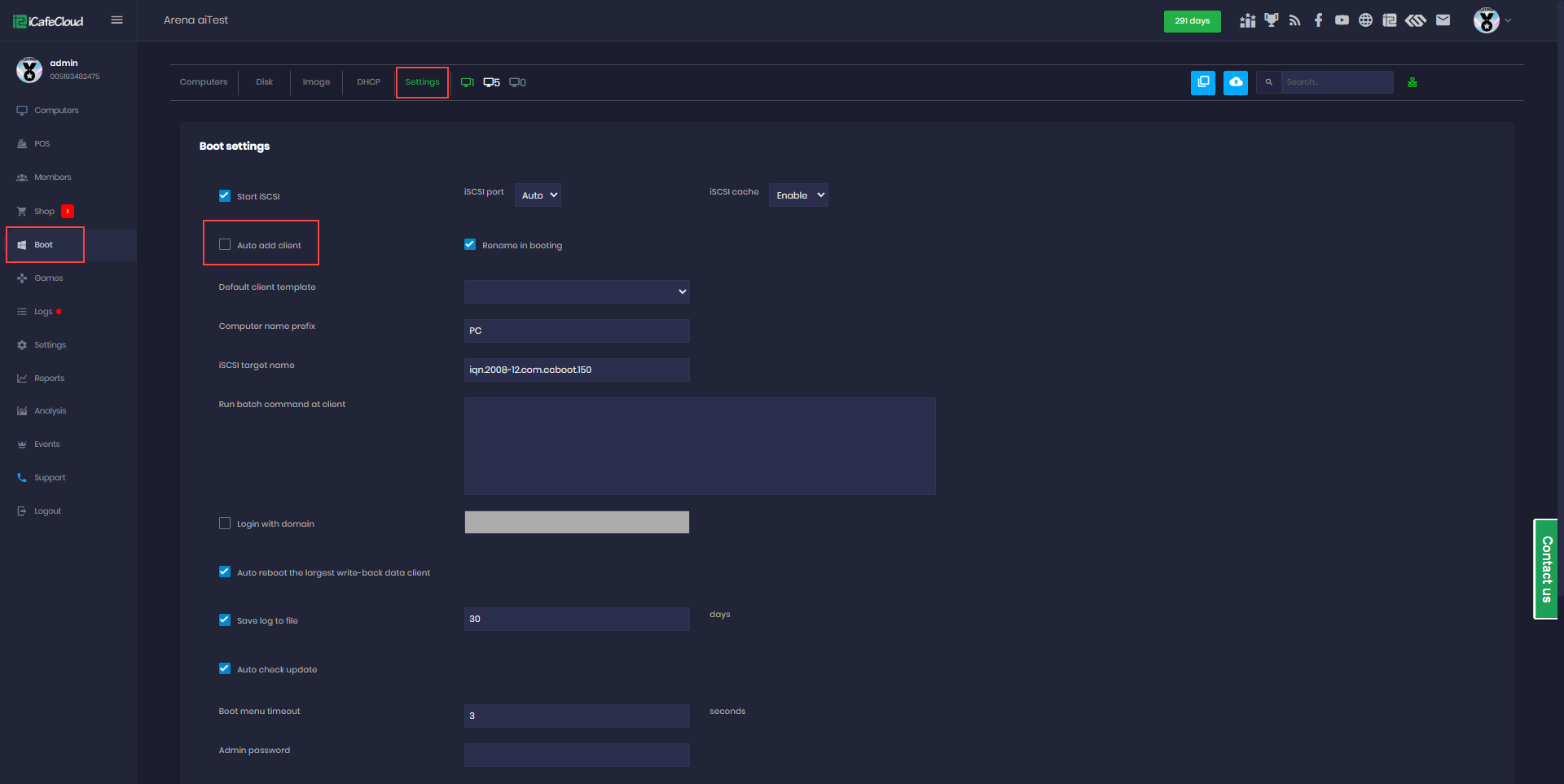
Figure 1
- IP addresses on the network that are not related to CCBoot and are assigned by DHCP should not appear in the CCBoot server list again.
- For example, TVs, cameras, phones, and other devices connected to the same network may be automatically added to the CCBoot list, even though they serve no function in CCBoot. These devices should not be added, as they can also consume license slots intended for PCs.