

The following explains how to fix VKplay games on Senet, if games show Update on client pcs, when games are updated on server.
- Enable super client for image disk only.
- Login as support in Senet
- Create system.reg and edit it. (Figure 1)
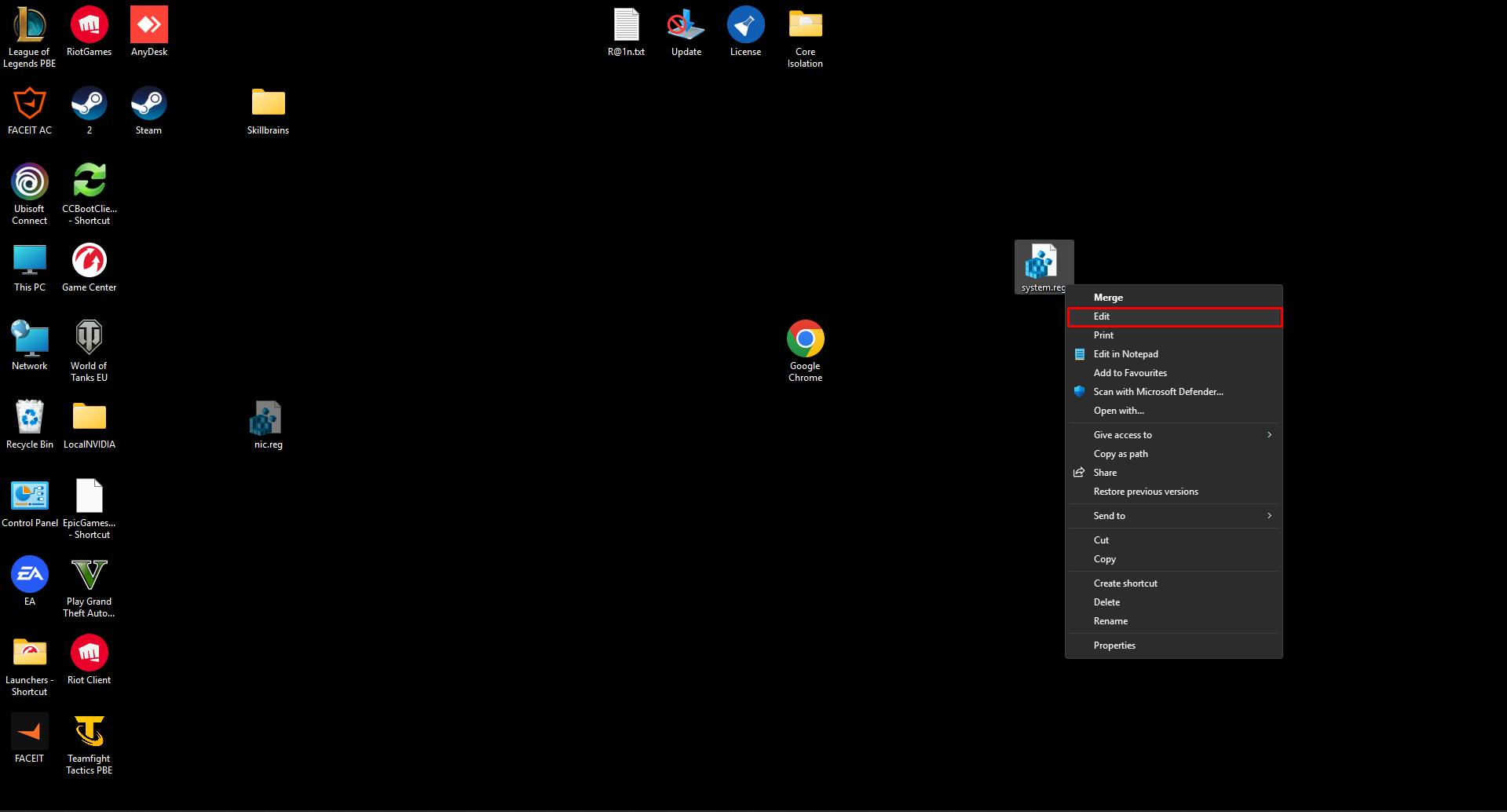
Figure 1
- Copy and paste following text. (Figure 2)
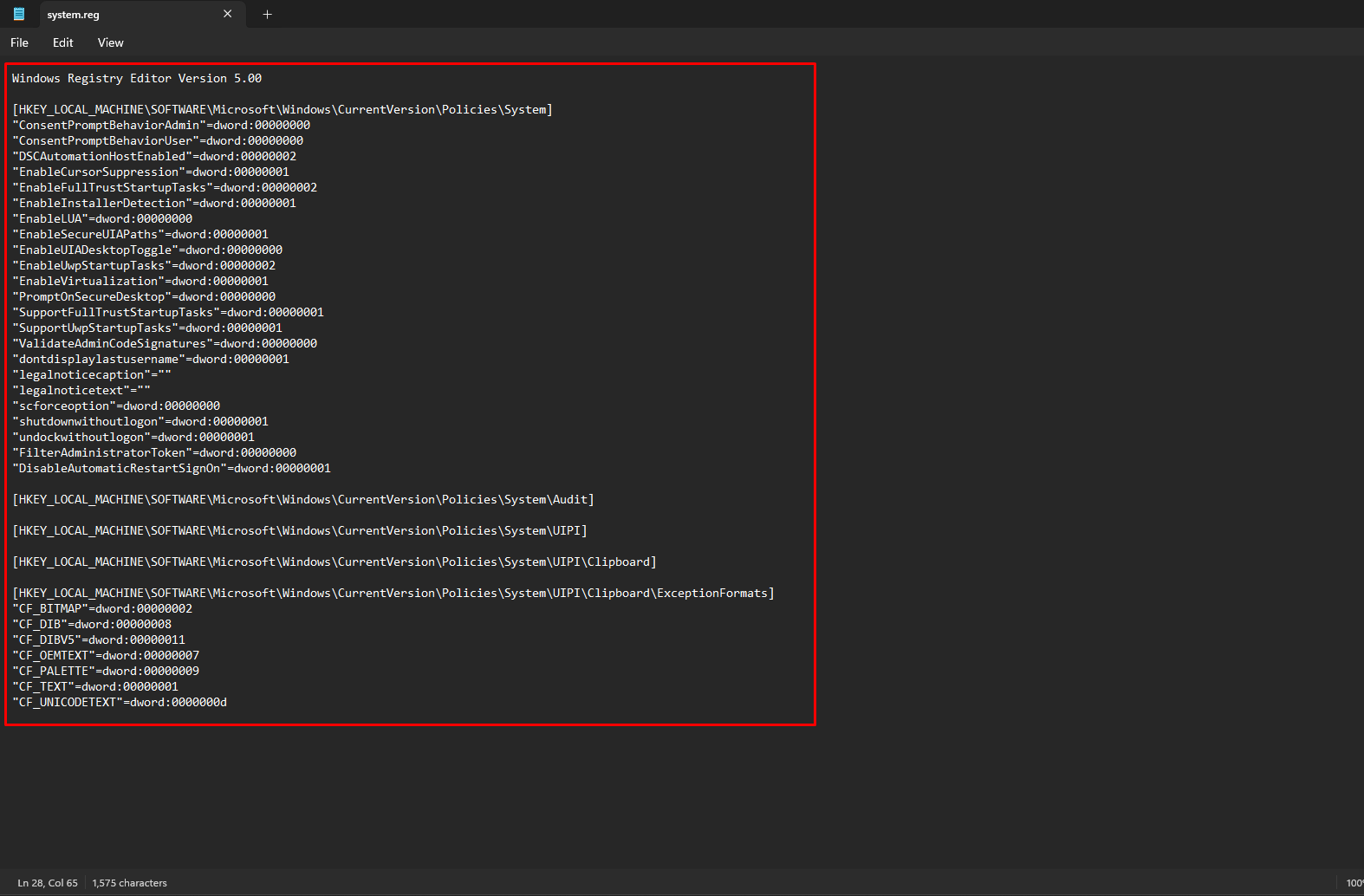
Figure 2
system.reg
Windows Registry Editor Version 5.00 [HKEY_LOCAL_MACHINE\SOFTWARE\Microsoft\Windows\CurrentVersion\Policies\System] "ConsentPromptBehaviorAdmin"=dword:00000000 "ConsentPromptBehaviorUser"=dword:00000000 "DSCAutomationHostEnabled"=dword:00000002 "EnableCursorSuppression"=dword:00000001 "EnableFullTrustStartupTasks"=dword:00000002 "EnableInstallerDetection"=dword:00000001 "EnableLUA"=dword:00000000 "EnableSecureUIAPaths"=dword:00000001 "EnableUIADesktopToggle"=dword:00000000 "EnableUwpStartupTasks"=dword:00000002 "EnableVirtualization"=dword:00000001 "PromptOnSecureDesktop"=dword:00000000 "SupportFullTrustStartupTasks"=dword:00000001 "SupportUwpStartupTasks"=dword:00000001 "ValidateAdminCodeSignatures"=dword:00000000 "dontdisplaylastusername"=dword:00000001 "legalnoticecaption"="" "legalnoticetext"="" "scforceoption"=dword:00000000 "shutdownwithoutlogon"=dword:00000001 "undockwithoutlogon"=dword:00000001 "FilterAdministratorToken"=dword:00000000 "DisableAutomaticRestartSignOn"=dword:00000001 [HKEY_LOCAL_MACHINE\SOFTWARE\Microsoft\Windows\CurrentVersion\Policies\System\Audit] [HKEY_LOCAL_MACHINE\SOFTWARE\Microsoft\Windows\CurrentVersion\Policies\System\UIPI] [HKEY_LOCAL_MACHINE\SOFTWARE\Microsoft\Windows\CurrentVersion\Policies\System\UIPI\Clipboard] [HKEY_LOCAL_MACHINE\SOFTWARE\Microsoft\Windows\CurrentVersion\Policies\System\UIPI\Clipboard\ExceptionFormats] "CF_BITMAP"=dword:00000002 "CF_DIB"=dword:00000008 "CF_DIBV5"=dword:00000011 "CF_OEMTEXT"=dword:00000007 "CF_PALETTE"=dword:00000009 "CF_TEXT"=dword:00000001 "CF_UNICODETEXT"=dword:0000000d |
- Save the reg file, then right click on system.reg and merge. (Figure 3)
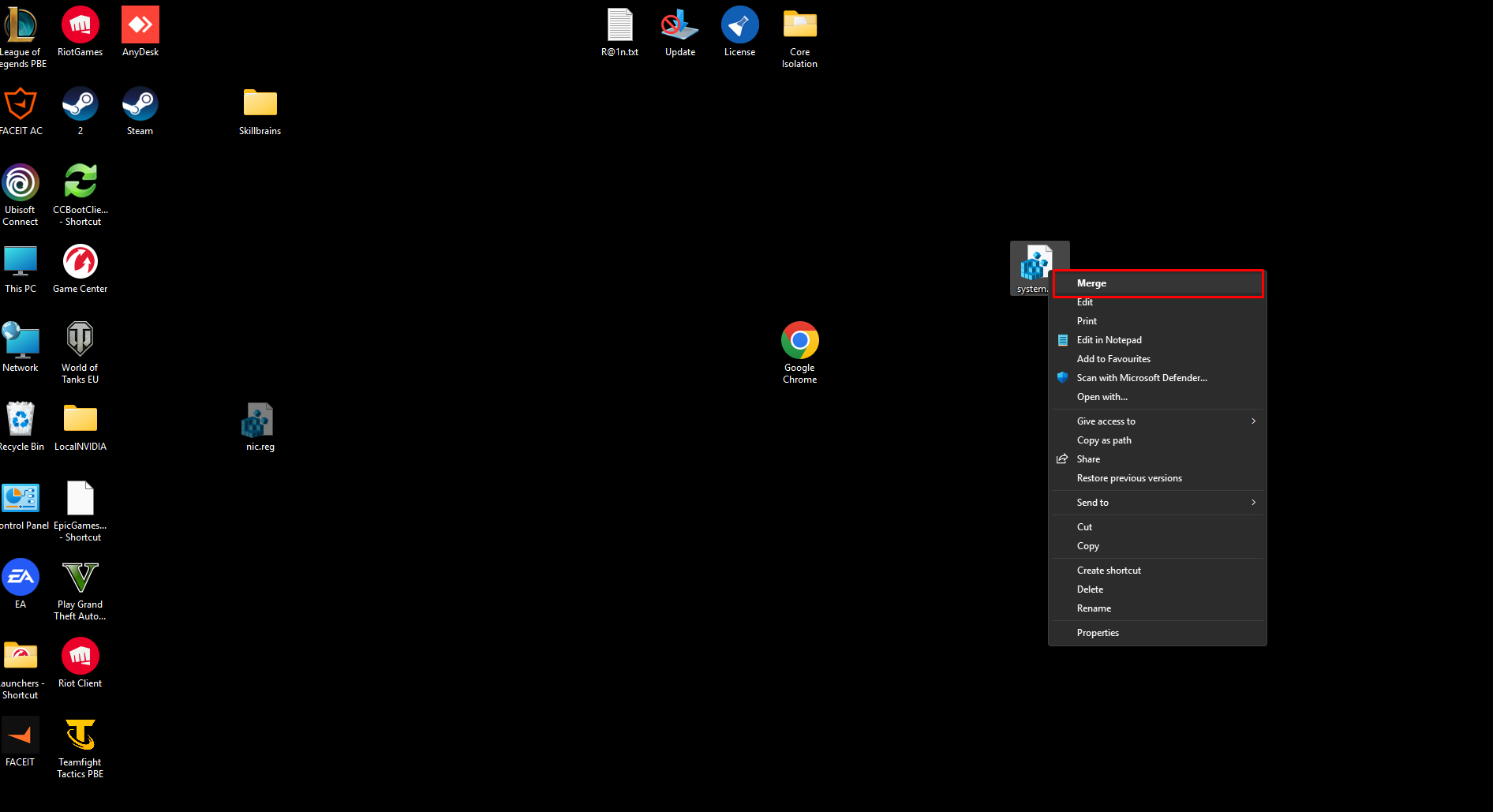
Figure 3
- Restart client PC
- After restart, shut down the client PC and save the super client. After that VKPlay should work normally.