
2025-12-29
client, stats, enabled
The following explains how to enable the client stats functionality, allowing you to monitor network link speed as well as CPU and GPU temperatures.
- Go to the Boot section, then open Settings. Scroll down and click Enable Client Stats (Figure 1).
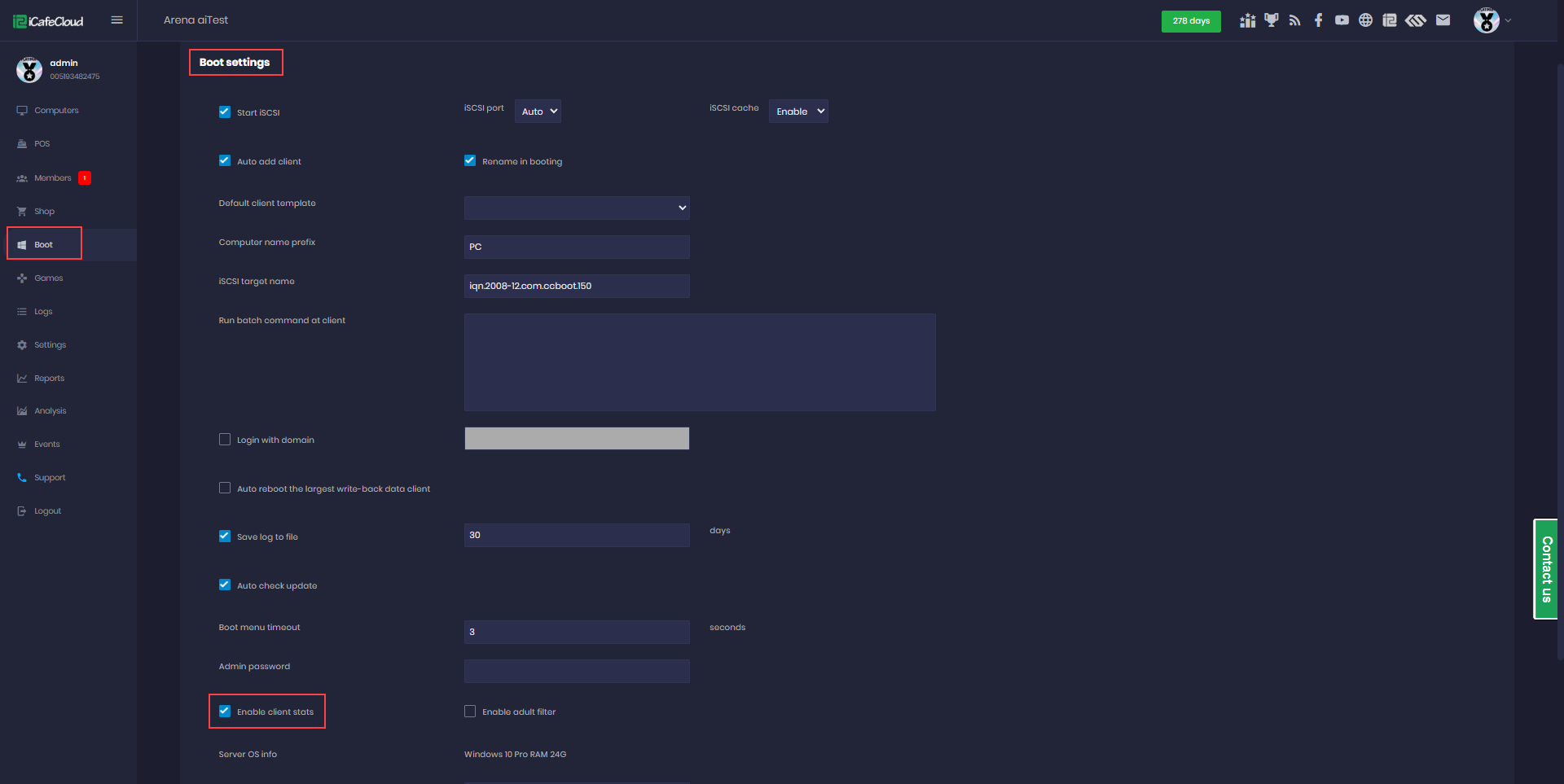
Figure 1
- On the Boot page, once the client PCs are booted, you can view the Link Speed, which indicates the client’s network speed. For example, 1000M means 1 Gbps (Figure 2).
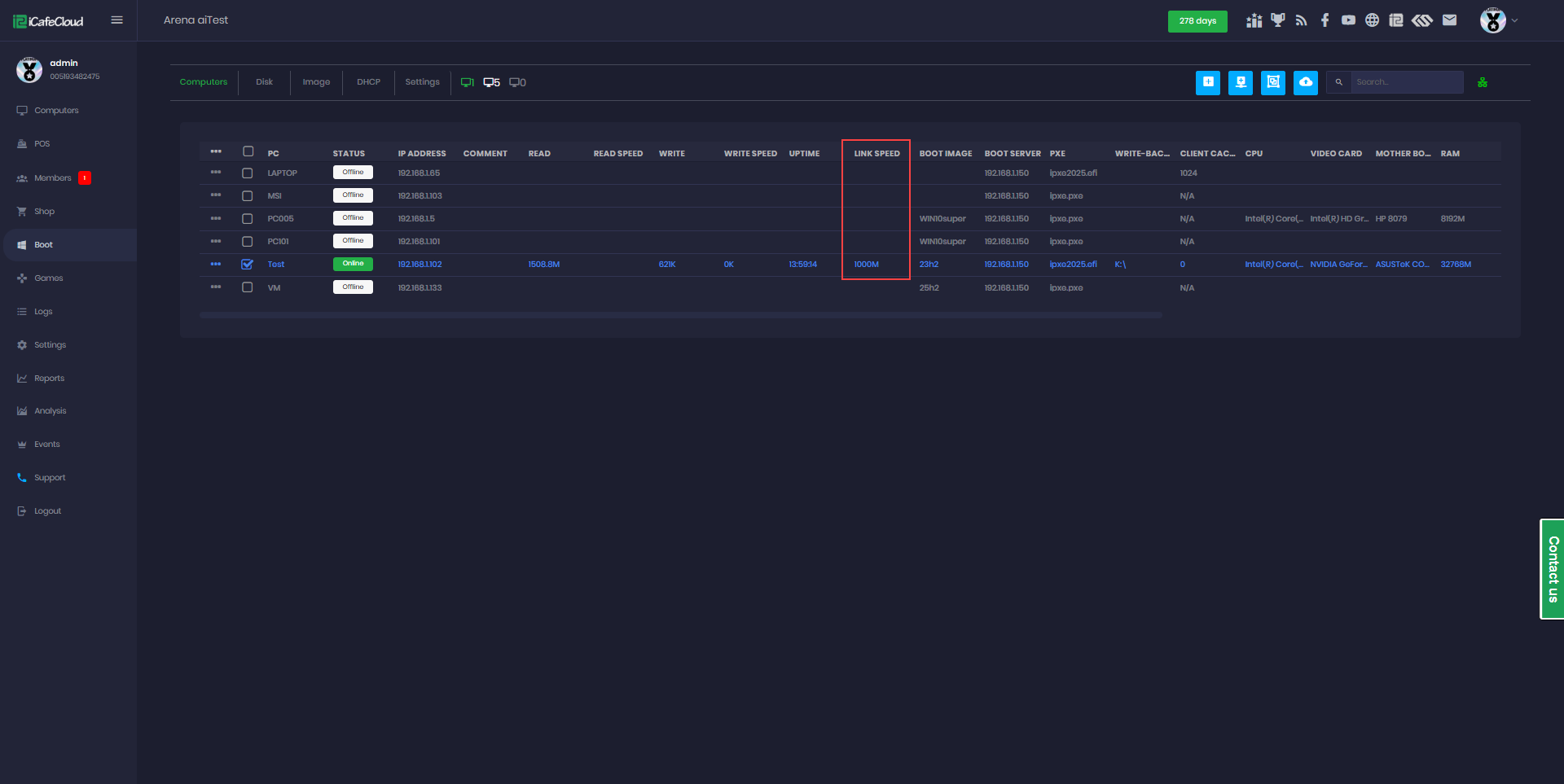
Figure 2
- By scrolling to the right, you can view CPU and GPU usage, RAM usage, and CPU and GPU temperatures (Figure 3).
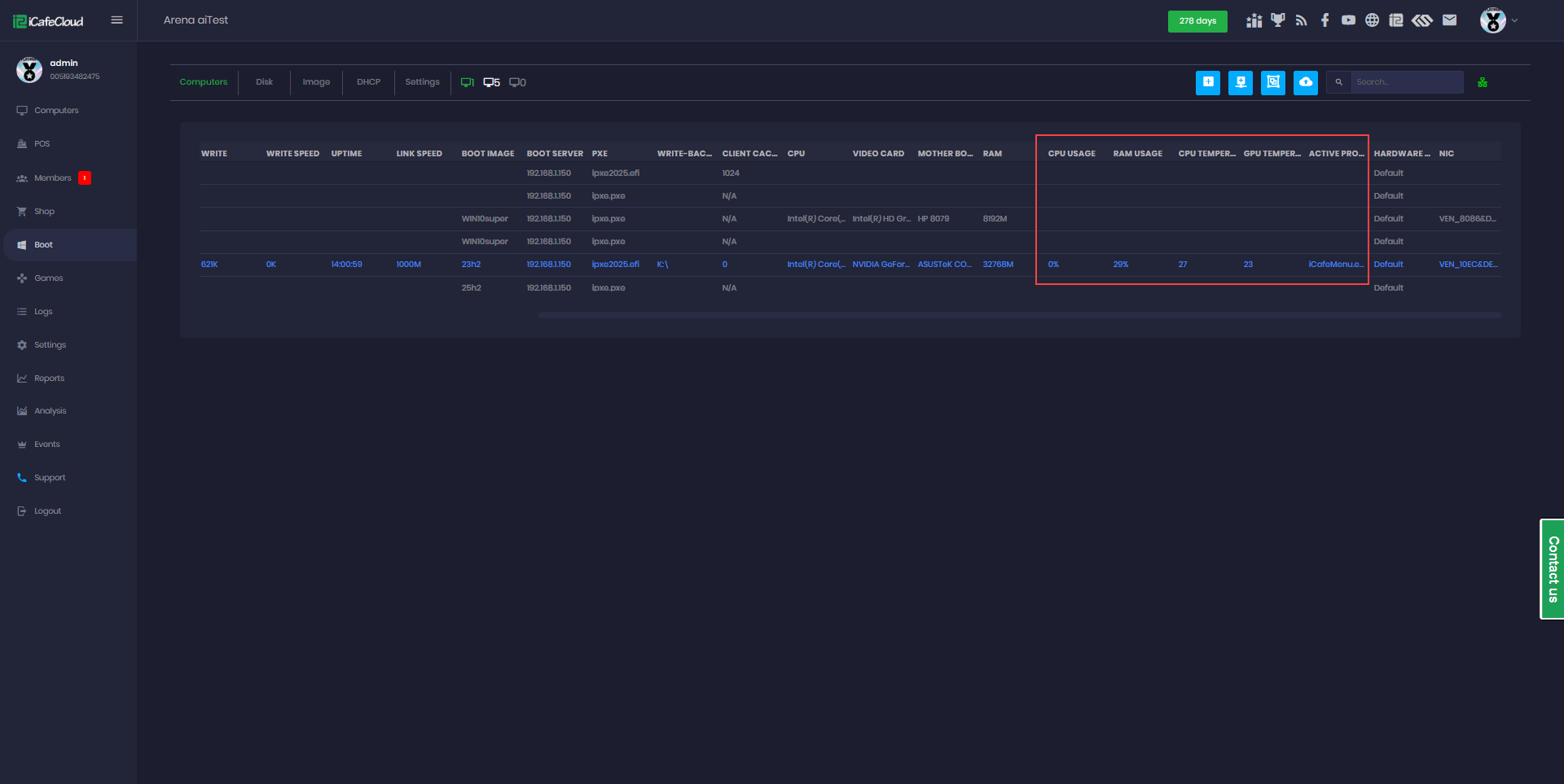
Figure 3