

This guide explains how to save the NVIDIA cache for each client PC. This can help reduce shader compilation stuttering in games such as CS2 and PUBG.
- Go to Games -> Settings and enable Save game shaders. (Figure 1)
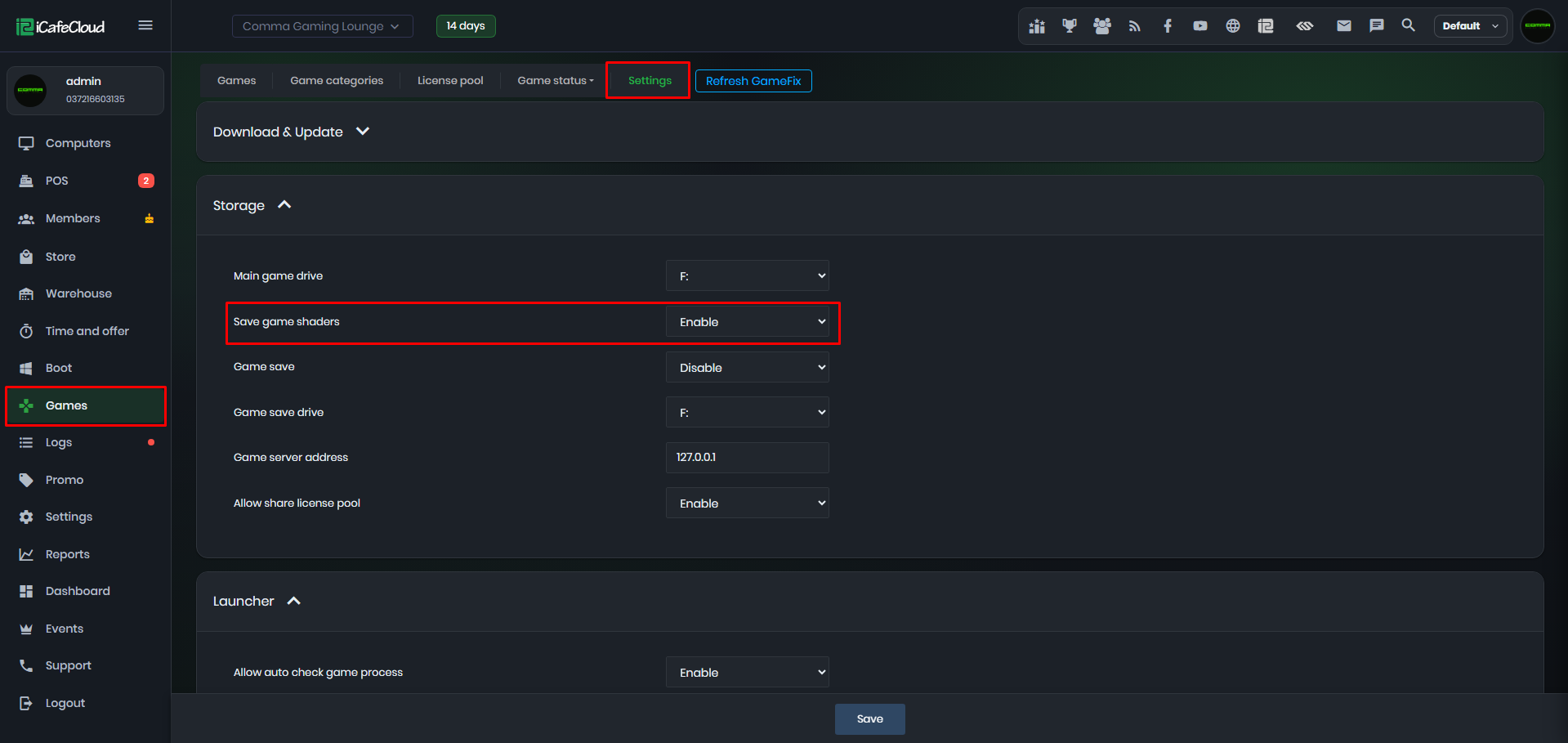
Figure 1
- Enable super client on client PC.
- After the PC boots, wait a few minutes, then shut it down and save the Super Client.
- After this setup, booting any PC using the same image will save the NVIDIA cache to the NvidiaCache folder in the iCafeCloud shared folder. (Figure 2 & 3)
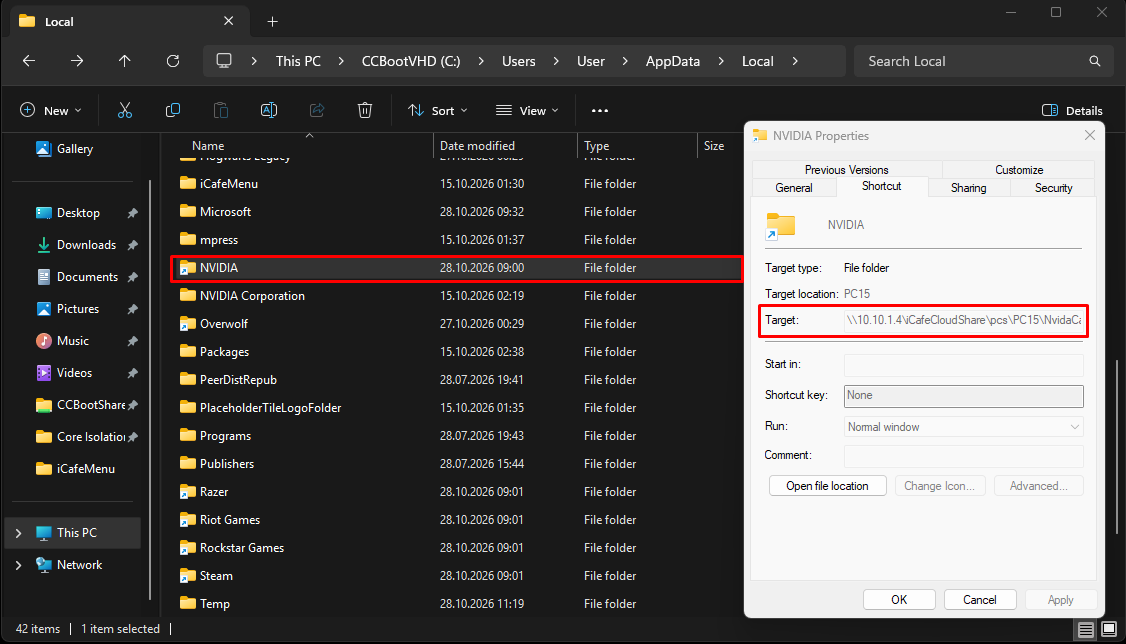
Figure 2
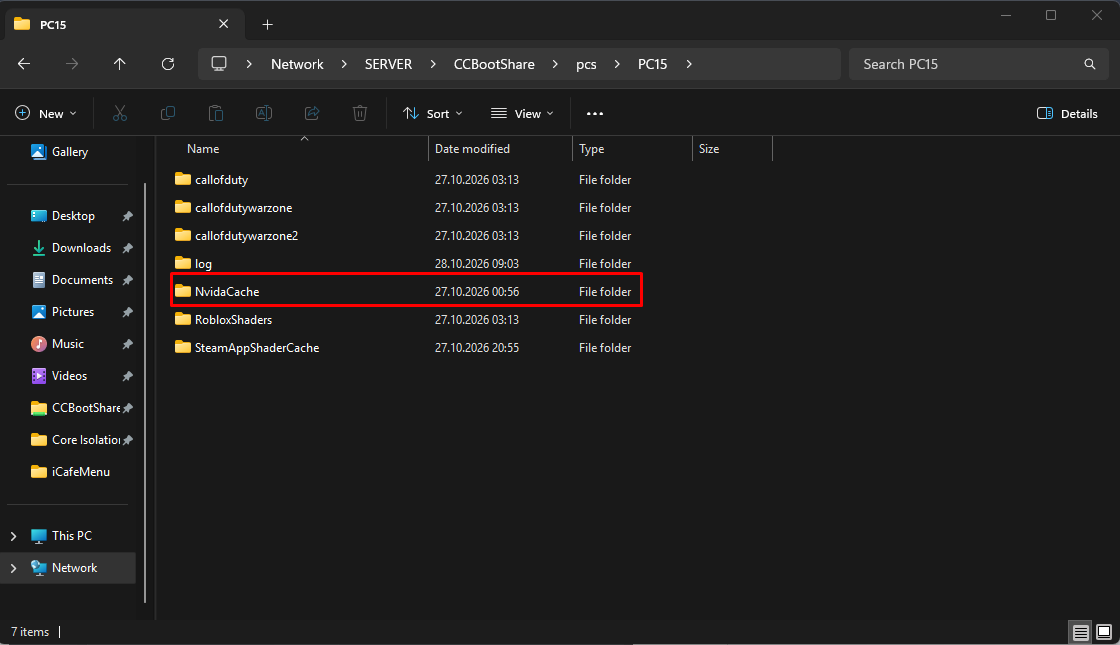
Figure 3
Disable Nvidia cache saving
- Go to Games -> Settings and disable Save game shaders. (Figure 1)
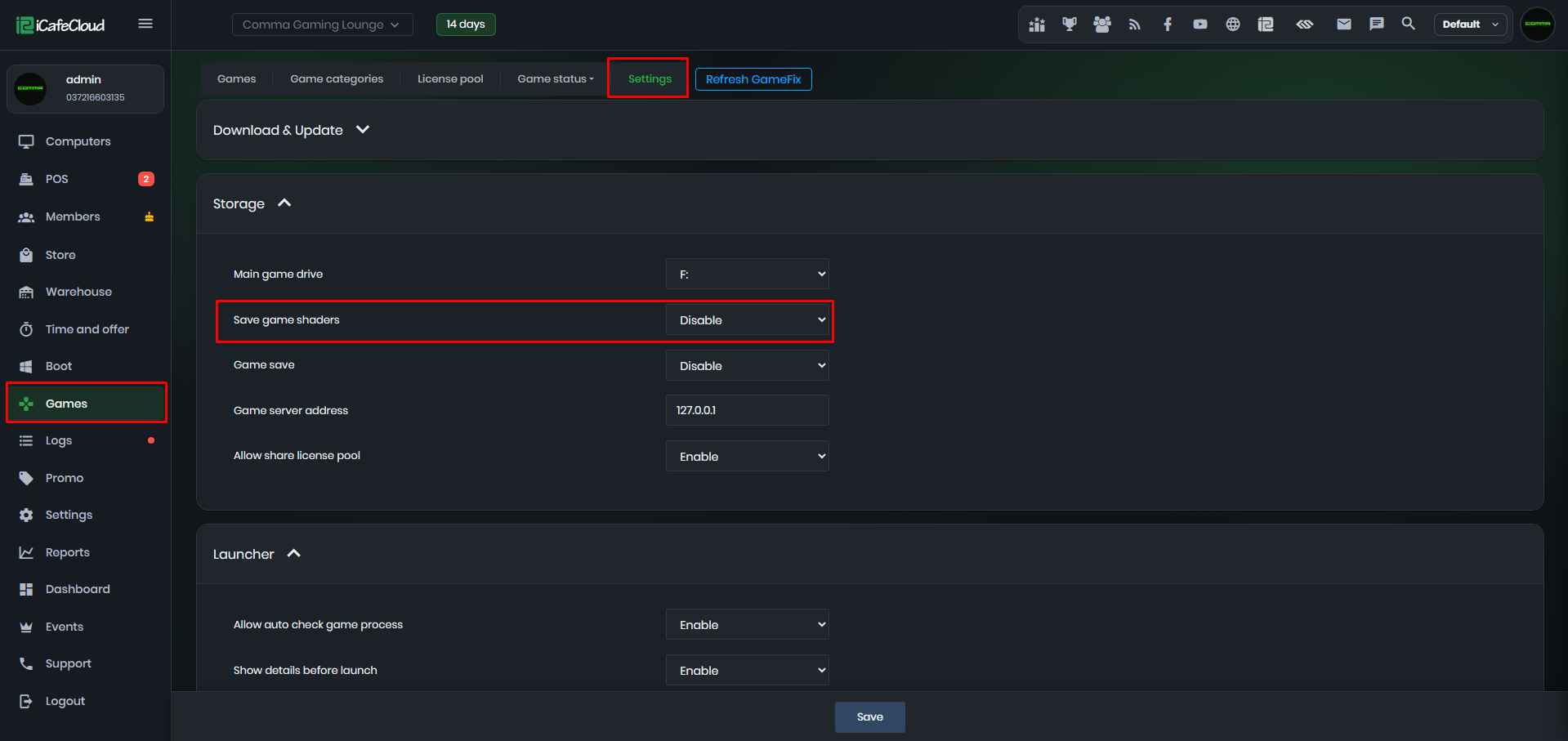
Figure 1
- Enable super client on client PC.
- After the PC boots, wait a few minutes, then shut it down and save the Super Client.
- After this setup, any PC using the same image will no longer create an mklink for the NVIDIA cache or save the cache to the iCafeCloud shared folder. (Figure 2)
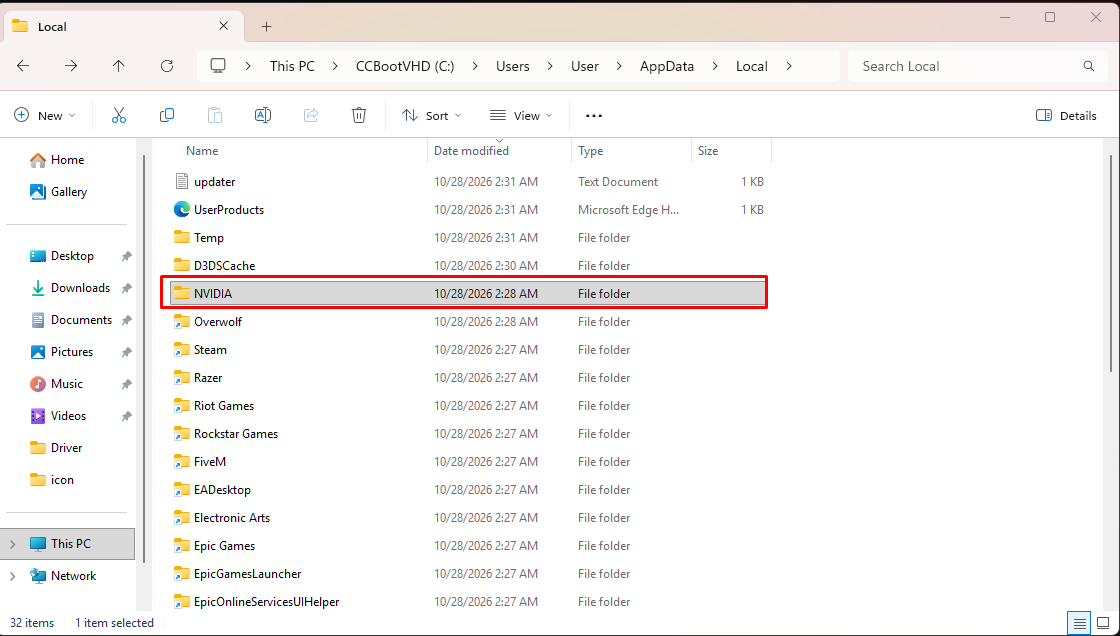
Figure 2