
2026-10-02
ccboot, hybrid, pxe
The following guide explains how to boot PCs using either a Diskless Image or a local SSD. By selecting the desired image disk, you can configure some PCs to boot from the Diskless Image while others use their local SSD.
- Navigate to Disk → Images. You will find two sections: Local SSD Images and PXE Images at the bottom. (Figure 1)
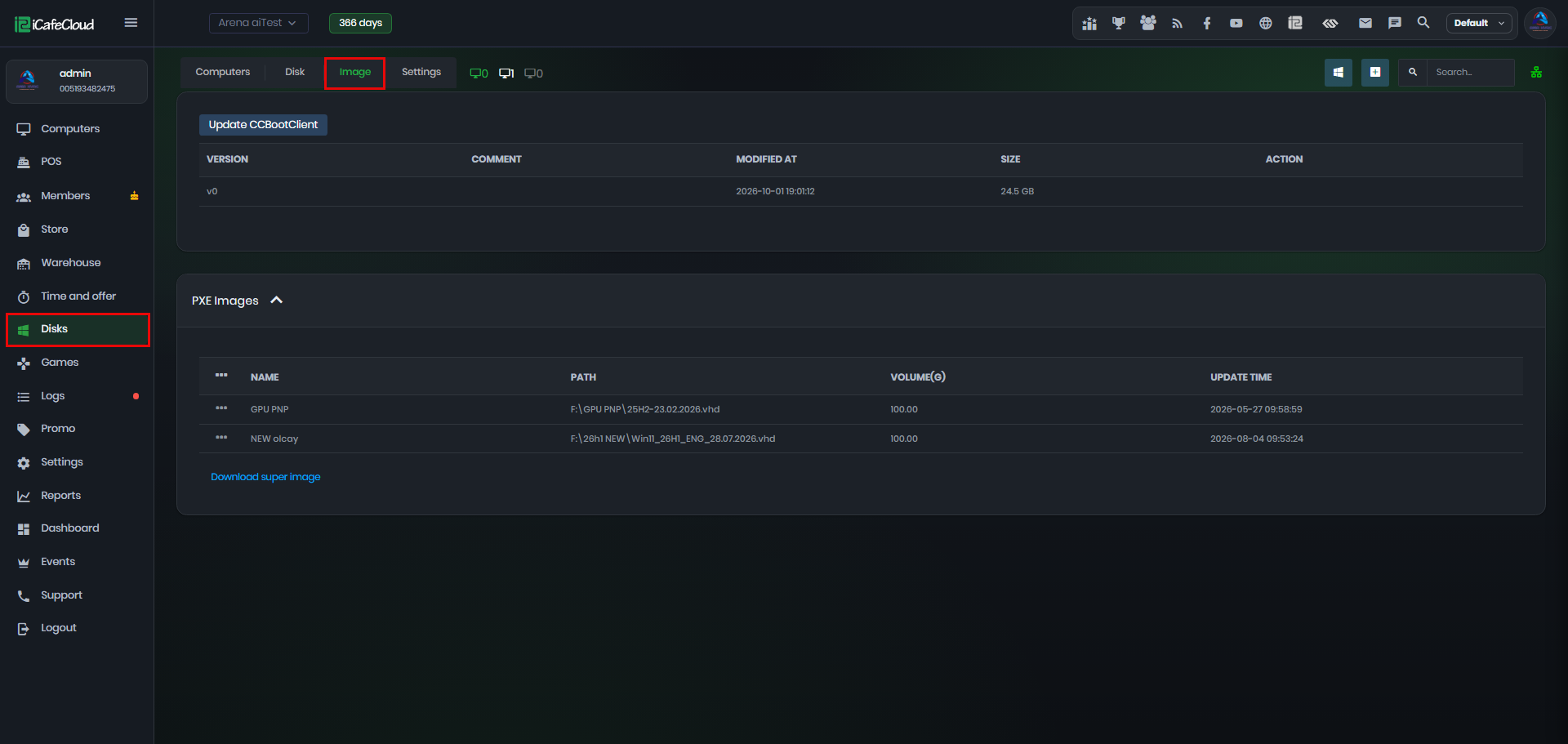
Figure 1
- If you don't have an image in the PXE Images section, you can add an image.
- For a Local SSD Image, follow the Install VHD to SSD guide.
- Once you have completed both steps, go to Computers and select the PC you want to configure. Click Edit PC, then under Image, you can choose between the Local option, which uses the SSD image, or any other available images. (Figure 2)
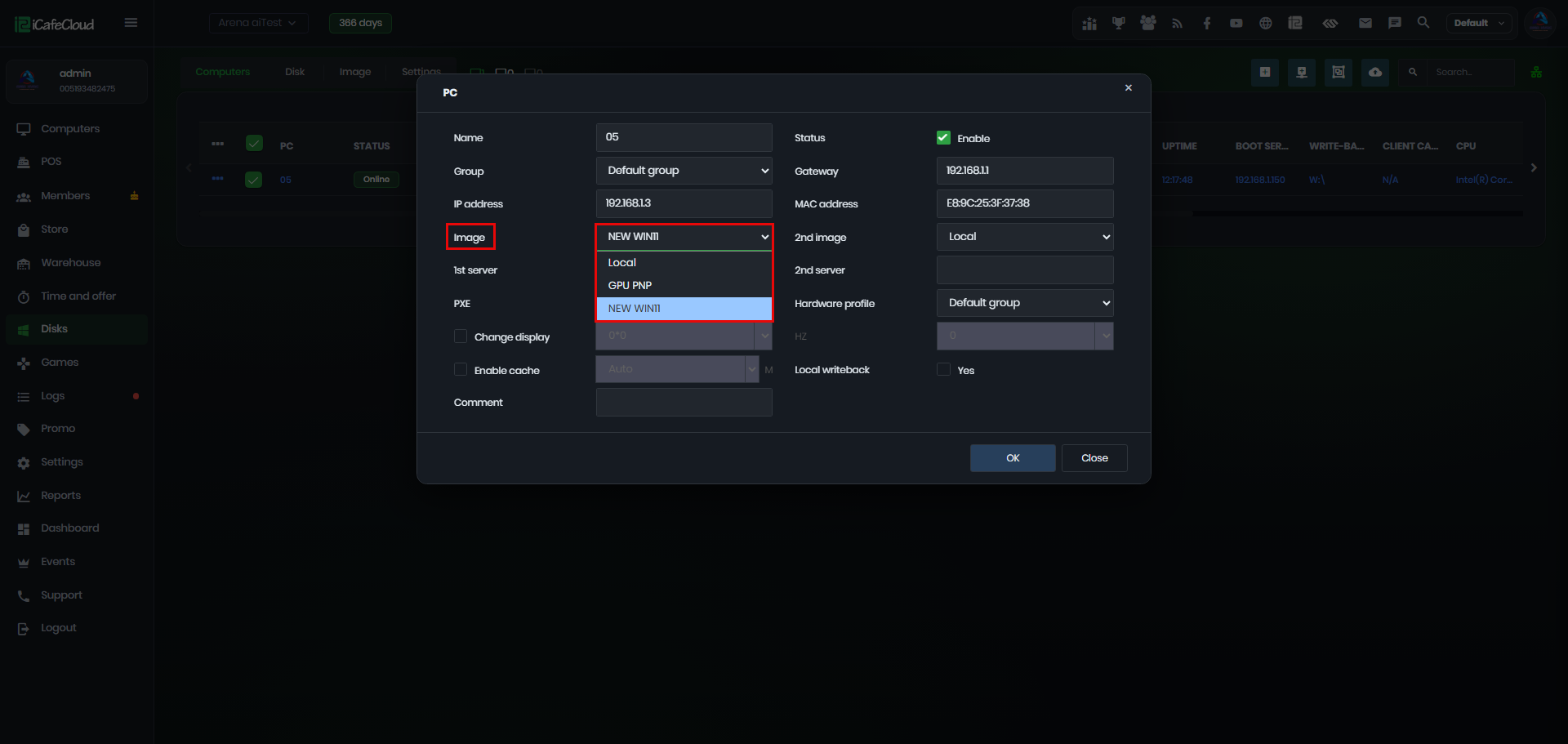
Figure 2
- You can configure PC1 to boot from Local and PC2 to boot from a PXE Image, allowing you to use both boot methods at the same time.
For example, PCs that already have an SSD installed can use the Hybrid SSD Image, while the remaining PCs can use PXE Boot. - If the PC already has an SSD configured for Hybrid Mode and you want to switch it to PXE Boot, don't forget to change the Boot Priority in the BIOS so that the PC boots from the network.