
2026-09-27
ccboot, hybrid, restore
The following guide explains how to restore images after using Super Client in Hybrid Mode.
- In Boot → Images, you can view all available image versions. From there, you can restore a previous version or merge all versions into a single image. (Figure 17)
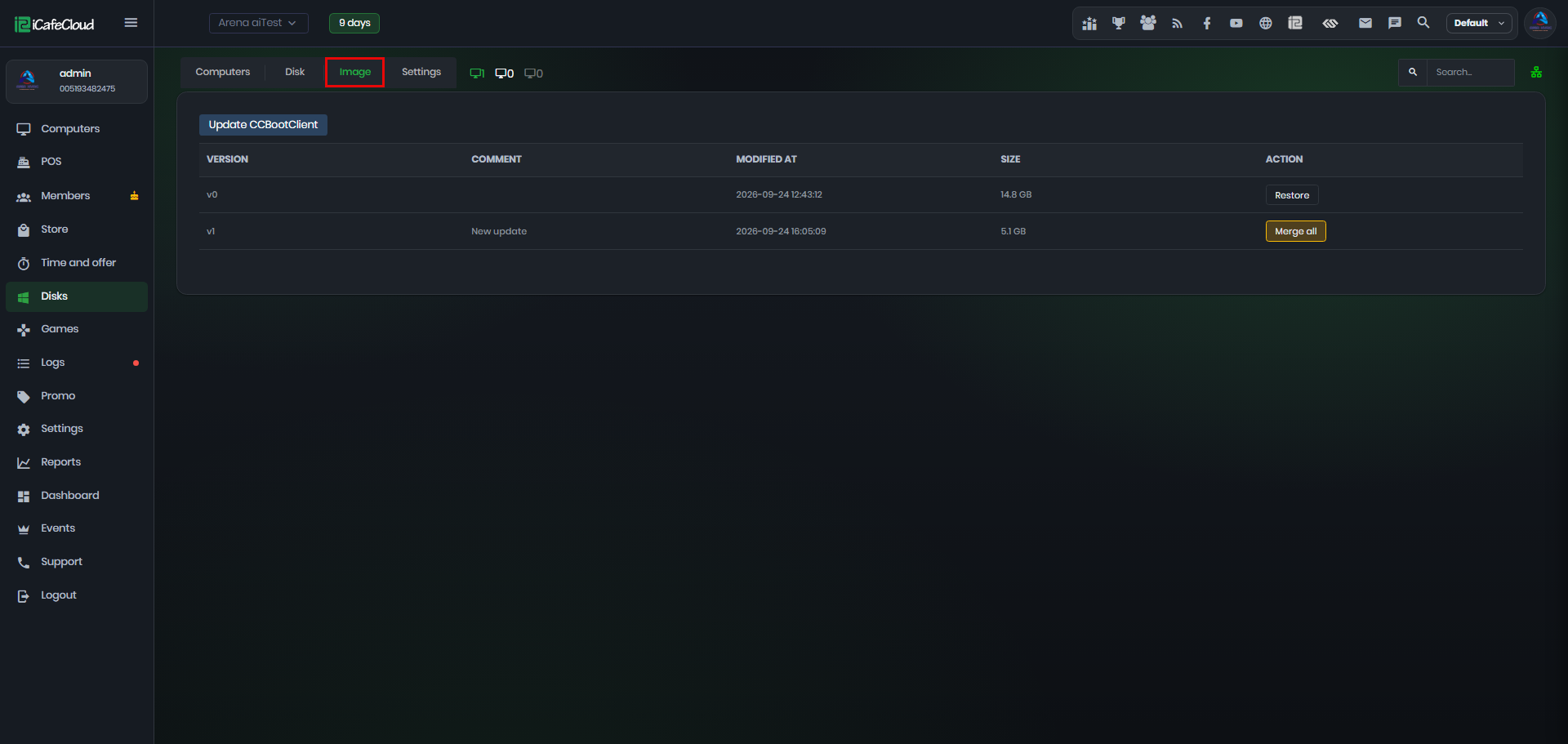
Figure 17
- You can select the Restore button next to any of the available updates.
- The versions are listed sequentially, such as V0, V1, V2, V3, with a new version being created each time Super Client creates an update. This allows you to restore the Super Client to a specific previous version when needed. (Figure 18)
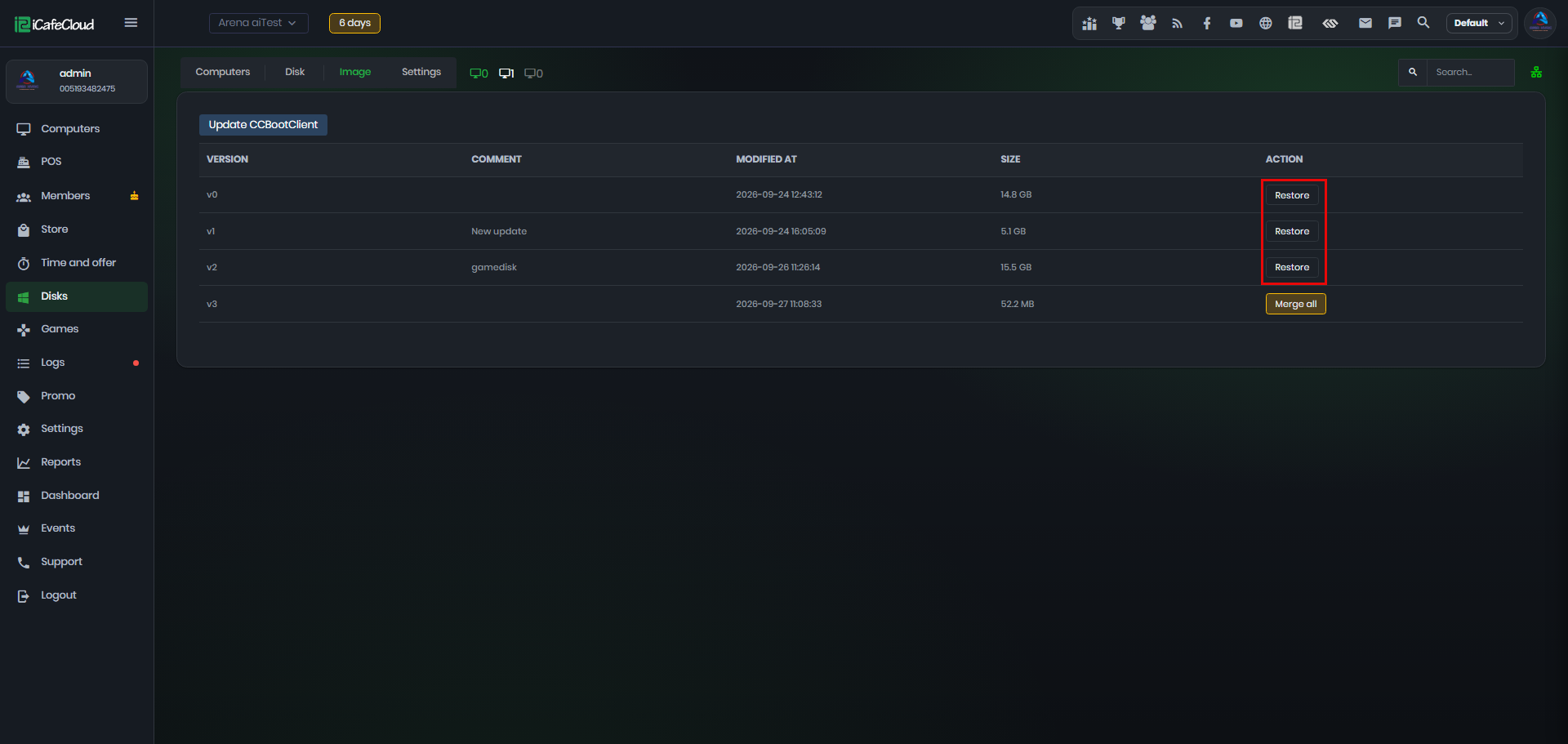
Figure 18
- Once you click Restore, a warning message will pop up. Click OK to confirm and proceed with the restoration (Figure 19).
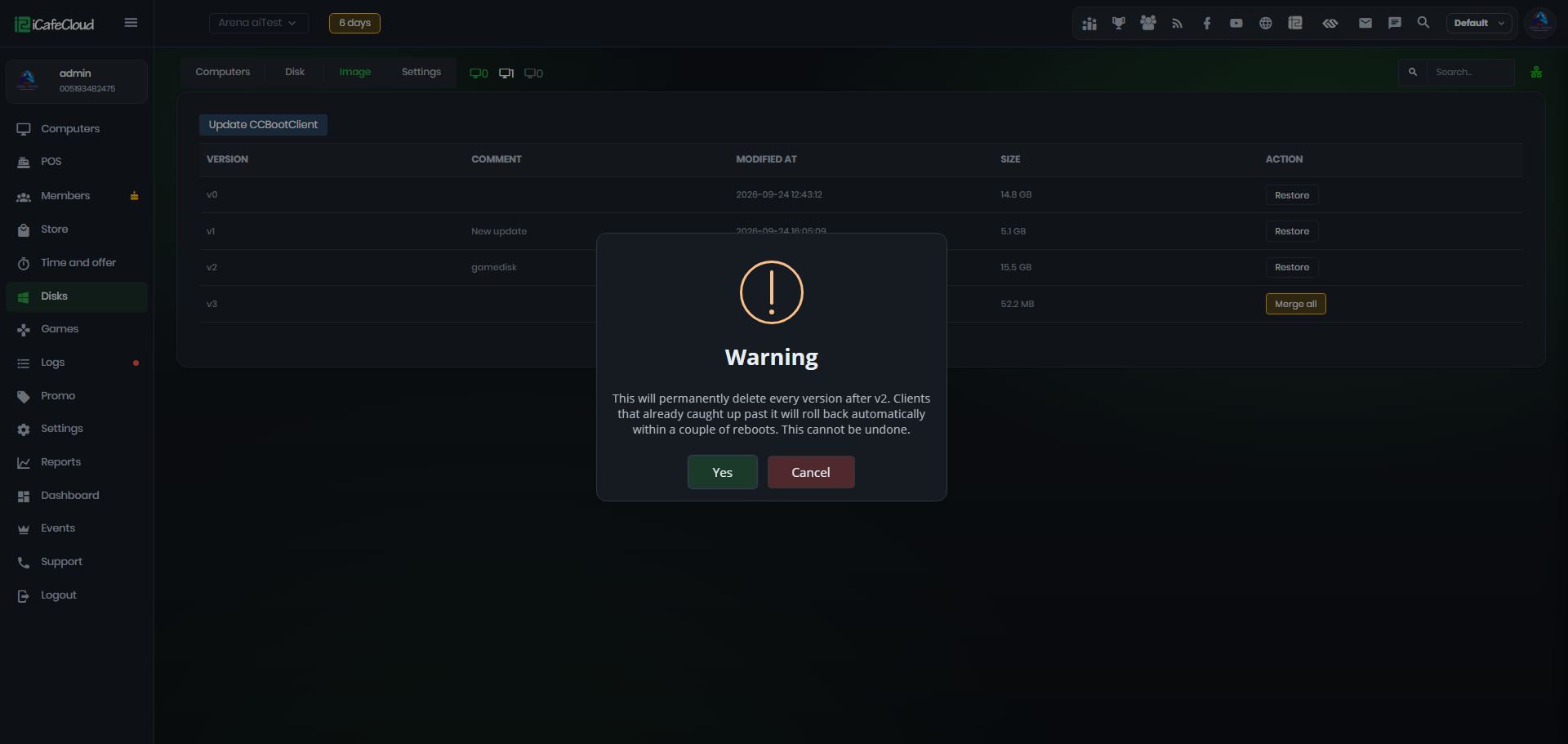
Figure 19
- Once the process is complete, the version will be removed from the list, indicating that the restore point has been successfully applied.
- The client PC is now ready for use. Any changes or software installations made while Super Client is disabled will be reverted after a reboot, returning the PC to its previous clean state.