
Wiki Home DHCP and PXE boot ipxe2025 boot stuck at pxe
ipxe2025 boot stuck at pxe
2025-10-29
boot, stuck, ipxe2025, iommu
The following explains how to resolve the issue where the system gets stuck at the PXE screen or black screen using ipxe2025 without showing any error that's related to gigabyte and iommu in bios.
- PC is stuck during boot at the PXE stage, displaying CCBoot information and PnP messages from the NIC and GPU, and then freezes (Figure 1)
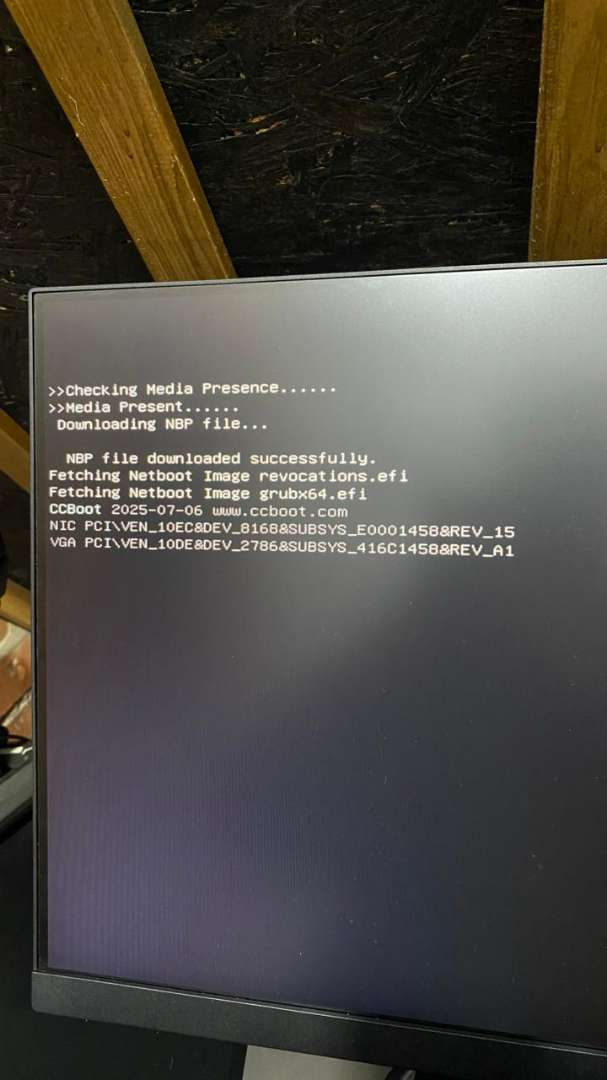
Figure 1
- Also Boot failed can also caused by preboot IOMMU (Figure 2)
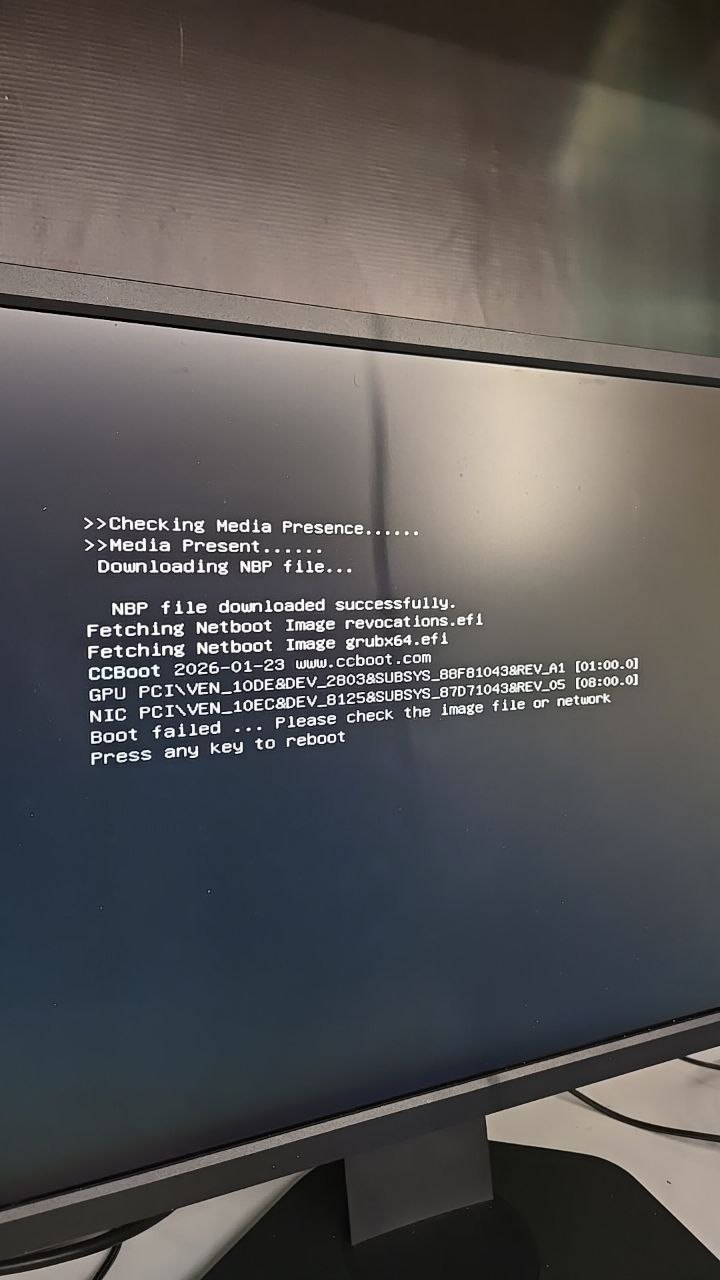
Figure 2
- This issue is mostly observed on Gigabyte motherboards after a BIOS update when Preboot IOMMU is enabled (Figure 3)
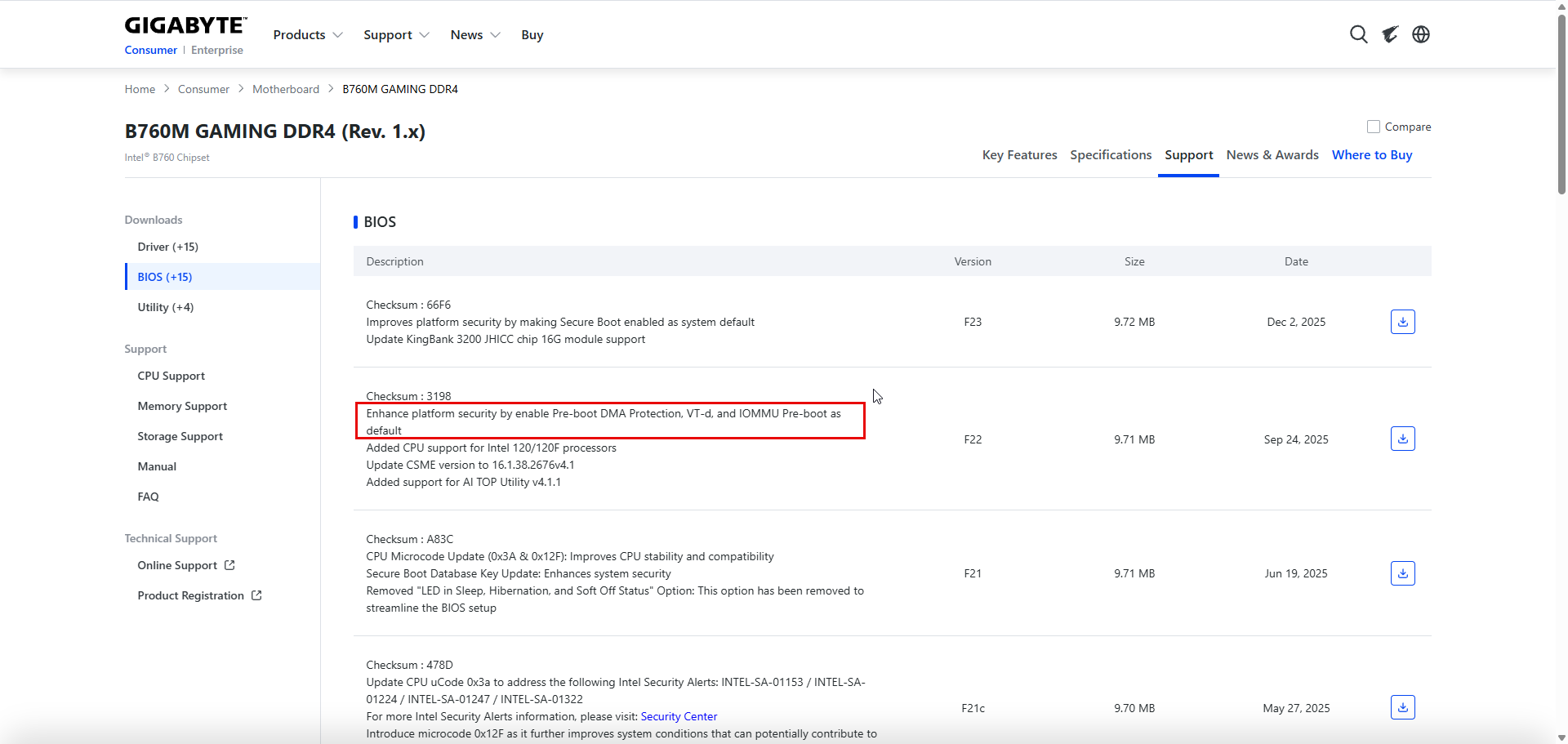
Figure 3
- SOLUTION = Disable preboot IOMMU from Bios
Change to IPXE
- Some motherboards have limited compatibility with iPXE2025, causing PCs to occasionally get stuck during boot. However, the same PC may boot normally after a reboot, meaning the issue occurs randomly and not consistently on the same system.
- To fix this problem you can change PCs PXE mode to ipxe2026.pxe (Figure 1)
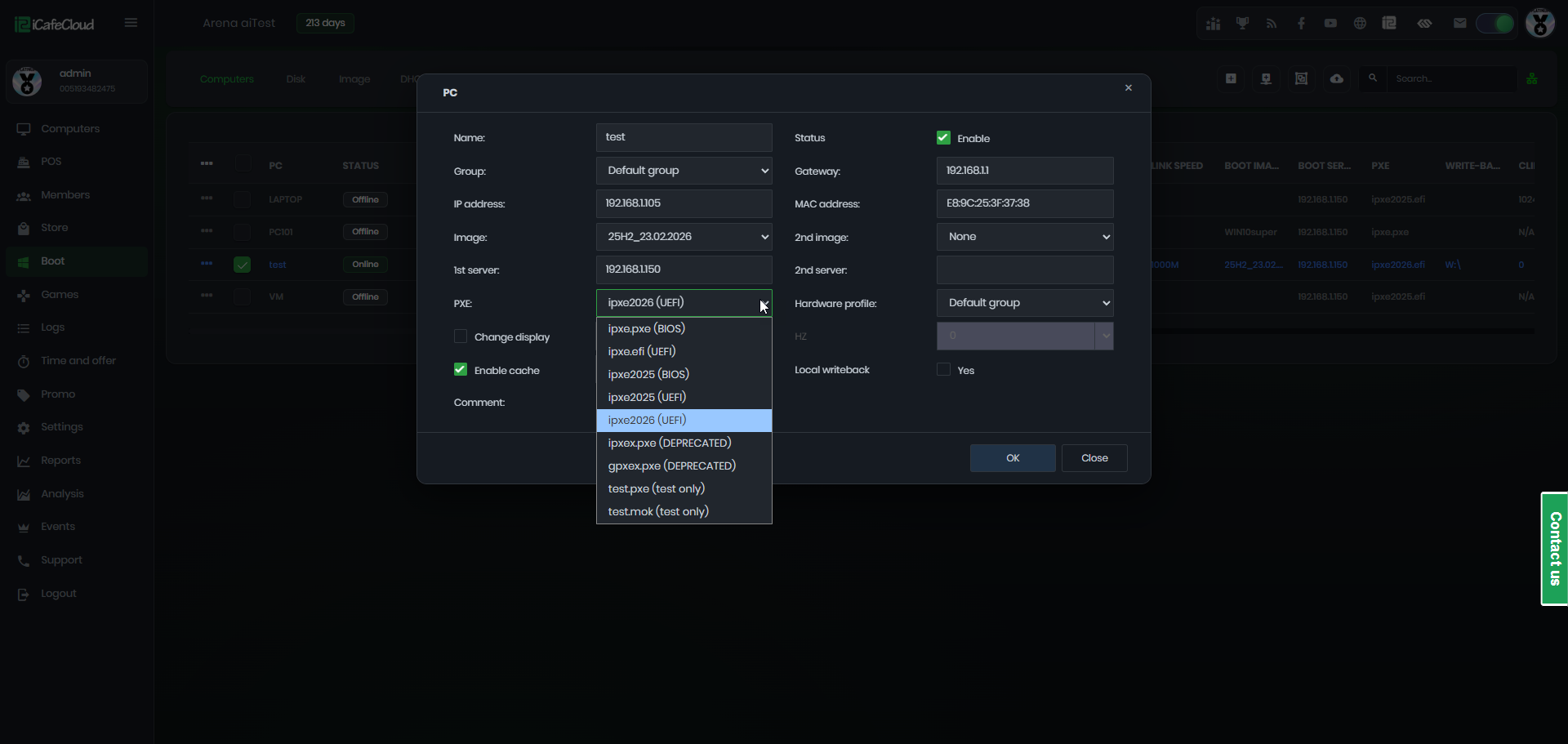
Figure 1
- Changing from ipxe2025 to ipxe2026 means you must also import Youngzsoft certificate V2 in bios.
- The methods to directly import in Bios are : MSI , Gigabyte , Asus , Asrock