
This article is for CCBoot v2.1 only. For CCBoot v3.0, please refer to "Install CCBoot Server" in wiki.
iSCSI boot technology makes it possible to diskless boot Windows over network for computers with no OS installed or even without local hard disk. On the LAN, computers with no local disk can get IP address via DHCP, necessary OS loading data via TFTP from the iSCSI target, then diskless boot Windows.
Benifits of iSCSI Boot Windows
- Reduce initial capital and implementation costs, reduce power and cooling requirements, reduce complexity and risk.
- Accelerate deployments, upgrades, and server repurposing.
- Implement enhanced Disaster Recovery solutions.
As iSCSI boot software, CCBoot is in fact a combination of DHCP and TFTP. It works as an iSCSI boot target, handles requests from diskless booting computers and transfers Windows OS data to them via TFTP. CCCBoot can be used to diskless boot Windows XP, Windows 7 and Vista, it's also known as diskless boot software.
iSCSI Boot Server Installation
Download iSCSI boot software - CCBoot server installation package from - http://www.ccboot.com/download.htm.Launch ccbootsetup.exe on the server and keep press the next button to the end.
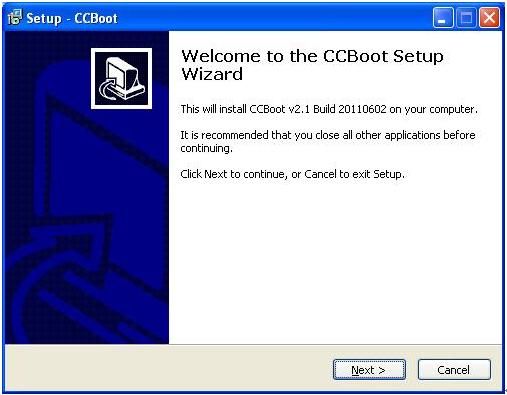
Figure 1
Note: Please shut down the other DHCP services on the LAN especially the DHCP service in the router.
Launch CCBoot and you will get the main interface as bellow:
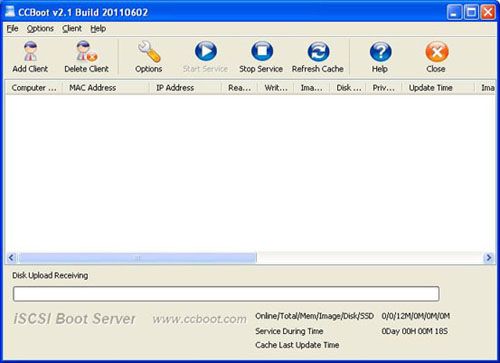
Figure 2
iSCSI Boot Server Initialization
Demo EnvironmentServer IP: 192.168.1.10
Gateway: 192.168.1.1
DNS Address: 192.168.1.1
IP Mask: 255.255.255.0
DHCP Range: 192.168.1.101-192.168.1.254
Open the iSCSI boot software - CCBoot, "Options"->"Options Wizard" and configure step by step as bellow:
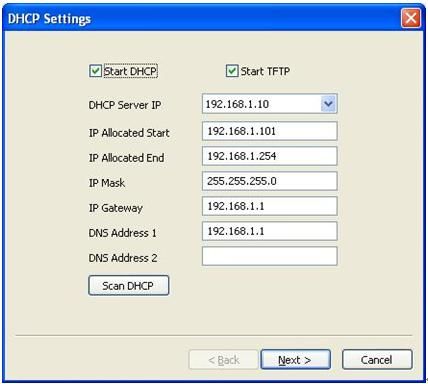
Figure 3
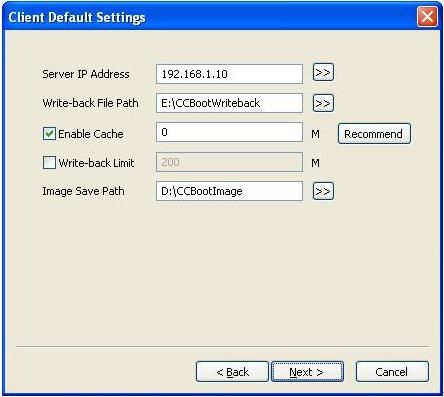
Figure 4
Set "Write-back File Path" and "Image Save Path" as you want.
"Write-back File Path" is used to store the diskless booted clients’ write-back data. You’d better use a big volume hard disk as "Write-back File Path". This disk should be formatted as NTFS and 64K bytes per cluster.
"Image Save Path" is used to store the iSCSI boot images. This disk should be also formatted as NTFS and 64K bytes per cluster. You’d better use a fast speed hard disk as "Image Save Path". For example, use an SAS hard disk.
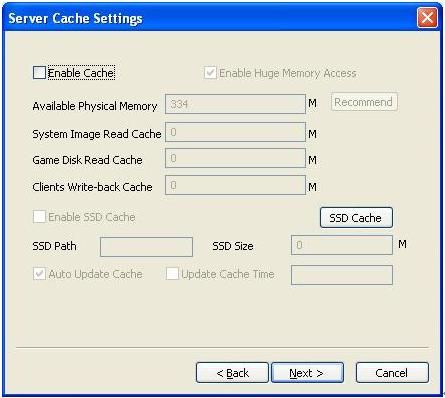
Figure 5
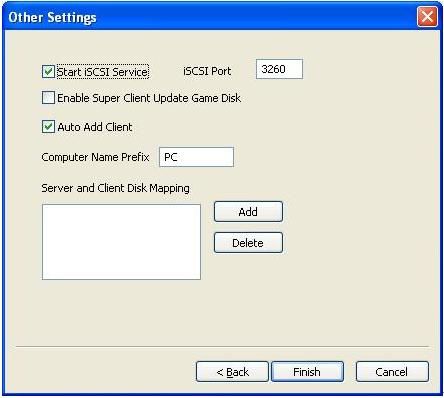
Figure 6